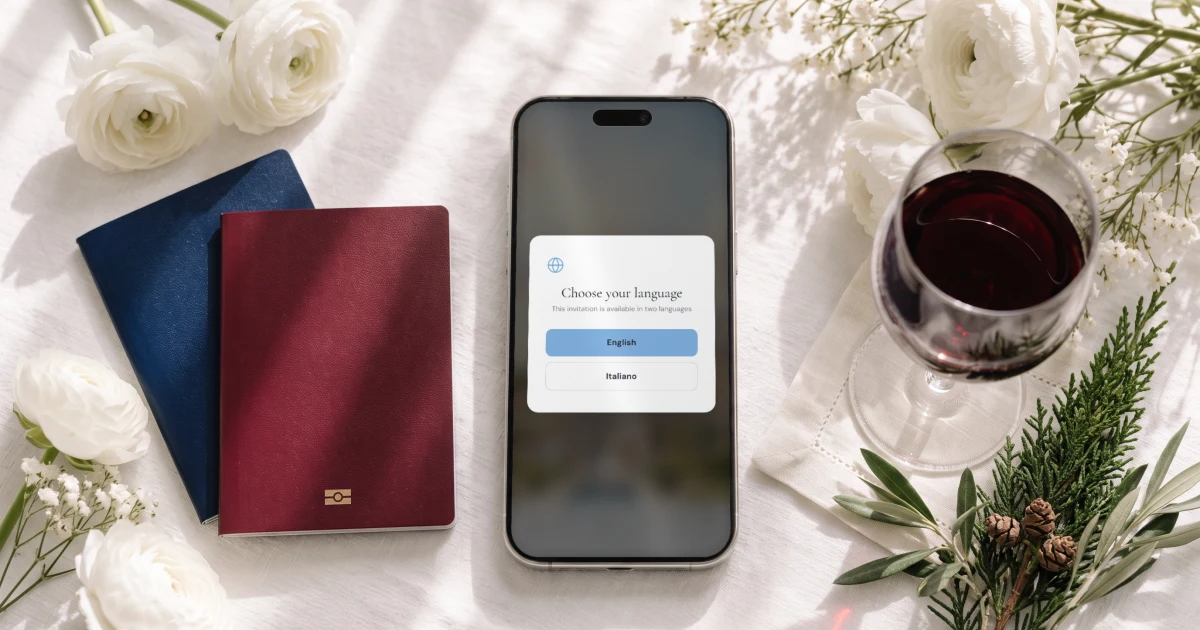
For a wedding in Italy with guests who read English and guests who read Italian, The Private Wedding App, an all-in-one wedding planning platform, sends one invitation link where each guest picks English or Italian, replies to each event and chooses their own meal, for $189 once for lifetime access or $19.99 a month. The RSVP form itself is in Italian for the guests who pick Italian, nobody downloads an app, and the price covers the whole wedding: the guest list, the seating plan with named seats, the budget tracker, the checklist and the AI assistant, as well as the invitation. 3-day free trial.
$19.99 a month
3 days free, then $19.99/month. No commitment, stop whenever you want.
Try it free for 3 days →You are getting married in Tuscany, in Bologna, on Lake Como or on the Amalfi Coast. One family flies in from the US, the UK, Canada or Dubai and reads English. The other lives an hour from the venue, reads Italian and answers everything on WhatsApp. There is a welcome dinner the evening before, a ceremony, a dinner with more courses than your guests expect, and a brunch or a pizza party the next day. Here is how to run all of it from one invitation link and one guest list.
A wedding in Italy is a whole weekend: who is invited to what
Guests who fly to Italy stay at least three days, so the wedding usually has three or four moments. The welcome dinner or aperitivo the evening before is often for family and the guests who travelled. The ceremony and the reception are for everyone. The brunch or pizza party the next day is for whoever is still there. Asking 'are you coming?' once gives you none of those numbers.
In the builder, switch on 'This wedding has multiple events' (it is off by default) and add each event. Guests then answer each one separately, and you choose which events ask for a meal. Each guest group gets its own link that shows only the events it is invited to, so the Italian cousins who drive in on the day are not asked about the Thursday aperitivo.
One point to settle early, because it changes what you write on the invitation: a civil ceremony in Italy takes place at the comune (the town hall) or in a venue the comune has approved, it is held in Italian, and an interpreter is required if one of you does not speak it. Many couples from abroad sign the legal papers at home and hold a symbolic ceremony at the villa, which has no legal value. If the town hall is a separate, smaller moment, add it as its own event.
See how multi-event RSVP keeps a count for each event.
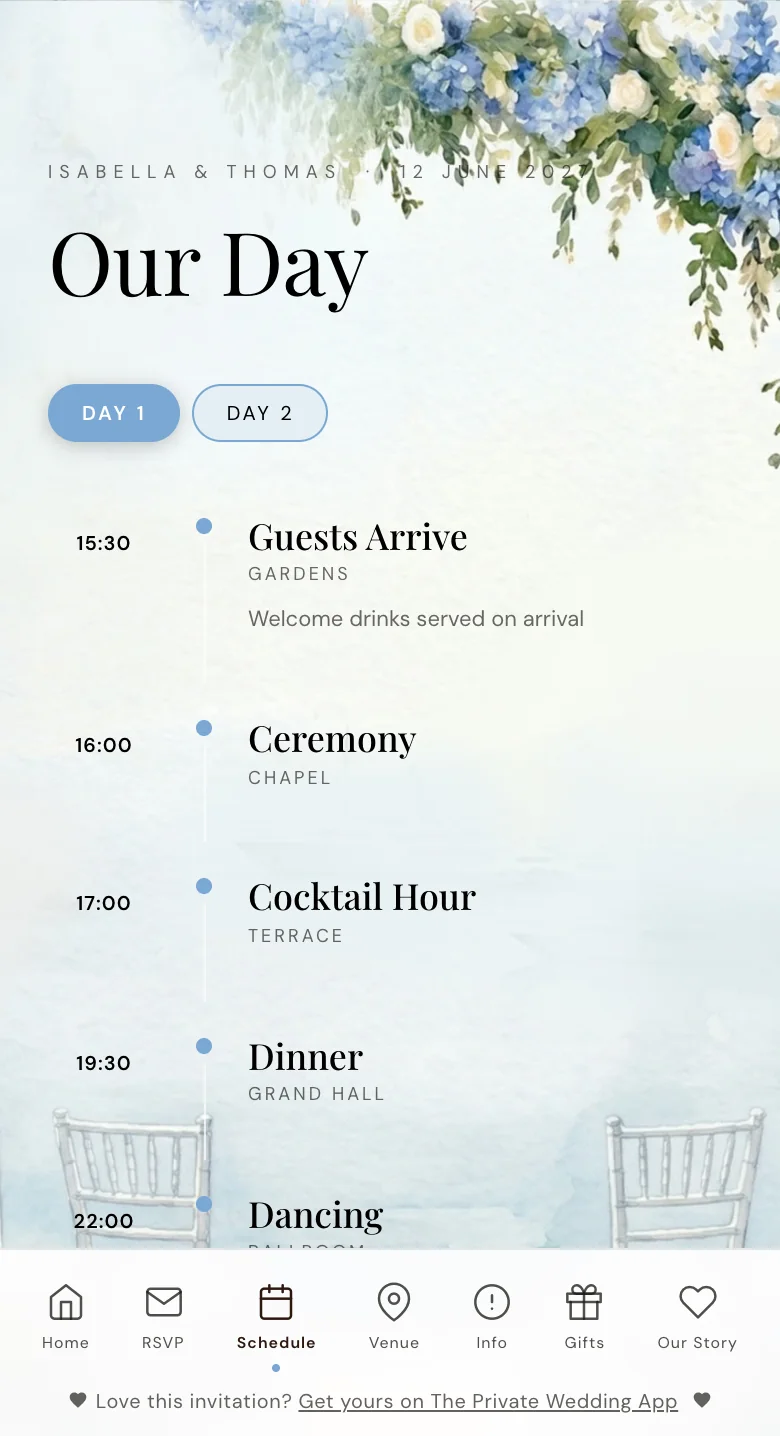
The schedule page of a demo invitation, with one tab per day.
A long Italian dinner: one meal choice and one allergy answer per person
An Italian wedding dinner runs long: aperitivo, antipasti, a first course of pasta or risotto, a second course of meat or fish, then the cake. Caterers ask early for the count per dish and for every allergy, by name.
One person replies for the household. Each person they bring appears on the same form with their own meal and their own allergy answer, and a severe allergy is flagged separately so the kitchen cannot miss it. You write the dishes once and add the Italian version under each one, so your nonna reads 'pesce' where your college friends read 'fish'.
Replies in English and replies in Italian land in the same guest list, with the same columns: events accepted, meal, allergies. The caterer day sheet gives the venue the count per dish and the allergy list.
See the meal and allergy tracker and the guest list tracker.
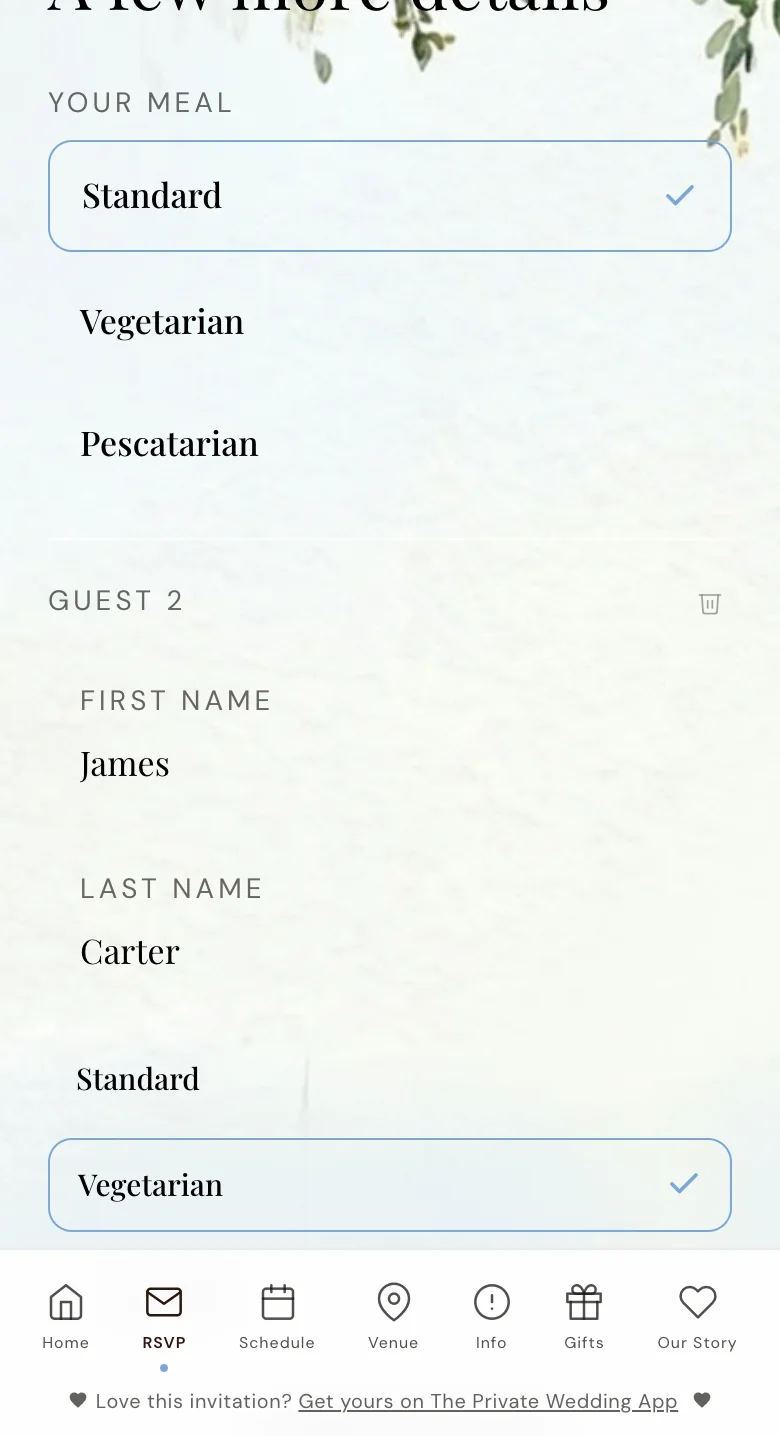
The RSVP form of a demo invitation: the second guest has their own meal.
What each guest sees: English or Italian, RSVP form included
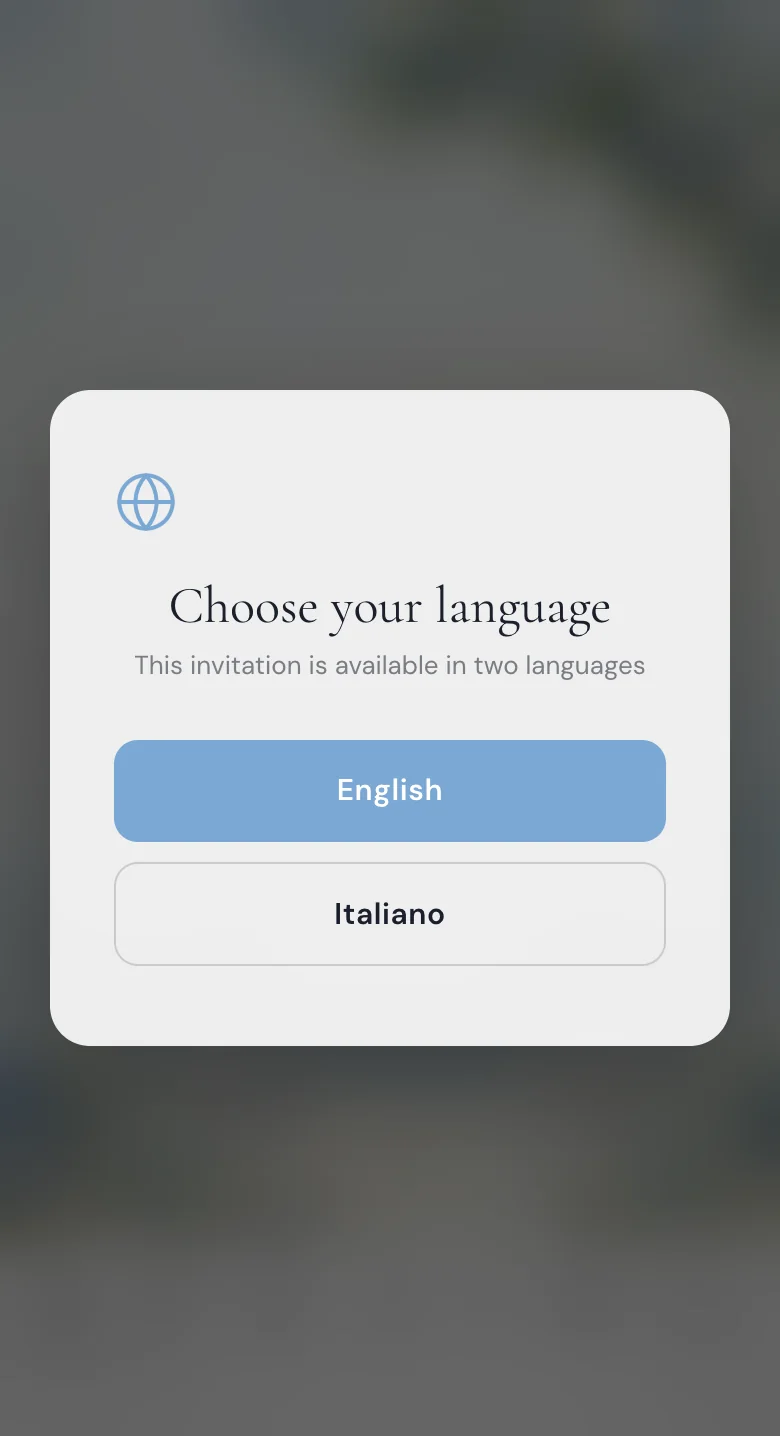
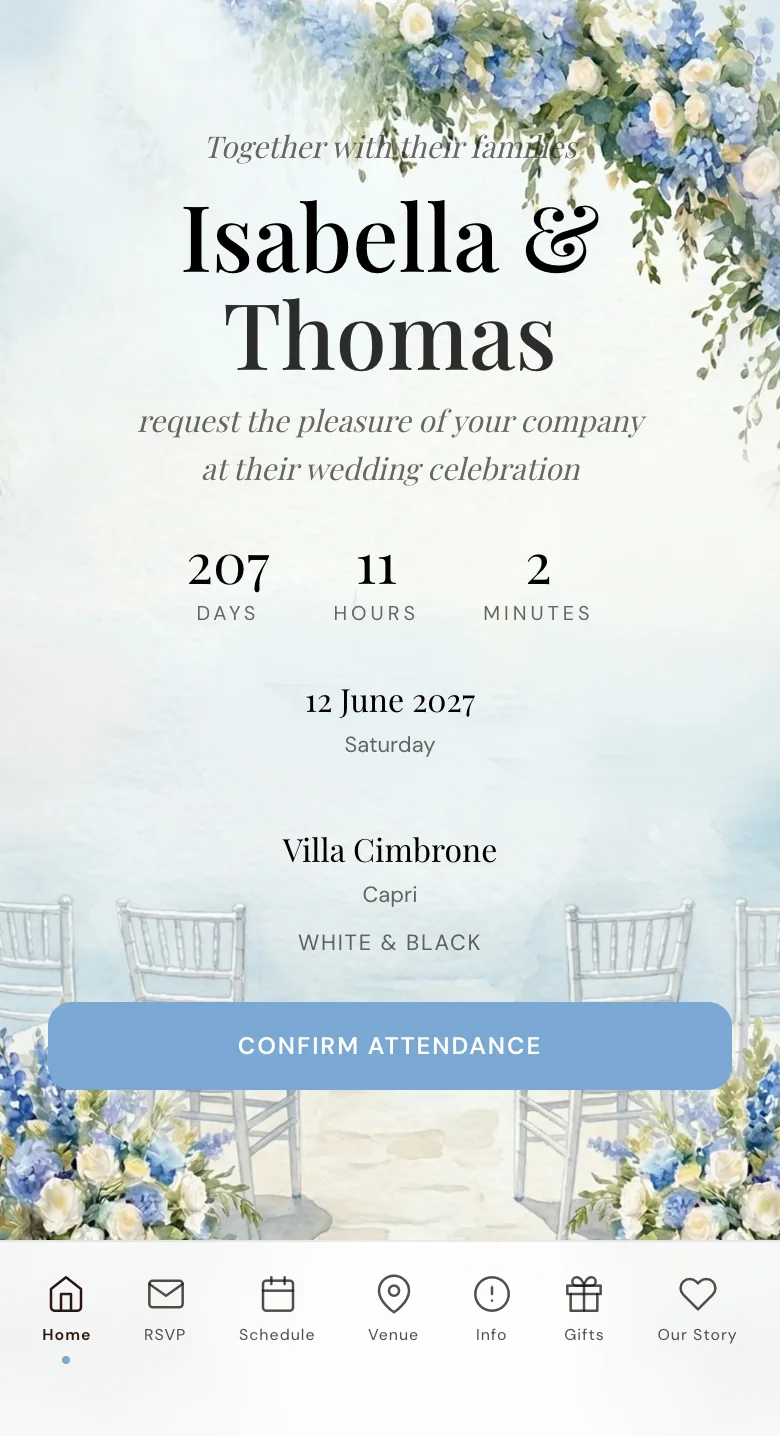
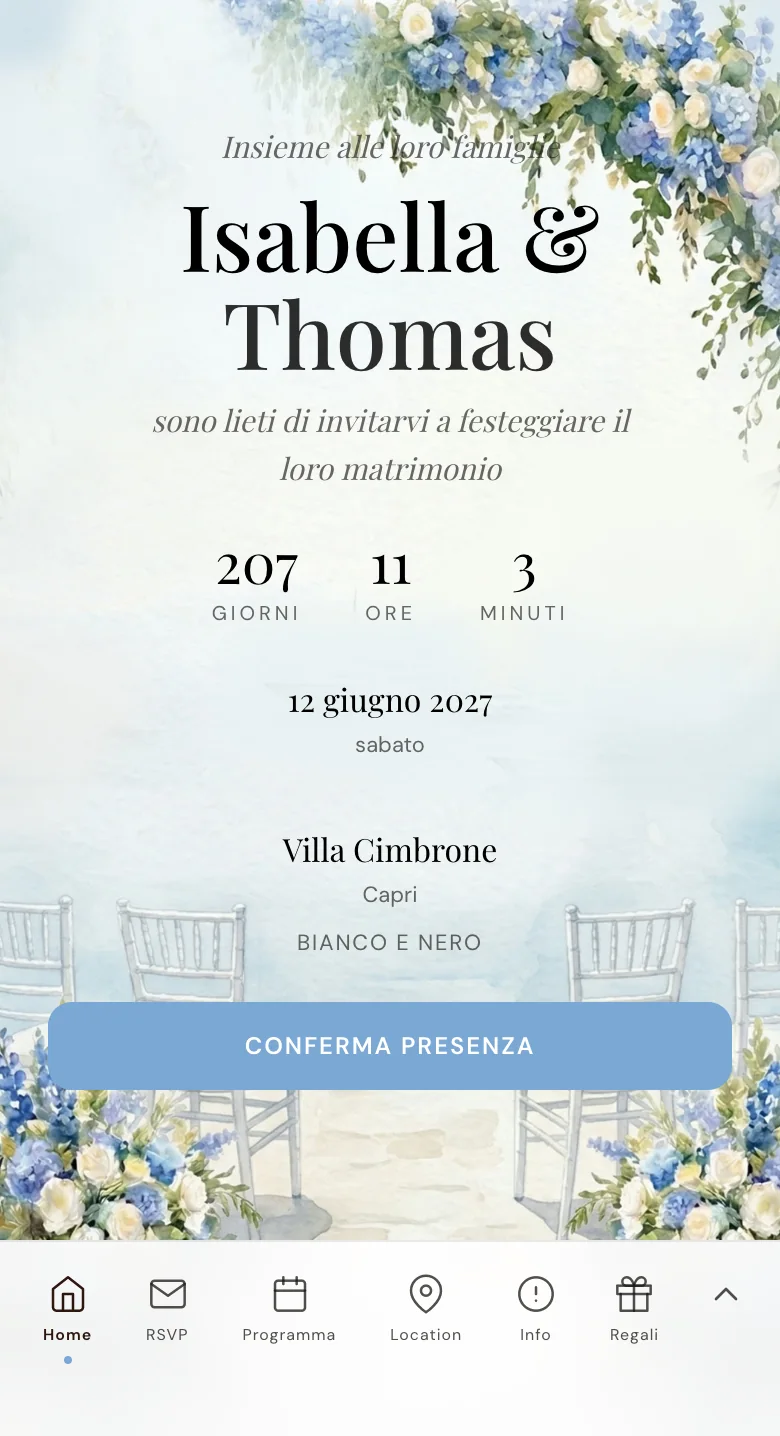
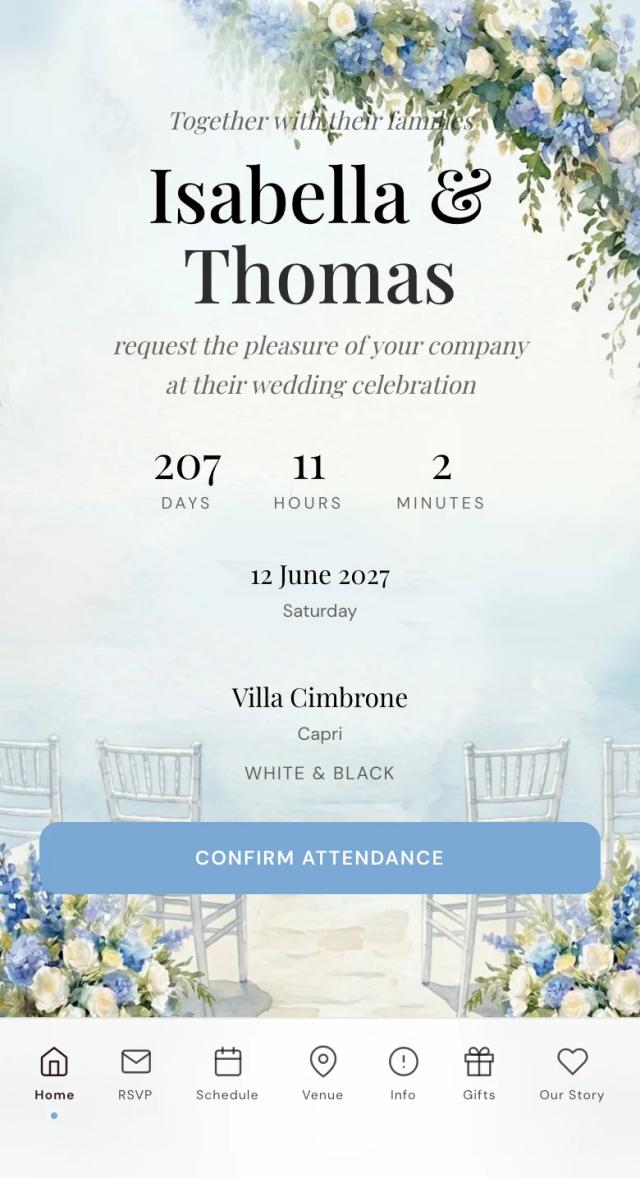
Your guest taps the link and it opens in the phone's browser, with no app to download and no account to create. A small window asks one question: English or Italiano. From there the whole invitation follows that choice: the cover, the schedule, the venues, the dress code and the RSVP form with its buttons, meal names and allergy question.
Each guest reads one language, their own; the two are never squeezed side by side on one card. The choice is saved on that phone, and you can send the Italian side a link that opens straight in Italian.
You write your texts once, add the second language in the Languages tab, and the AI Translation button fills every empty field for you to correct. The buttons and the RSVP form are translated on their own. Have an Italian speaker read the result: the formal 'voi' of an invitation is not what a translator guesses first.
See how the bilingual wedding invitation works.
Sending it: WhatsApp for the Italian side, email for everyone else
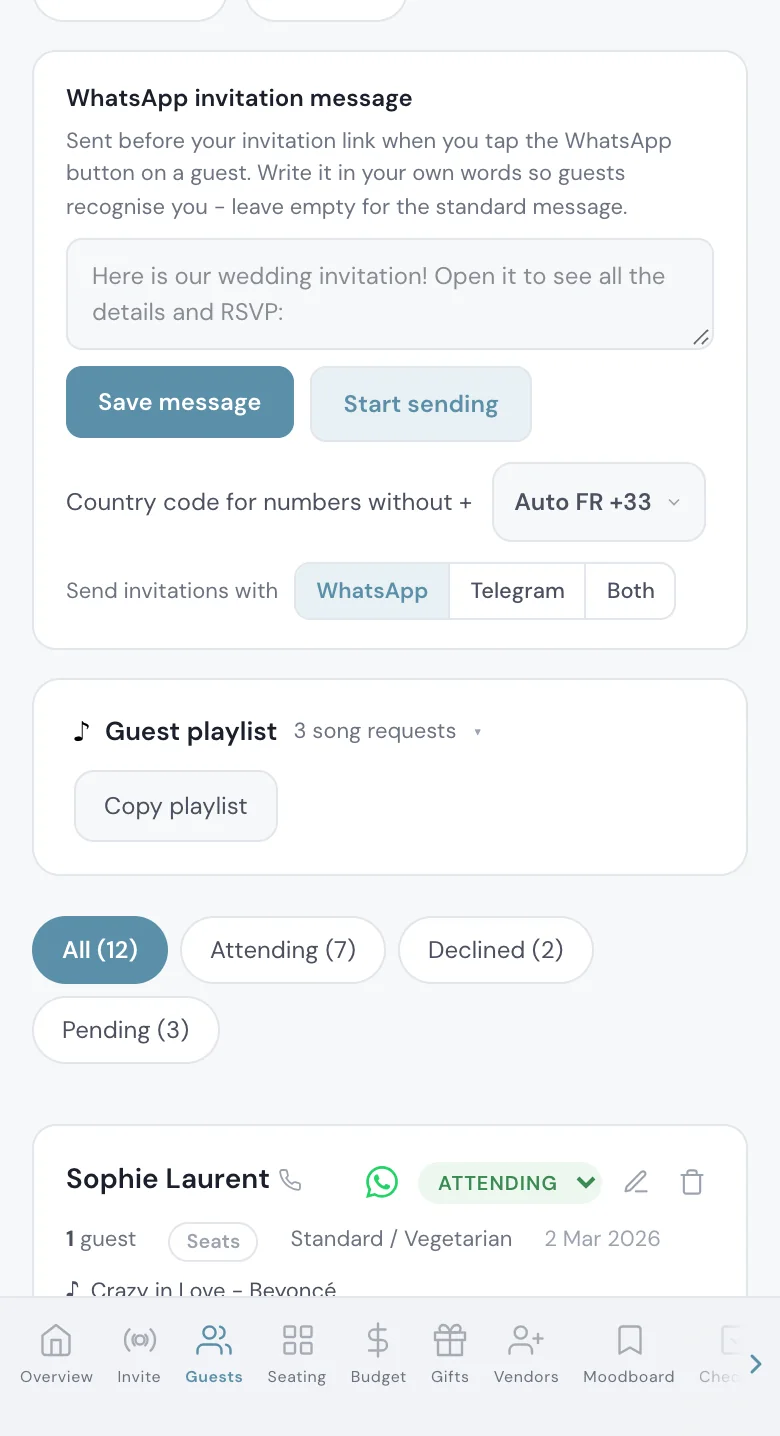
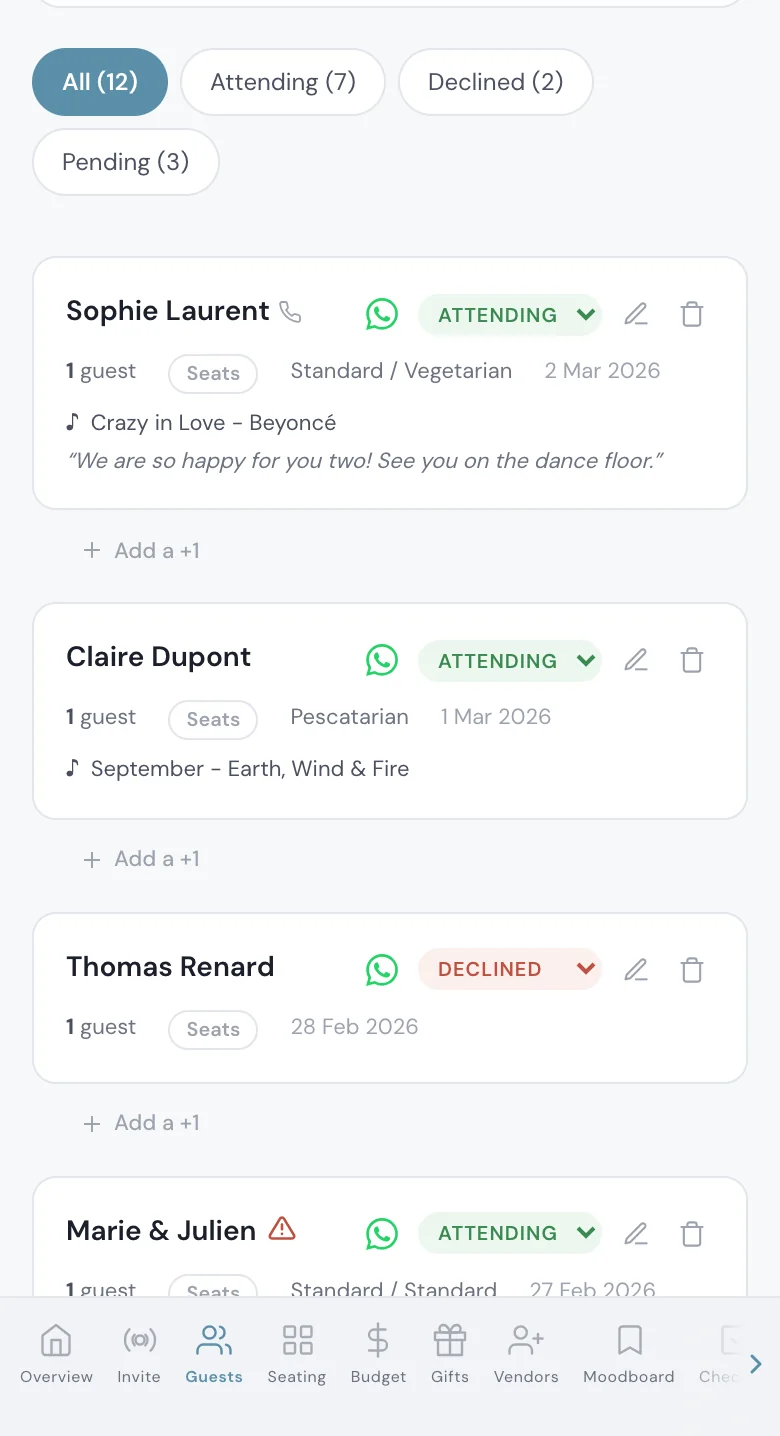
In Italy the family chat is where a wedding is discussed, so the invitation should arrive there. Add each guest's phone number with its country code, +39 for Italy. Every guest has a WhatsApp button that opens their chat with your message and their link already typed. You press send, one guest at a time, from your own number: it is not an automatic bulk send, so your zia sees a message from you.
Guests who live in their inbox get the same link through 'Email the invitation', sent in one go to everyone who has an email address on your list.
If the link gets forwarded further than you planned, switch on 'Private access' and only people whose phone or email is on your list can open it.
See WhatsApp wedding invitations.
- Phone numbers with the country code
- Each guest in their group before you send
- Guests flying in told six to eight months ahead, so they can book flights and leave
- A reply-by date visible on the invitation
Guests flying into Florence, Pisa, Bologna or Naples
Most Italian venues are a drive from the airport, and a villa in the Chianti hills or a terrace in Ravello is not somewhere a guest finds a taxi at midnight. Switch on 'Ask guests for their flight details' (off by default). The RSVP form then asks for the arrival and return flight, your Guests page lists the arrivals by day and landing time, and the day sheet lists the airport transfers.
Hotels with a group rate, the shuttle times and what to wear on gravel paths go in info sections, in both languages. Each section has a 'Visible in' choice, so the note on how an Italian wedding day runs shows in English only, and your Italian guests do not read what they already know.
See guest flight details and the destination wedding page. For the order of the days, the destination wedding itinerary guide goes from arrivals to the farewell brunch.
The seating plan, with a name on every seat
Only the guests who said yes appear in the seating plan, and with RSVP per event the welcome dinner and the reception each get their own tables. You drag each household to a table, then open the table to put a name on every numbered seat. That is how you sit an Italian uncle next to the cousin who can translate, and keep the two sets of grandparents within sight of each other.
Each seat carries the colour of that guest's diet, so a vegetarian or a pescatarian is visible on the table itself.
Build it in the seating chart.
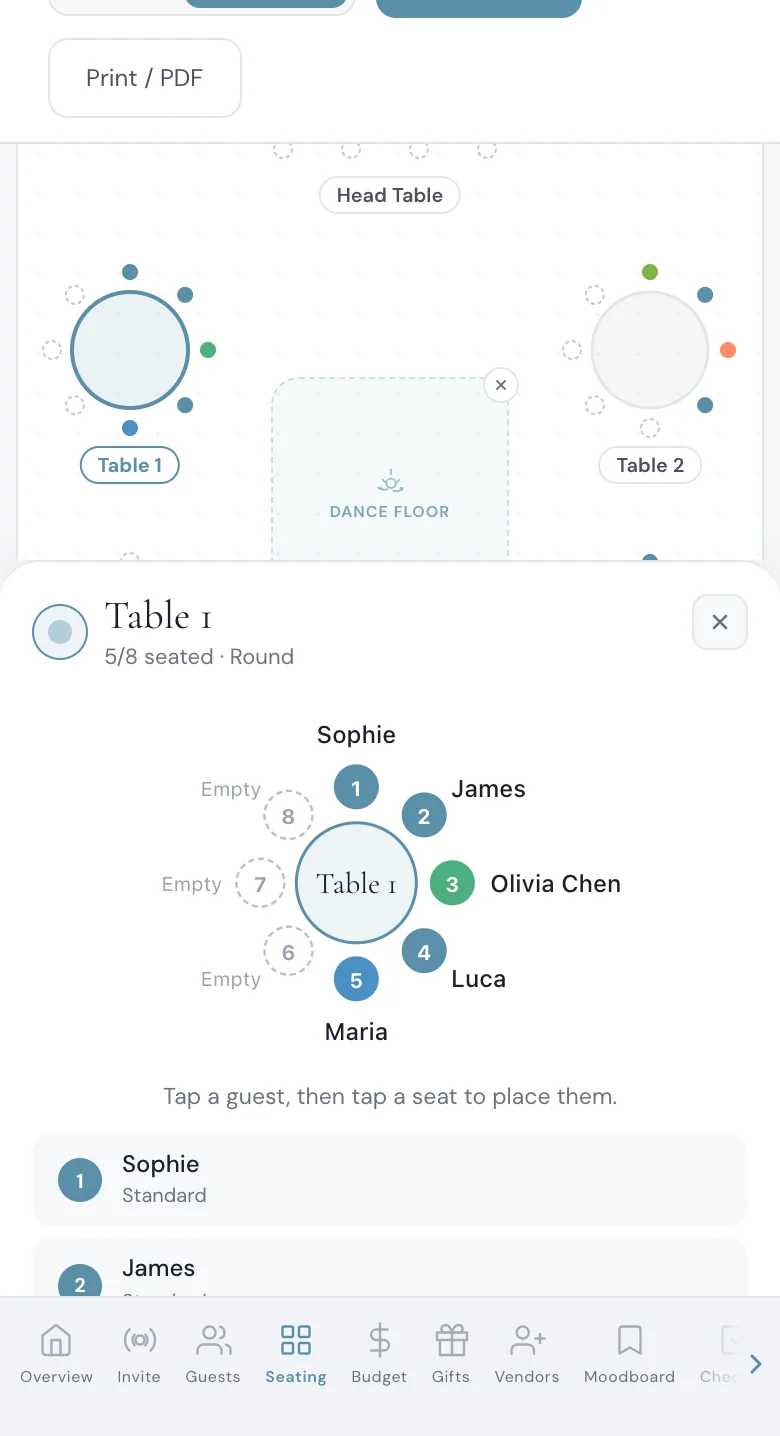
An opened table in the seating plan, with example guests.
Budget, checklist and an assistant, in the same place
The invitation is one part of the planner. The budget tracker holds every vendor, deposit and due date in euros, and shows your catering cost per confirmed guest, so you see what ten more guests at an Italian per-head price would add before you say yes to them.
The checklist keeps the tasks in order from the venue to the final count. The AI assistant knows your wedding and answers questions about your own guest list and budget. The dashboard and the assistant work in Italian as well as English, so the partner who plans in Italian uses the same account in their language.
See the budget tracker, the wedding checklist and the AI wedding planner.
Planning with the Italian side of the family? The same situation is explained in Italian in matrimonio con invitati stranieri, and the regions, seasons and paperwork are in destination wedding in Italia. For a French-speaking family, see mariage en Italie.
Start the 3-day free trial on the pricing page: add a few real names, send yourself the invitation, and reply once in Italian and once in English.
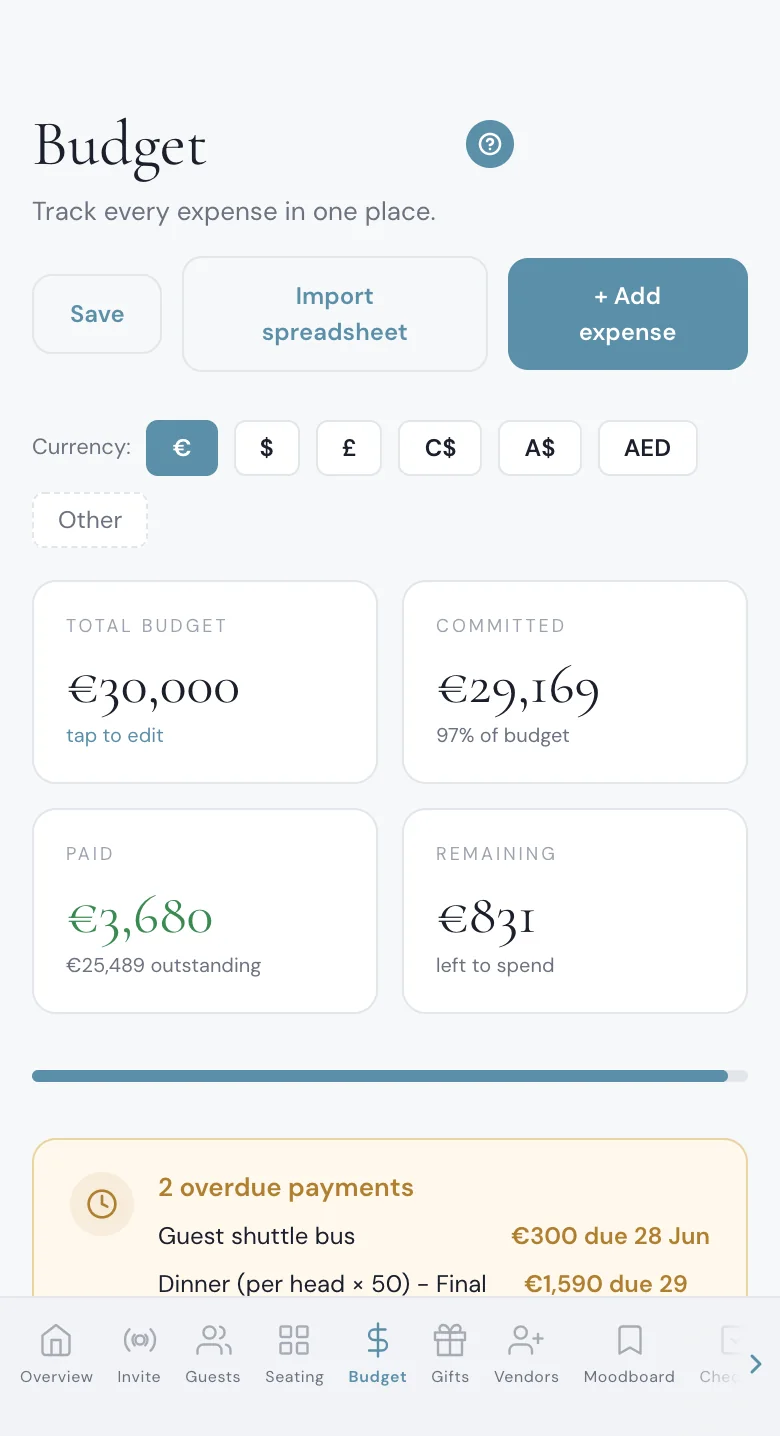
The budget page of the planner, with example figures.
Everything you need, in one place
Planning your own wedding without a planner is entirely achievable.
See it for yourself.
Explore the whole platform: cinematic invitation, RSVP with meals and allergies, guest list, seating chart, budget, vendors, checklist, moodboard, guest photo and video sharing and the AI planner. No account needed.
Try the full planner →We are getting married in Tuscany, my family is American and his is Italian. How do we send one invitation in English and Italian?
Write the invitation once, add Italian as the second language and fill each translation, by hand or with AI translation that you then correct. In The Private Wedding App it is one link: each guest picks English or Italian when they open it, and the cover, the schedule and the RSVP form follow.
Is the RSVP form translated into Italian too, or only the invitation?
The form too. In The Private Wedding App a guest who picks Italian gets the whole RSVP form in Italian: the buttons, the event questions, the meal names you translated and the allergy question.
Can each person in a household choose their own meal?
Yes. One person replies for the household, and each person coming with them has their own meal choice and their own allergy answer on the same form.
Do our guests need to download an app?
No. The invitation opens in the phone's browser from the link you send, on iPhone or Android, with no app to download and no account to create.
Can guests reply separately to the welcome dinner, the wedding and the brunch?
Yes. Switch on 'This wedding has multiple events', add each event, and guests answer each one. Every event has its own count, and a guest group can be shown only the events it is invited to.
Do both languages show on the same screen?
No. Each guest reads the whole invitation in the language they pick, English or Italian. You can also send a link that opens straight in one language.
Can I send the invitation on WhatsApp to Italian phone numbers?
Yes. Each guest in your list has a WhatsApp button that opens their chat with your message and their link, sent from your own number. You tap once per guest; it is not an automatic bulk send.
How do we know when our guests land in Italy?
Switch on 'Ask guests for their flight details'. Guests add their arrival and return flight when they reply, and your Guests page lists the arrivals by day and landing time.
How much does it cost, and what is included?
$189 once for lifetime access, or $19.99 a month. In the UK, £159 once or £17.99 a month; in Canada, C$249 once or C$24.99 a month; in the UAE, AED 699 once or AED 74.99 a month. Every plan includes the English and Italian invitation, RSVP per event with meals and allergies, the guest list, the seating plan with named seats, the budget tracker, the checklist and the AI assistant. 3-day free trial.