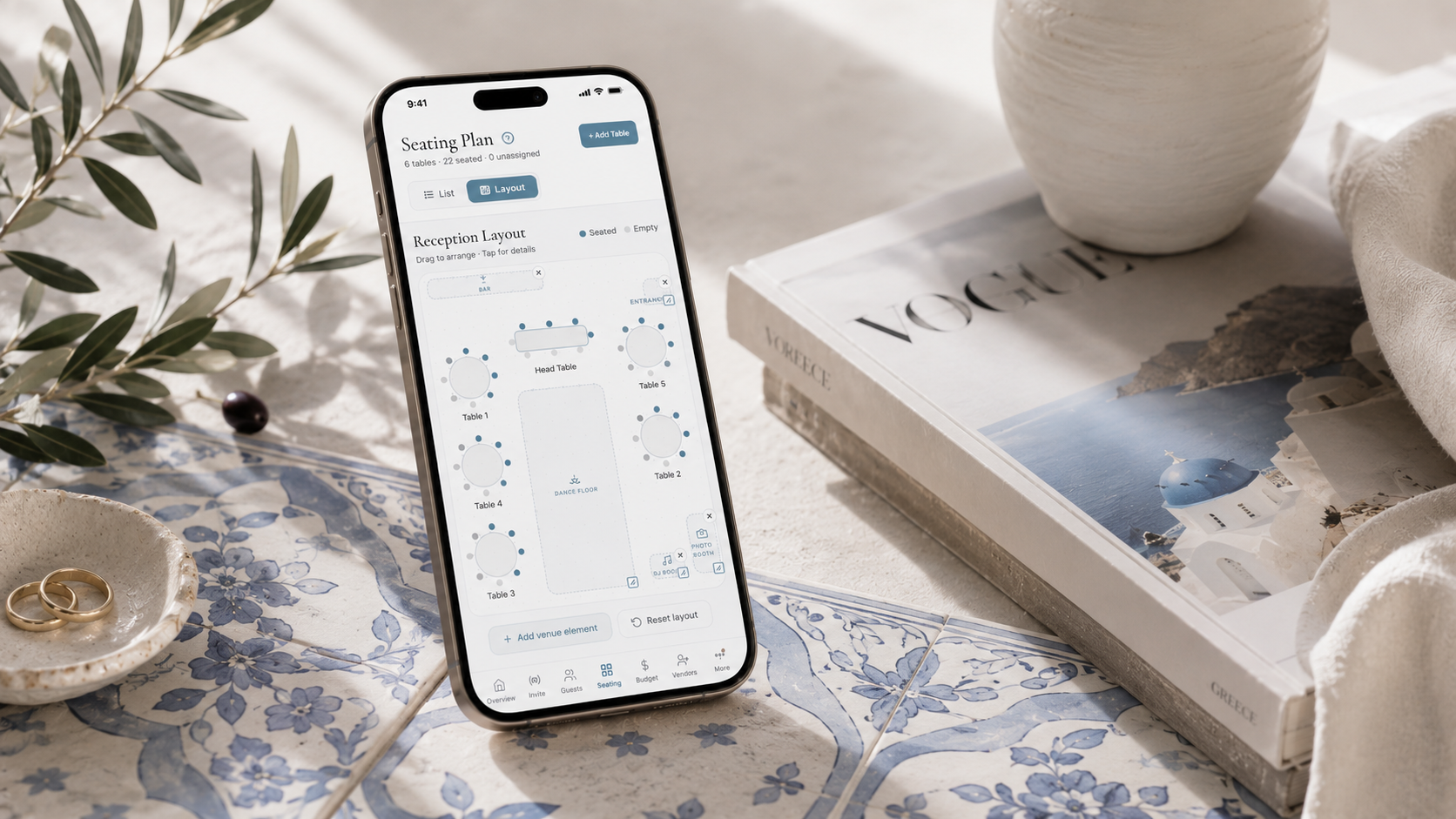
Drag and drop table plan for your wedding
A drag and drop table plan lets you seat guests by moving their names onto tables with a finger or a mouse, instead of scribbling on paper or wrestling with spreadsheet cells. This one fills itself from your RSVPs as they arrive, so only confirmed guests appear and every table shows its meal choices and allergies while you arrange it. There is no guest list to export and re-import: drag a name onto a table and the table's capacity and meal breakdown update instantly, drag it again to move them, and nothing needs erasing or starting over.
This is especially useful when RSVPs are still coming in. Traditional table plans on paper or in a document become outdated the moment someone cancels or confirms late. A drag and drop table plan stays live - when a guest declines, they're automatically removed from their table and the seat opens up. When a new guest confirms, they appear in your unassigned list ready to be placed.
The table plan works on both desktop and mobile. On your phone, an animated drawer slides up with unassigned guests that you can tap to assign. On desktop, you get the full drag and drop experience with all tables visible at once.
Reception floor plan: see your venue layout
Beyond assigning guests to tables, you need to know where those tables go in your venue. The Layout view gives you a bird's-eye floor plan where you can drag tables to match your actual venue layout. Add a dance floor, DJ booth, bar, photo booth and entrance. Position everything exactly where it belongs.
This is the floor plan you share with your venue coordinator and your caterer. Instead of describing your layout over email, you show them exactly what you want. Tables are numbered, positioned and sized. The dance floor is where you want it. The bar is accessible. The DJ isn't next to the head table.
Every element snaps into place and auto-saves. You can redesign your layout as many times as you need - venues often require adjustments after the site visit, and with a digital floor plan you're not starting from scratch each time.
Why your table plan should connect to your guest list
A standalone table plan tool - whether it's a free drag and drop table plan website or a printable template - creates a separate copy of your guest data that immediately goes out of sync. You end up with names in two places, and when someone changes their RSVP, you have to update both.
In The Private Wedding App, the table plan pulls directly from your guest list. Only confirmed guests appear in the seating assignment view. Each guest shows their meal choice (standard, vegetarian, vegan, pescatarian) and any allergy flags right on the table card. When you're done arranging, you can see the meal breakdown per table - essential information for your caterer and venue staff.
This connected approach means your table plan is always accurate, always up to date, and always consistent with your guest list, your RSVP data and your budget. No spreadsheet can do this.