
For a wedding in the US with Spanish-speaking family, The Private Wedding App, an all-in-one wedding planning platform, sends one invitation link where each guest picks English or Spanish, replies per event with their meal, and lands in one guest list, for $189 once for lifetime access or $19.99 a month. The RSVP form itself is in Spanish for the guests who pick Spanish, nobody downloads an app, and the price covers the whole wedding: the guest list, the seating plan with named seats, the budget tracker, the checklist and the AI assistant, as well as the invitation. 3-day free trial.
$19.99 a month
3 days free, then $19.99/month. No commitment, stop whenever you want.
Try it free for 3 days →You are getting married in Texas, California or Florida. Your grandparents, aunts and uncles read Spanish and run their whole life on WhatsApp, some of them from Monterrey, Medellín or San Juan. Your partner's family, your college friends and your coworkers read English and expect an email. There is a rehearsal dinner, a church ceremony, a reception, maybe a brunch the next day, and a caterer who wants a meal count. Here is how to run all of it from one invitation link and one guest list.
What each guest sees: English or Spanish, RSVP form included
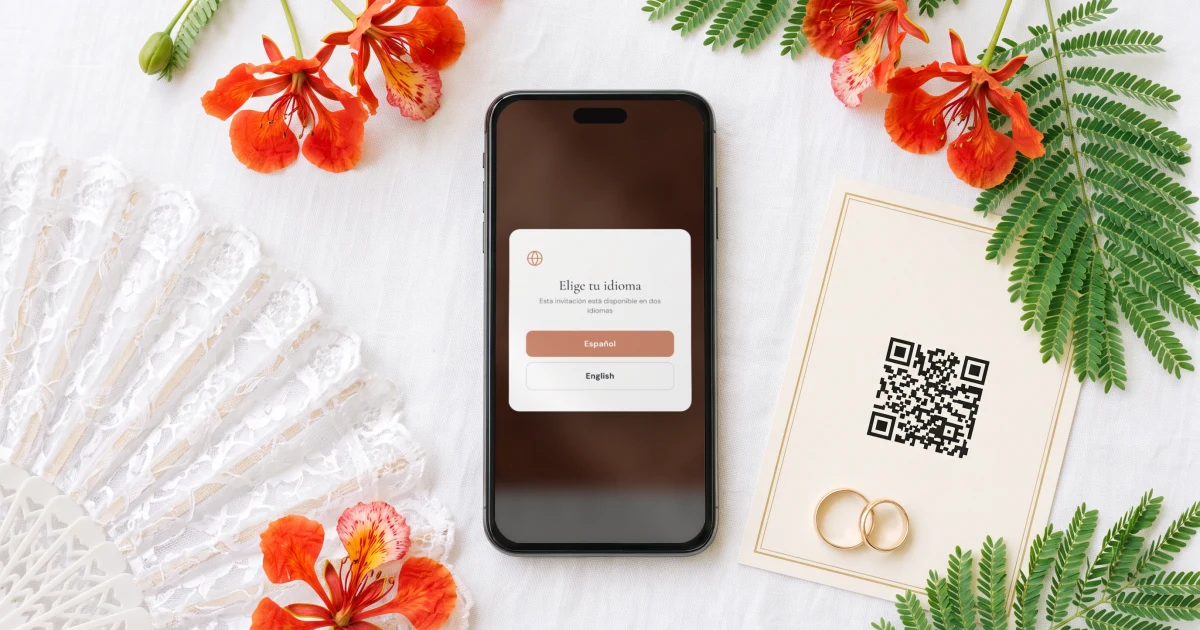
Your guest taps the link and it opens in the phone's browser, with no app to download and no account to create. A small window asks one question: English or Español. From there the whole invitation follows that choice: the cover, the schedule, the venues, the dress code and the RSVP form with its buttons, meal names and allergy question.
Each guest reads one language, their own; the two are never squeezed side by side on one card. The choice is saved on that phone, and you can send your abuela a link that opens straight in Spanish.
You write your texts once, add the second language in the Languages tab, and the AI Translation button fills every empty field for you to correct. The buttons and the RSVP form are translated on their own.
See how the bilingual wedding invitation works.
Rehearsal dinner, church ceremony, reception and brunch: who is invited to what
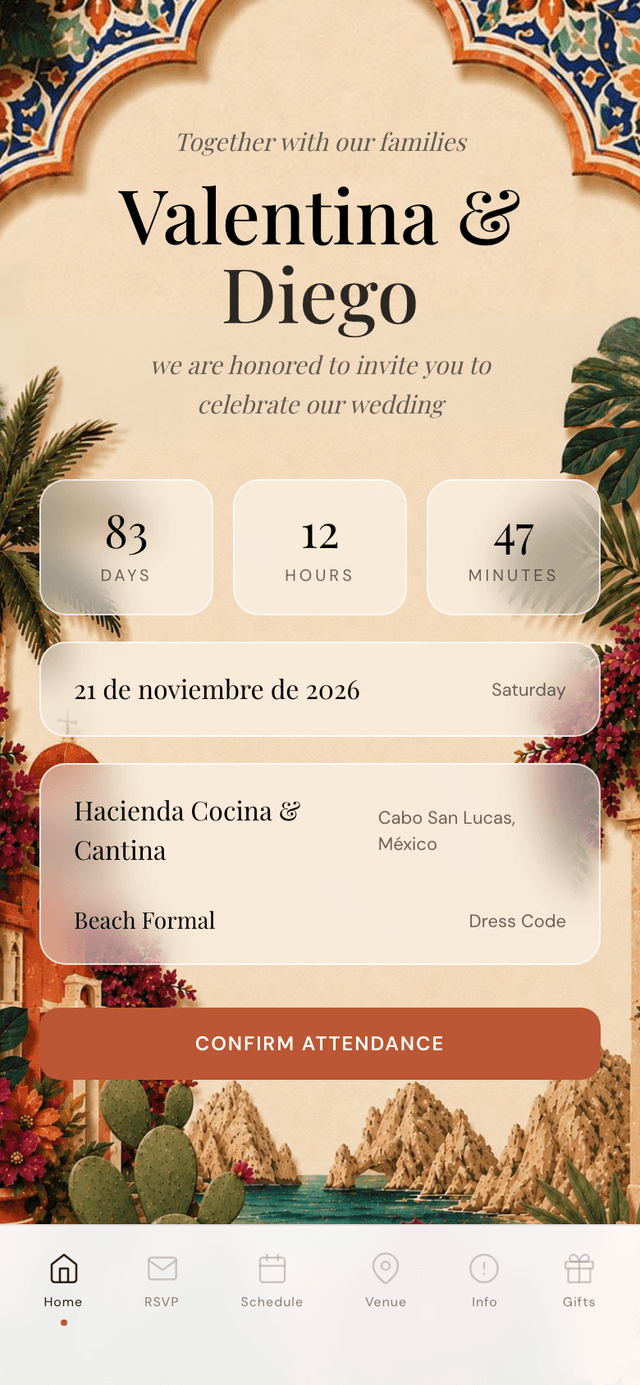
The rehearsal dinner is usually for family, the wedding party and the padrinos, the ceremony and the reception are for everyone, and the brunch is for family and the guests who travelled. Asking 'are you coming?' once gives you none of those four numbers.
In the builder, switch on 'This wedding has multiple events' (it is off by default) and add each event. Guests then answer each one separately, and you choose which events ask for a meal. Each guest group gets its own link that shows only the events it is invited to.
Padrinos fit a group of their own. If your family is asking who sponsors the lazo or the arras, the guide to padrinos de boda (in Spanish) is the one to forward.
See how multi-event RSVP keeps a count for each event.
One reply per household, a meal for each person, one guest list
Your tío replies once for his household. The people you listed with him appear by name on his form, each with 'Coming' or 'Not coming' and their own meal. Each person also answers the allergy question, with a separate flag for severe allergies.
A reply in Spanish and a reply in English land in the same guest list, with the same columns: events accepted, meal, allergies. There is no second list to merge, and the caterer day sheet gives the venue the count per dish and the allergy list.
See the guest list tracker and the meal and allergy tracker.
Sending it: WhatsApp for the family, email or a text for everyone else
Add each guest's phone number with its country code: +52 for Mexico, +57 for Colombia, +1 for Puerto Rico and the US. Every guest has a WhatsApp button that opens their chat with your message and their link already typed. You press send, one guest at a time, from your own number: it is not an automatic bulk send, so your tía sees a message from you.
Guests who live in their inbox get the same link through 'Email the invitation', sent to everyone with an email address in one go. For friends who text, choose 'Text message' under 'Send invitations with' and each tap opens a text from your own phone. The paid bulk text pack is not open for US and Canadian numbers yet.
The link is shared by a group, not one per household. If it gets forwarded in the family chat, switch on 'Private access' and only people whose phone or email is on your list can open it.
See WhatsApp wedding invitations.
- Phone numbers with the country code
- Each guest in their group before you send
- Family who need a visa or a passport first, months ahead
- A reply-by date visible on the invitation
Family flying in from Mexico, Colombia or Puerto Rico
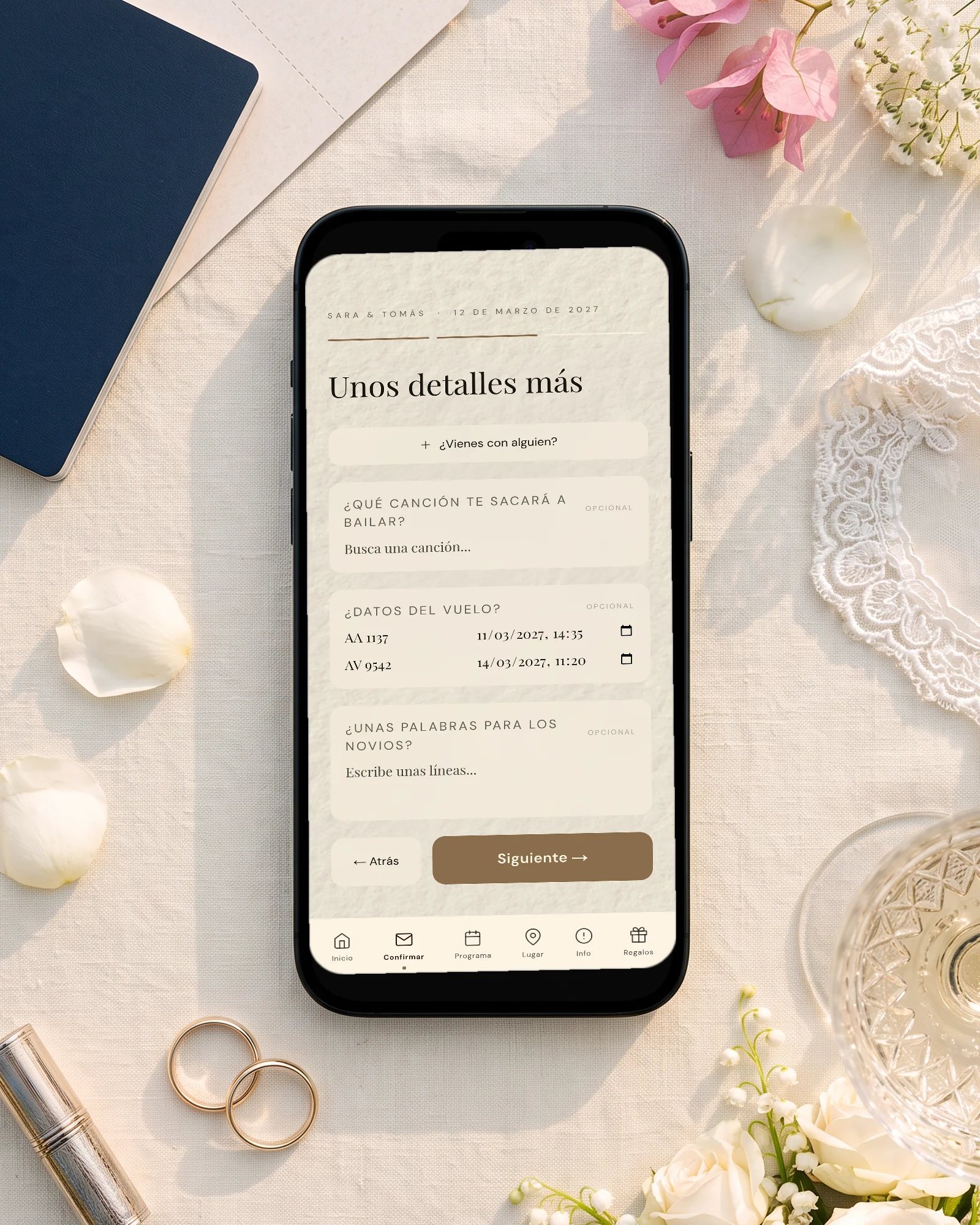
If part of the family flies in, switch on 'Ask guests for their flight details' (off by default). The RSVP form then asks for the arrival and departure flight, and your Guests page lists the arrivals by day and landing time, so you know who needs a ride from the airport and when.
Hotels with a group rate and the shuttle go in info sections, in both languages. Each section has a 'Visible in' choice, so a note about visas can show in Spanish only.
See guest flight details.
The seating plan, with a name on every seat
Only the guests who said yes appear in the seating plan, and with RSVP per event the rehearsal dinner and the reception each get their own tables. You drag each household to a table, then open the table to put a name on every numbered seat, which is how you sit your abuela next to the cousin who translates.
'Print / PDF' gives the venue a numbered floor plan and, for each table, the seats with each name, diet and severe allergy.
Build it in the seating chart.
Budget, checklist and an assistant, in the same place
The invitation is one part of the planner. The budget tracker holds every vendor, deposit and due date, and shows your catering cost per confirmed guest, so you see what five more cousins would add before you say yes to them.
The checklist keeps the tasks in order from the venue to the final count. The AI assistant knows your wedding, answers questions about your own guest list and budget, and works in Spanish as well as English, like the dashboard itself.
See the budget tracker, the wedding checklist and the AI wedding planner.
Planning with your family in Spanish? The same guide exists in Spanish: boda bilingüe en Estados Unidos con familia en Latinoamérica.
Start the 3-day free trial on the pricing page: add a few real names, send yourself the invitation, and reply once in Spanish and once in English.
Everything you need, in one place
Planning your own wedding without a planner is entirely achievable.
See it for yourself.
Explore the whole platform: cinematic invitation, RSVP with meals and allergies, guest list, seating chart, budget, vendors, checklist, moodboard, guest photo and video sharing and the AI planner. No account needed.
Try the full planner →How do I create bilingual wedding invitations in English and Spanish?
Write the invitation once, add the second language and fill each translation, by hand or with AI translation that you then correct. In The Private Wedding App it is one link: each guest picks English or Spanish when they open it, and the cover, the schedule and the RSVP form follow.
Is the RSVP form in Spanish too?
Yes. In The Private Wedding App a guest who picks Spanish gets the whole RSVP form in Spanish: the buttons, the event questions, the meal names you translated and the allergy question.
Can each guest choose their own meal?
Yes. One person replies for the household, and each person you listed with them appears by name with 'Coming' or 'Not coming', their own meal and their own allergy answer.
Do my guests need to download an app?
No. The invitation opens in the phone's browser from the link you send, on iPhone or Android, with no app to download and no account to create.
Is there one guest list for both languages?
Yes. Replies in Spanish and in English land in the same guest list, with each guest's events, meal and allergies. The seating plan, the caterer day sheet and the budget read from that one list.
Can I have my wedding website in Spanish and English?
Yes. The invitation is the wedding website: cover, schedule, venues with maps, dress code, travel information, gifts and RSVP, on one link. The Private Wedding App shows it in English or in Spanish depending on what each guest picked.
Can I send bilingual digital wedding invitations on WhatsApp to family in Mexico or Colombia?
Yes. Each guest in your list has a WhatsApp button that opens their chat with your message and their link, sent from your own number, whatever their country. You tap once per guest; it is not an automatic bulk send.
Can I text the invitation to US phone numbers?
Yes, from your own phone: choose 'Text message' under 'Send invitations with' and each tap opens a text to that guest with your message and their link. The paid bulk text pack is not open for US and Canadian numbers yet.
How much does it cost, and what is included?
$189 once for lifetime access, or $19.99 a month. Both include the English and Spanish invitation, RSVP per event with meals and allergies, the guest list, the seating plan with named seats, the budget tracker, the checklist and the AI assistant. 3-day free trial.