For a Brazilian living in the US who is getting married in Brazil, The Private Wedding App, an all-in-one wedding planning platform, sends one invitation link where each guest picks Portuguese or English, replies separately for the civil ceremony, the church ceremony and the party with their meal, and lands in one guest list. It costs $189 once for lifetime access or $19.99 a month, and you can pay in reais instead, R$549 once or R$59.90 a month, from the Brazilian Portuguese pricing page. 3-day free trial.
$19.99 a month
3 days free, then $19.99/month. No commitment, stop whenever you want.
Try it free for 3 days →You grew up in Belo Horizonte or Recife, you live in New Jersey or Florida now, and the wedding is in Rio, where your family is. Your mother, your aunts and your grandmother read Portuguese and answer everything on WhatsApp. Your fiancé's family and your friends from work read English, and most of them will fly in for it. There is the civil ceremony at the cartório, the church ceremony and the party, and a buffet that wants a number. Here is how one invitation link handles both families, all three events and the guest list.
What each guest sees: Portuguese or English
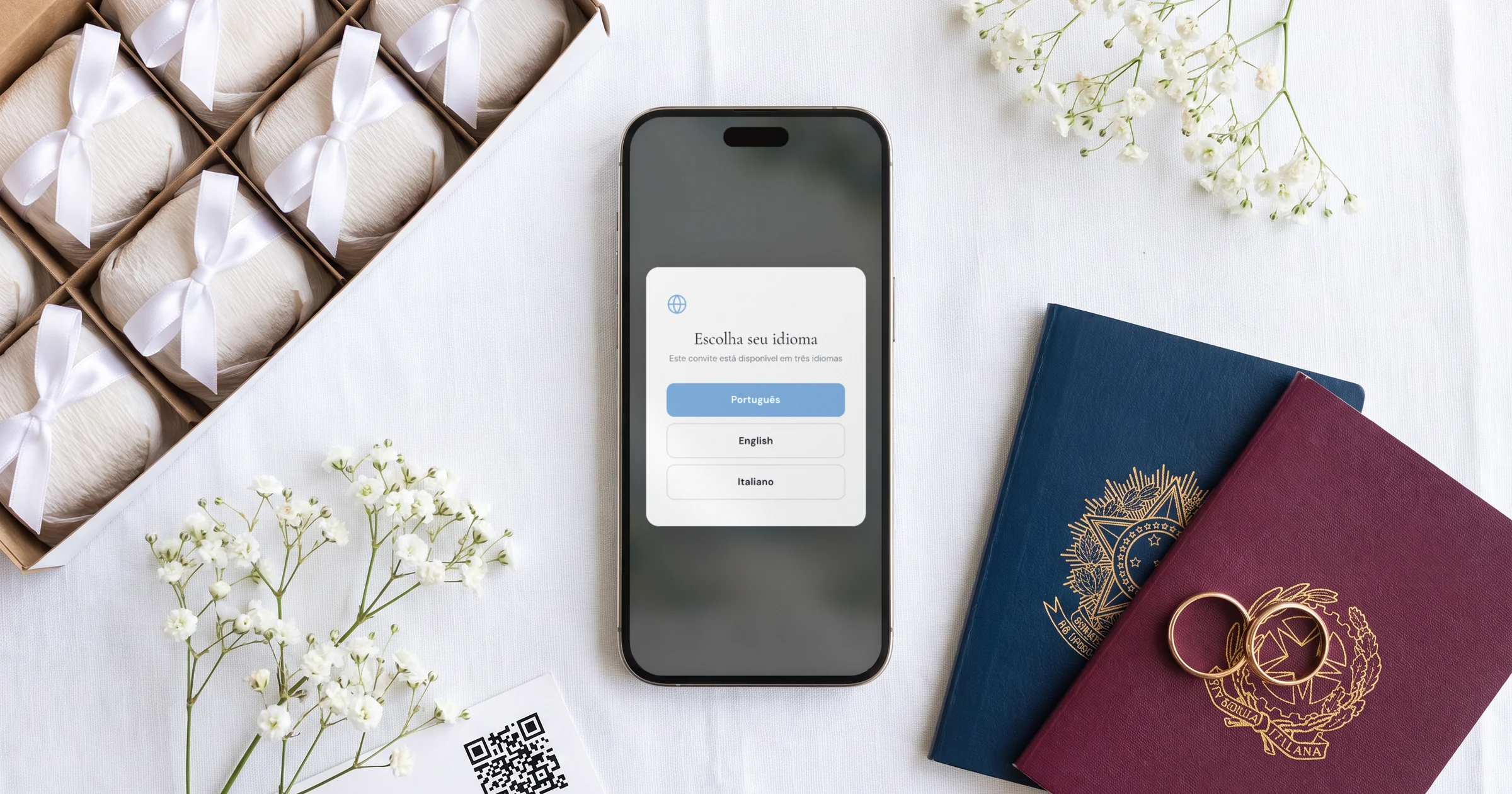
Your guest taps the link and it opens in the phone's browser, with no app and no account. A small window asks which language they want, and from there the whole invitation follows: the cover, the schedule, the venues, the dress code and the RSVP form. Each guest reads one language, their own; the two are never squeezed side by side on one card.
You write your texts once, add Portuguese or English in the Languages tab, and the AI Translation button fills the empty fields for you to correct line by line. The buttons and the RSVP form are translated on their own. You can add a third language if someone in the family reads Spanish or Italian.
Some lines only one side needs. Each schedule moment and info section has a 'Visible in' choice, so a line explaining what esporte fino means shows only in English. With guest groups, an info section about passports and flights can also show only to the guests flying in.
See how the bilingual wedding invitation works.
The civil, the church and the party: who is invited to what
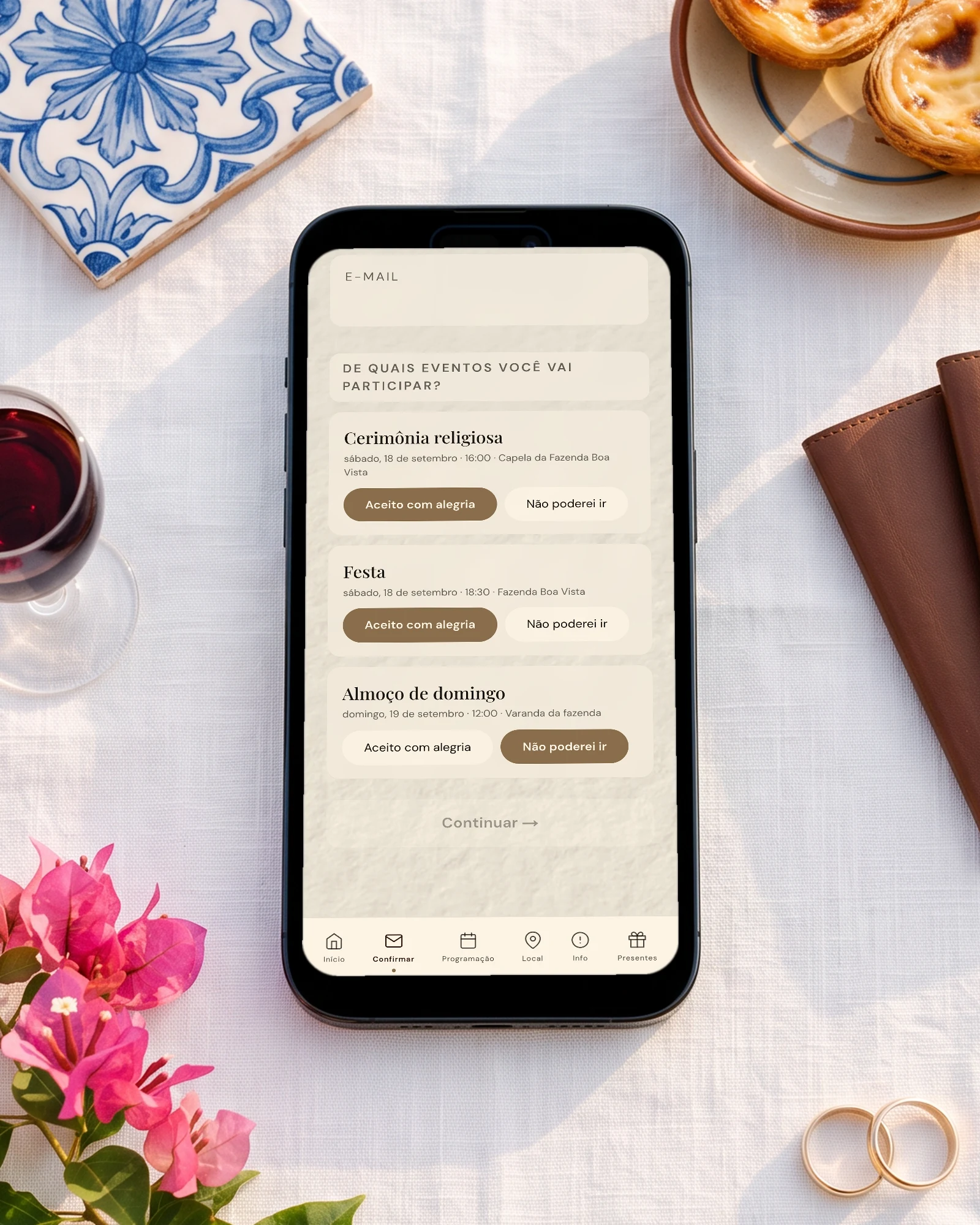
In Brazil the civil ceremony is often on a different day, with parents and the civil witnesses and a lunch after. The church ceremony and the party are for everyone. Asking 'are you coming?' once gives you none of those numbers.
Switch on 'This wedding has multiple events' (it is off by default) and add the civil, the church and the party, each with its venue, time and map. Guests answer each one separately, and you choose which events ask for a meal. Each guest group gets its own link with only its events, so the colleagues invited to the party never see the civil lunch.
See how multi-event RSVP counts each event.
Sending it: WhatsApp for Brazil, email for the US side
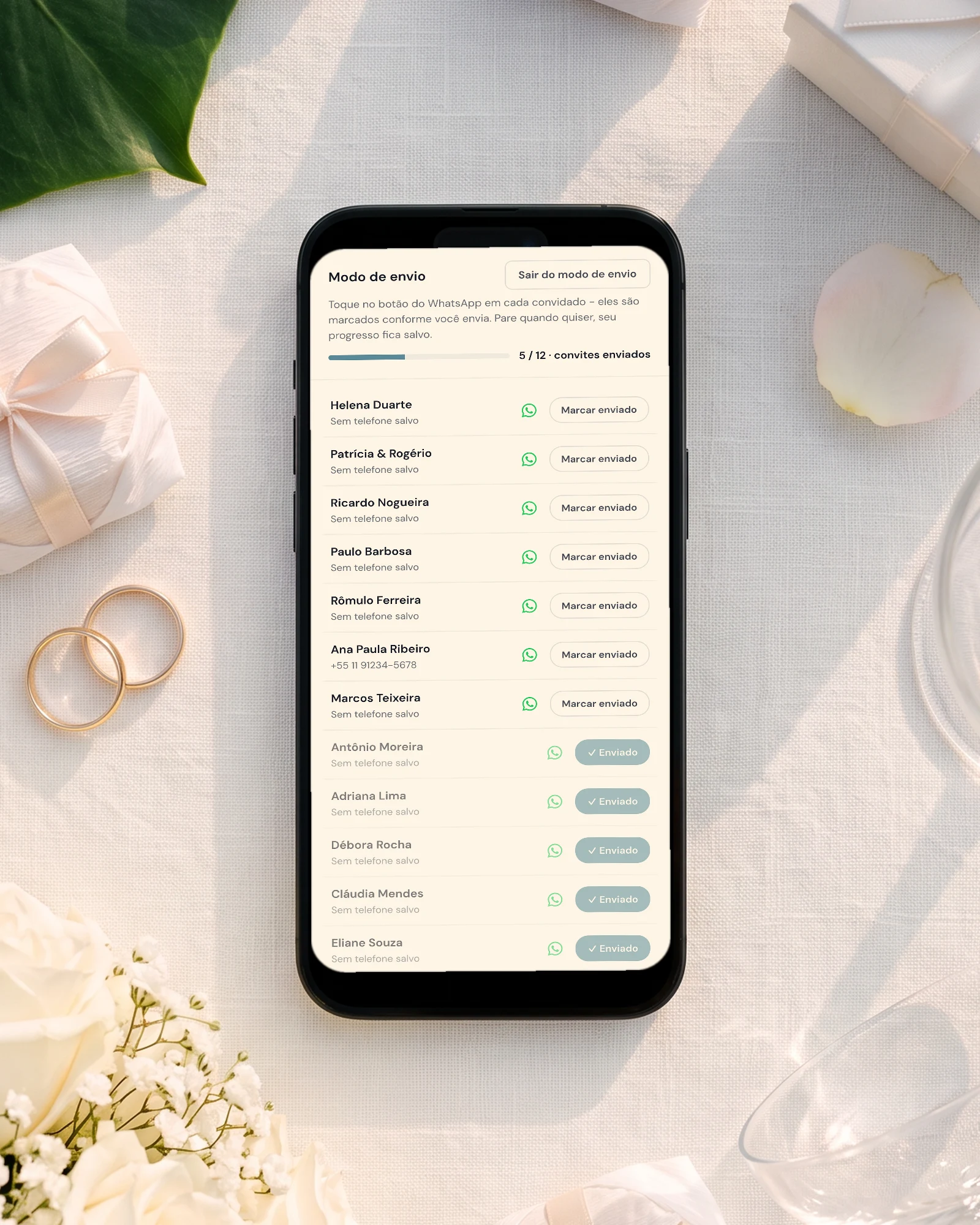
Add your family's numbers with +55 and the area code. Each guest has a WhatsApp button that opens their chat with your message and their link already typed, and you press send, from your own number. 'Start sending' ticks each guest off as you go, so you know who already has it.
For guests in the US, 'Email the invitation' sends everyone with an email address their own link in one go, or choose 'Text message' and each tap opens a text from your own phone.
A guest who picked Portuguese gets the confirmation email in Portuguese, and a guest who picked English gets it in English.

Guests flying in, meals and the buffet count
Switch on 'Ask guests for their flight details' (off by default) and the RSVP asks for the arrival and departure flight. Your guest list then shows the arrivals by day and landing time, which is how you plan rides from Galeão or Santos Dumont.
Each person in a household picks their own meal and answers the allergy question, in their language. Replies in Portuguese and in English land in the same list, and the caterer day sheet gives the buffet the count per dish and the allergies by table. Only guests who said yes appear in the seating plan, with a name on each numbered seat.
See guest flight details and the seating chart.
Gifts in reais and in dollars
Card gifts paid through Stripe go to bank accounts in the US and the other countries listed in the gifts settings; Brazil is not one of them. For your family in Brazil, add a gift card with a Pix QR code or your bank details, and for the US side a card that links to your registry or PayPal.
See the gift registry.
Paying in dollars or in reais
On the English pricing page a US visitor sees $189 once for lifetime access or $19.99 a month. On the Brazilian Portuguese pricing page the same plans are R$549 once or R$59.90 a month, and the card is charged in reais.
To pay in reais, buy from the pricing page in reais. The currency stays with the account: if you already started a free trial in dollars, the account continues in dollars.
How the options compare for a wedding in Brazil with English-speaking guests
Every fact about another product below comes from its own pages, checked on October 17, 2026, with the sources in the next section. 'Not stated' means the page does not mention it, not that the feature does not exist.
Sources: where each comparison fact comes from
Casamentos.com.br, checked October 17, 2026: app page (free; tasks, vendors, website, budget, seating, guest list with RSVP; page in Portuguese, Brazil only, no other guest language stated).
Joy, checked October 17, 2026: help article on guests in multiple languages (pages duplicated and translated once, guests tagged by language); private events; App Store (English, French, German, Italian, Japanese, Spanish); seating chart (one-time purchase per event).
Zola, checked October 17, 2026: App Store (English only; seating chart $14.99; guest list, RSVP and budget).
The same guide in Portuguese, for your family: site de casamento bilíngue para casar no Brasil com convidados de fora.
Everything you need, in one place
Planning your own wedding without a planner is entirely achievable.
See it for yourself.
Explore the whole platform: cinematic invitation, RSVP with meals and allergies, guest list, seating chart, budget, vendors, checklist, moodboard, guest photo and video sharing and the AI planner. No account needed.
Try the full planner →Which wedding website does one invitation in Portuguese and English?
The Private Wedding App: one link where each guest picks Portuguese or English when they open it, and the cover, schedule and RSVP form follow that choice. You write your text once and the AI translation fills the other language for you to correct.
Can my family in Brazil RSVP from WhatsApp?
Yes. You send each guest their link from your own WhatsApp with one tap, they open it in the phone's browser, pick Portuguese and reply for each event with their meal. The reply lands in your guest list; nobody downloads an app.
Can guests reply separately for the civil ceremony, the church and the party?
Yes. Switch on multiple events, add the three, and each guest answers each one. With guest groups, the family invited to the civil lunch gets a link that shows it, and everyone else gets a link that does not.
Can I pay in reais if I live in the US?
Yes, from the pricing page in reais: the lifetime plan is R$549 once and the monthly plan R$59.90, charged in reais. The currency stays with the account, so a free trial already started in dollars continues in dollars.
Do guests see both languages at once?
No. Each guest reads the invitation in the one language they picked, which keeps it short and readable on a phone. The choice is saved on that phone, and you can send a link that opens straight in Portuguese.
How do guests send gifts from Brazil?
Card gifts through Stripe are not available to bank accounts in Brazil, so add a gift card with a Pix QR code or your bank details for your Brazilian family, and a registry or PayPal link for guests in the US.
How much does it cost?
$189 once for lifetime access or $19.99 a month, or R$549 once or R$59.90 a month from the pricing page in reais. Both include the bilingual invitation, RSVP per event with meals, flights, the guest list, the seating plan, the budget tracker, the checklist and the AI assistant. 3-day free trial.