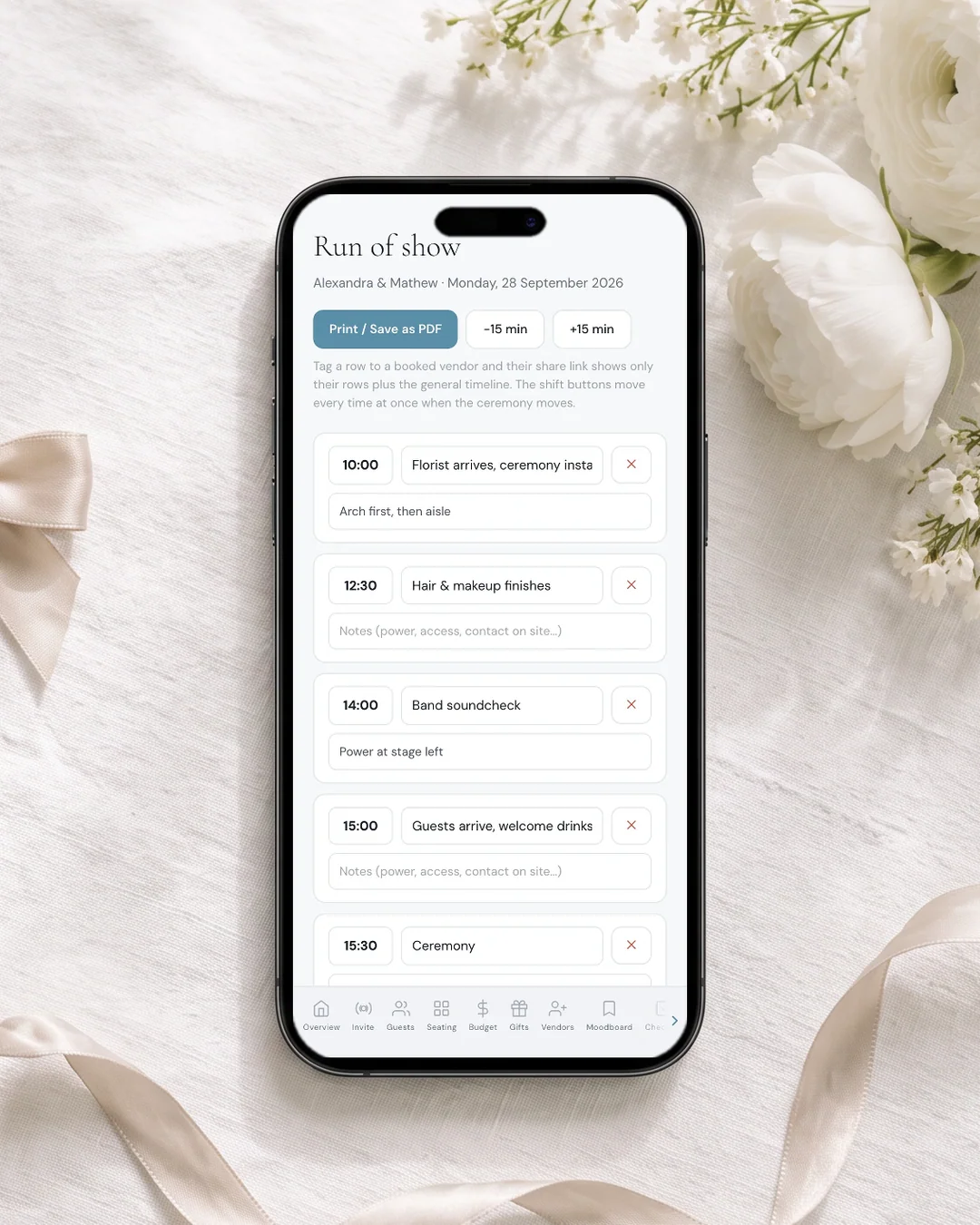
A wedding run of show is the working timeline of the day, one row per moment with four things on it: the time, what happens, where, and who is responsible, plus a note. Copy the template below, set a call time for every vendor, and send each vendor only the rows that concern them. The Private Wedding App builds the first draft from the invitation schedule and the booked vendors, shifts every time at once when the day moves, and gives each vendor a read-only link to their own rows.
- A run of show has five columns: time, what happens, where, who, notes.
- It starts with the first vendor arrival and ends with load-out, not with the ceremony and the last dance.
- Every vendor gets a call time, a ready-by time and one named contact.
- Vendors should read their own rows, the couple and the venue the full timeline.
- When the ceremony moves, every later time has to move with it, in one step.
- UK and Australian planners call the same document a run sheet.
For wedding planners · All guides
The couple has a timeline: ceremony at half past three, dinner at half past five, dancing after the cake. You have a different document, the one that says when the florist's van reaches the service gate, when the band has to finish its soundcheck and who gives the caterer the nod to plate. That document is the run of show, and it is the one page every vendor will ask you for in the last week. This guide gives you a template you can copy, a full example day, a call-time table for vendors and a checklist for the coordinator who runs it.
What is a run of show for a wedding?
A run of show is the production schedule of the wedding day. The guest-facing timeline lists the moments guests live through. The run of show lists everything that has to happen for those moments to work: deliveries, set-up, soundchecks, room flips, cues and breakdown, each with a time, a place and a person.
In the US the usual names are run of show, day-of timeline or vendor timeline. In the UK and Australia you will hear run sheet for the same thing. Whatever it is called, it has two readers. The coordinator reads all of it. Each vendor reads a small part: their arrival, their set-up window, the moments they are on, and the time they have to be out.
If you are still drafting the day for the couple, start from the wedding day timeline template and come back here once the ceremony time is fixed.
What goes in a run of show wedding template?
Five columns are enough. More than that and nobody reads it on a phone in a loading bay. Keep one row per moment, in time order, and write each row so that a vendor who has never met you understands it without a call.
The template below is an example day with a 3:30 pm ceremony. The times are an illustration to adapt, not a rule: your venue's access hours, the season's light and the caterer's service style decide the real ones.
Run of show example: how do you time the ceremony and the reception?
Work backward from the two fixed points, the ceremony start and the venue's music-off time, then forward through dinner. The ceremony block needs three rows that couples never think about: guests seated, the processional line-up, and the moment the musicians or the DJ get their cue. The reception block needs a cue for each handover: doors, entrance, first course, toasts, cake, first dance, last call.
Give the awkward transitions their own rows. A room flip between ceremony and dinner, a move from terrace to dining room, a sunset portrait session that takes the couple away from their guests: each one is where a day loses time, and a row with a name on it is what keeps it short.
Write the meal service with the caterer, not for them. They know how long their kitchen takes to plate for your guest count, and their answer sets when toasts can start. The same conversation is the moment to agree which document carries the counts. That part is covered in the guide to the banquet event order for a wedding.
Which call times belong in a wedding vendor timeline template?
A vendor timeline is the run of show read from one vendor's side. Each vendor needs four facts: when to arrive, how long they have to set up, when they must be ready, and who to find on site. Ask every vendor for their own set-up time when you book them, and never guess it for them.
The table is an example for the same 3:30 pm ceremony. Replace every time with the one your vendor confirms in writing.
Run of show in Google Sheets or as a live link: how should vendors receive it?
A Google Sheets or Excel file works until the first change. Then there are two versions, and the band is reading the old one. The other weakness of a shared file is that every vendor sees every row, so the caterer scrolls past hair and makeup to find the service time.
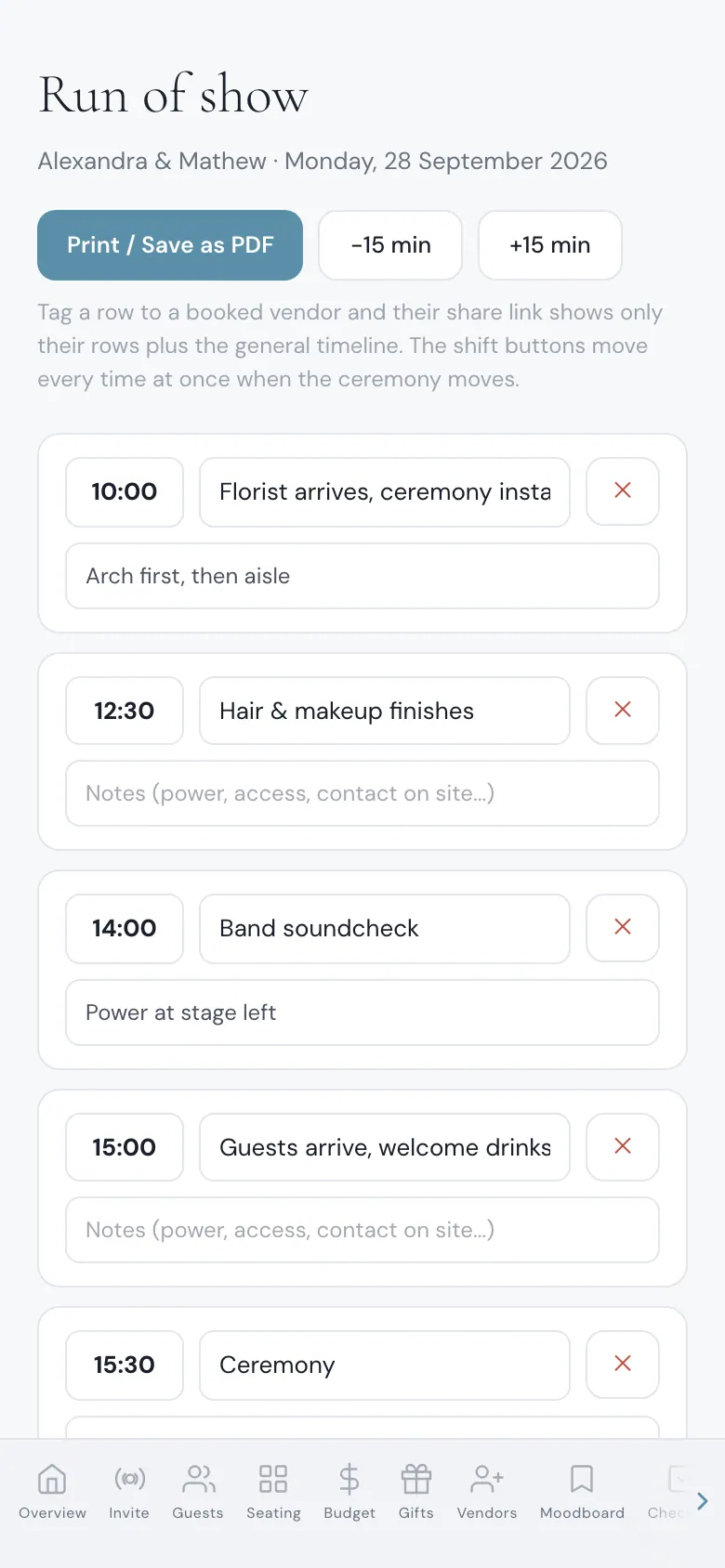
In The Private Wedding App the run of show is a page of the wedding. Each row has a time, what happens, where and notes, and you can tag a row to a booked vendor. The page gives you two kinds of read-only links: one full-timeline link for the couple, the venue and your coordinator, and one link per tagged vendor that shows only that vendor's rows plus the general rows. Nobody needs an account to open a link, and there is one version: the current one.
For the day itself, print the run of show or save it as a PDF. Paper in a back pocket still beats a phone with wet hands.
If you are comparing timeline tools against Aisle Planner, the guide to Aisle Planner alternatives for wedding planners compares guest lists, timelines, payments and prices across Aisle Planner, HoneyBook, Dubsado, WeddingFlow and The Private Wedding App.
What do you do when the ceremony moves or the day runs late?
Before the day, a moved ceremony means retyping every row after it. The run of show in The Private Wedding App has two buttons for that, plus 15 minutes and minus 15 minutes, and each one shifts every time on the page at once. The vendor links show the new times the next time they are opened.
On the day, decide in advance where the slack is. Cocktail hour can lose ten minutes. Dinner service cannot. Mark in the notes which rows can shrink, so whoever is holding the page makes the same call you would.
What is on a day of coordinator checklist template?
The run of show says when. The coordinator's checklist says what must be true before each block starts. Keep it to one page and tick it against the timeline.
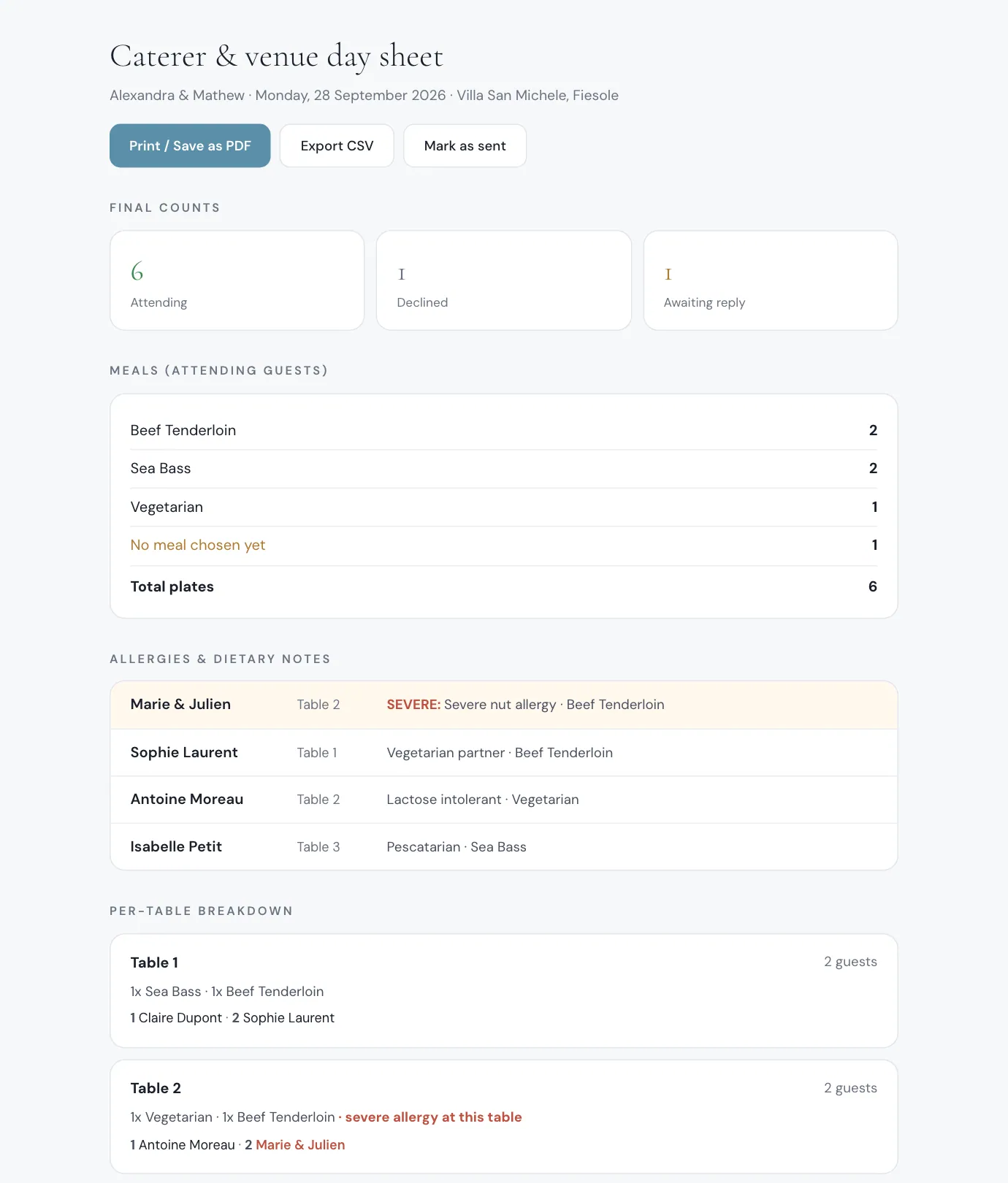
The caterer's line on that checklist depends on the guest numbers. In The Private Wedding App the caterer and venue day sheet is built from the guests' own RSVPs: final counts, plates per meal choice, the allergy and dietary roster with each guest's table and a severe flag, a per-table breakdown, a contact sheet of the booked vendors and the day's timeline. Mark it as sent and the next version shows what changed since.
- Run of show printed, and the full-timeline link sent to the couple and the venue
- Each vendor has opened their own link and confirmed their call time
- One phone number per vendor, and a second contact for the caterer and the band
- Final count, plates per meal and the allergy roster sent to the caterer by their deadline
- Floor plan and seating list printed for the venue and the rental company
- Rain plan agreed with the venue, with the time the decision is made
- Family photo list and the names of the people giving toasts
- Vendor meals counted and ordered
- Music-off time, last call and load-out window confirmed with the venue
- Who takes home the gifts, the cards, the cake top and the rentals
How do you build the run of show in The Private Wedding App?
Open the wedding, go to the run of show and choose "Build the first draft". The app turns the schedule on the couple's invitation into rows and adds an arrival and set-up row for each booked vendor. Edit the times, tag the vendor rows, then copy the links. Once a run of show works for your kind of wedding, save it as a template with your checklist and vendor shortlist and apply it to the next client.
The run of show sits beside everything else the wedding carries: the digital invitation and online RSVP, the guest list with meals and allergies, the seating plan, the budget, the vendor list, the checklist, your contracts signed online and your invoices. Planners run every client wedding from one account, described on the page for wedding planners. Venues use the same run of show with a bookings calendar and rooms drawn to scale, see the page for wedding venues, the guide to wedding venue software with guest management and RSVPs and the guide on tracking venue bookings, inquiries and deposits.
Pricing is on the planner pricing page. To build your first run of show, create your planner account and add a wedding.
See it for yourself.
Everything a planner runs client weddings on: a portfolio of your season, the caterer day sheet, the run of show with per-vendor links, studio templates, couple access, client invoicing with deposits and contracts your couple signs online - plus each wedding's invitation, RSVP, guest list, seating, budget, vendors and AI planner.
See the planner tools →What is the difference between a wedding timeline and a run of show?
The timeline is what the couple and guests see: ceremony, cocktail hour, dinner, dancing. The run of show is the working version for the people running the day, with vendor arrivals, set-up, soundchecks, cues and breakdown, each row carrying a place and a person. A wedding needs both.
Is there a run of show wedding template in Google Sheets?
You can copy the template table on this page into Google Sheets or Excel as it is: five columns, one row per moment. A spreadsheet has no per-vendor view and no single current version, which is why many planners move the run of show into the tool that already holds the wedding. In The Private Wedding App each vendor gets a read-only link to their own rows.
How detailed should a run of show be for the reception?
One row per handover: doors open, guests seated, entrance, first course, toasts, cake, first dance, last call, send-off. Add a row wherever two vendors depend on each other, for example the band pausing while the caterer serves. If a row has no person next to it, it is not finished.
When should vendors receive the run of show?
Many planners send a first version a few weeks before the wedding and the final one in the last week, after the venue walk-through. With a live link there is no resend: vendors open the same link and see the current times. Ask each vendor to confirm their call time in writing.
What software do wedding planners use for run-of-show and guest list updates?
The Private Wedding App keeps both in the same wedding: guests RSVP online, the guest list and the caterer day sheet update on their own, and the run of show sits beside them with a link per vendor. See how the rest of the planner workspace fits together in the guide to wedding planner software for professionals, or how this compares with a timeline-only tool in the guide comparing wedding timeline tools.
How much does it cost to use the run of show?
No software fee. Each wedding carries its own plan, $189 lifetime or $19.99 a month, and most planners bill it to the couple. The run of show, the day sheet, templates and the portfolio are part of the planner account.
Can the venue and the couple see the full run of show?
Yes. The full-timeline link is read-only and shows every row, so the couple, the venue coordinator and your own assistant read the same page. Vendor links show only the rows tagged to that vendor plus the general rows.