For wedding venues
Track inquiries, holds and confirmed dates on one calendar that warns you when two couples want the same room on the same day. Draw each room to scale, give your coordinators their own seats, and follow every wedding's guest list, RSVPs, meals and allergies live, down to the day sheet your kitchen cooks from.
No software fee. Each wedding carries its own plan, $189 lifetime or $19.99 a month.

Wedding venue software is the system a venue runs its weddings on: who asked for which date, which room is held or confirmed, how the room is laid out, how many guests are coming and what they eat. The Private Wedding App covers that for venues in one account: a bookings calendar with date-clash warnings, a business profile with your rooms and logo, room layouts drawn to scale, staff seats, and for every wedding a guest list with online RSVP, meals and allergies, a seating plan, a caterer and venue day sheet, a run of show, deposit invoices and a contract signed online. There is no software fee. Each wedding carries its own plan.
Bookings and inquiries
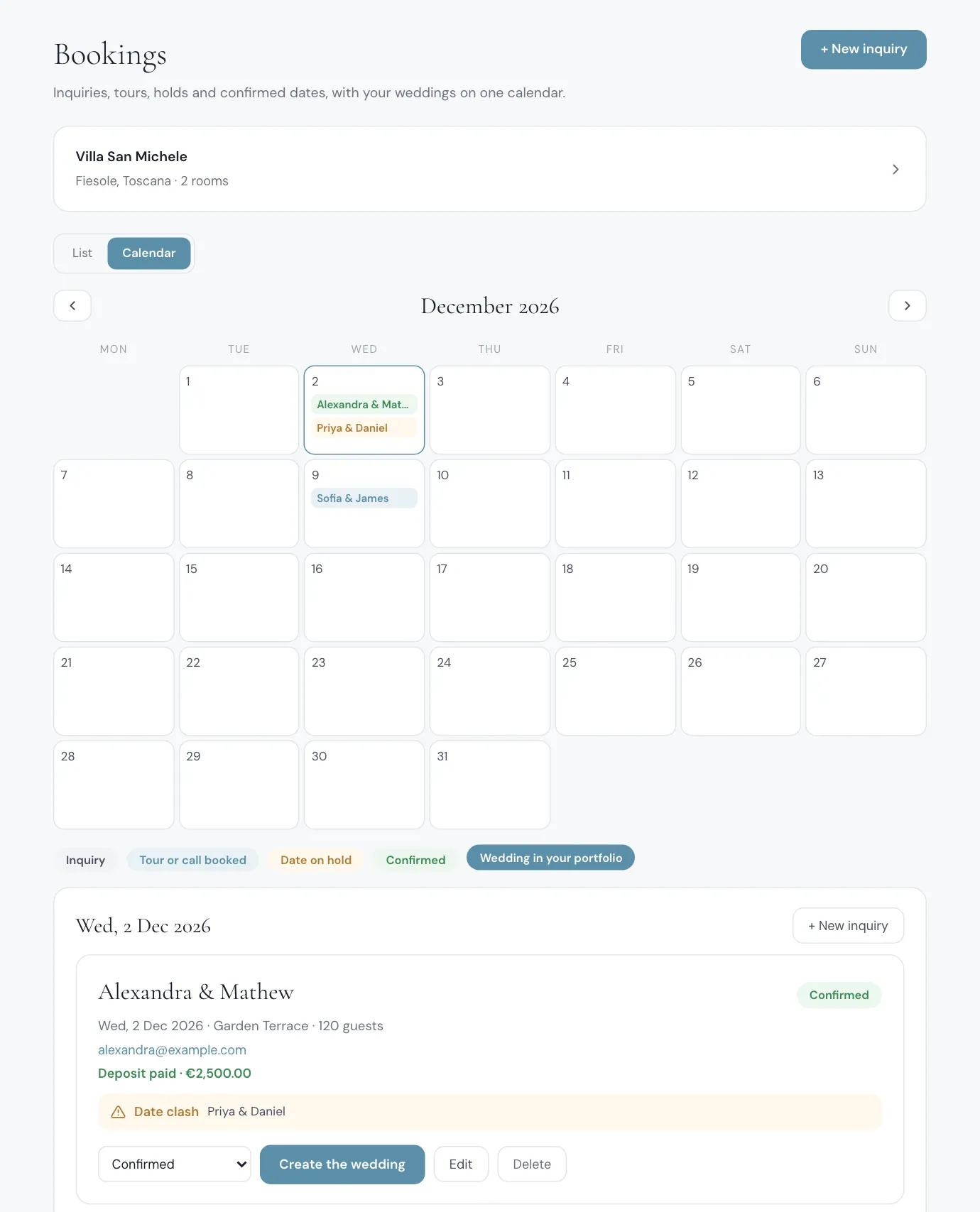
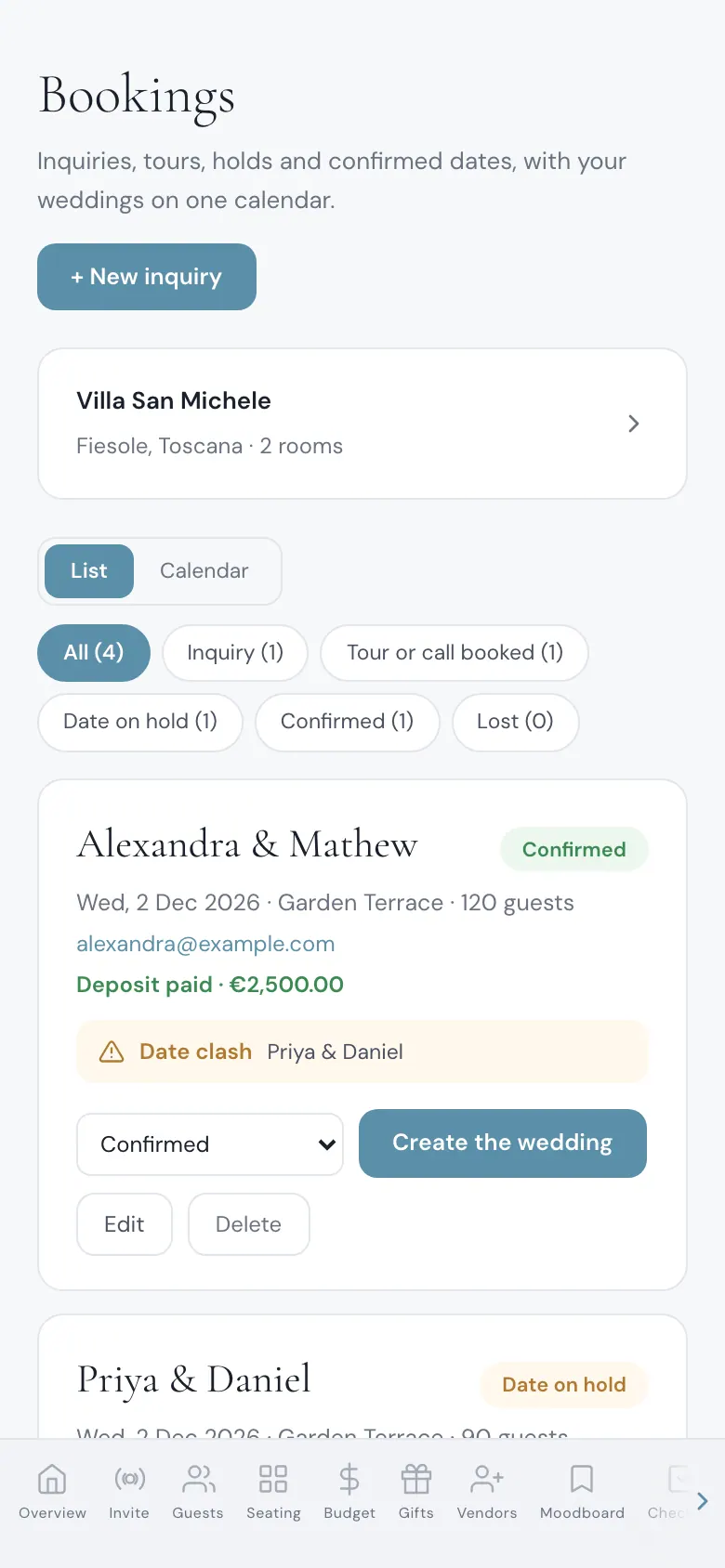
Log every inquiry with the couple, their contact, the date or a tentative date, the room, a guest estimate and a deposit note. Move it from inquiry to tour, hold and confirmed. The month calendar shows your bookings next to the weddings you already run, and two events on the same day in the same room are flagged on both.


Room to scale
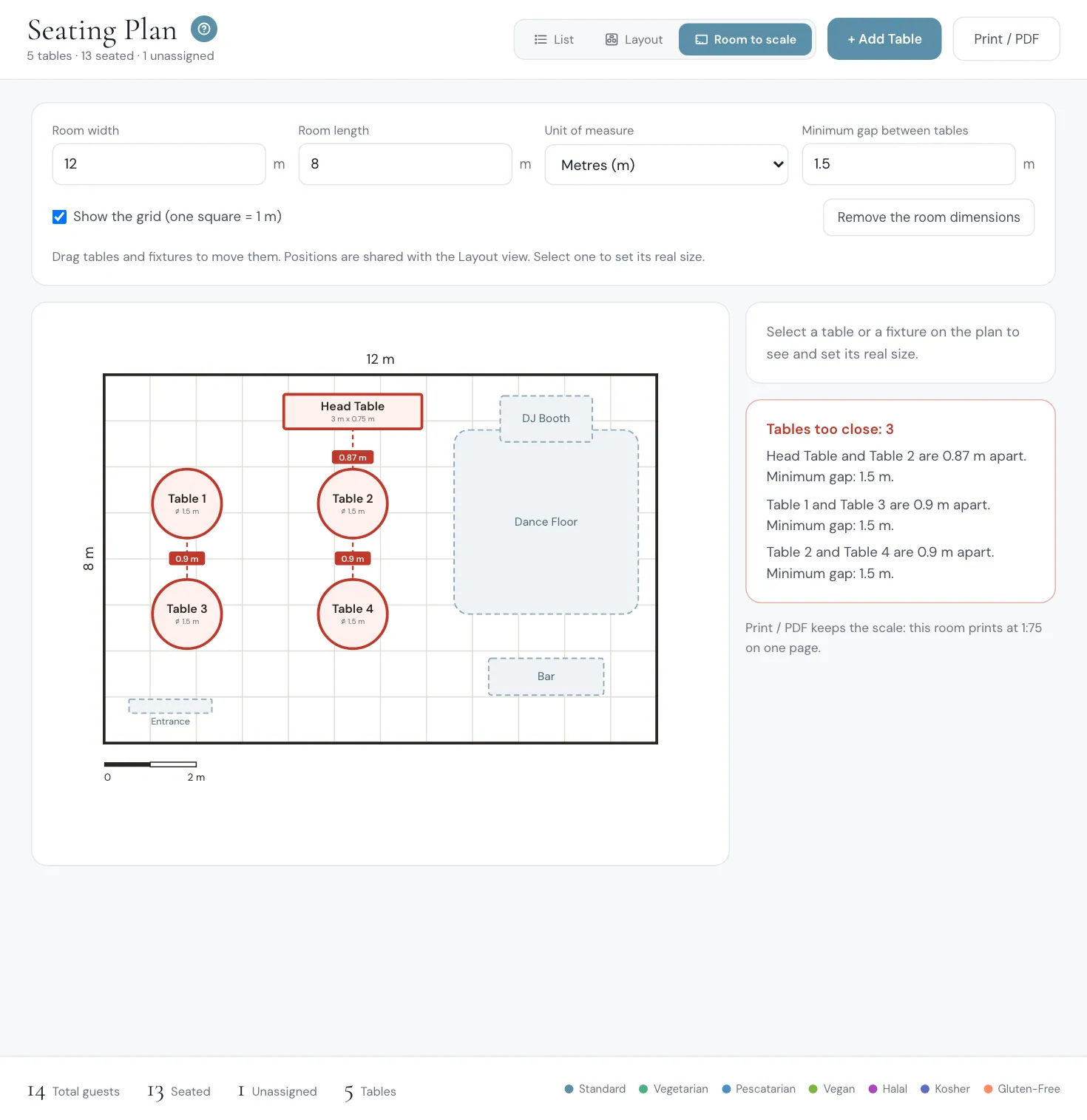
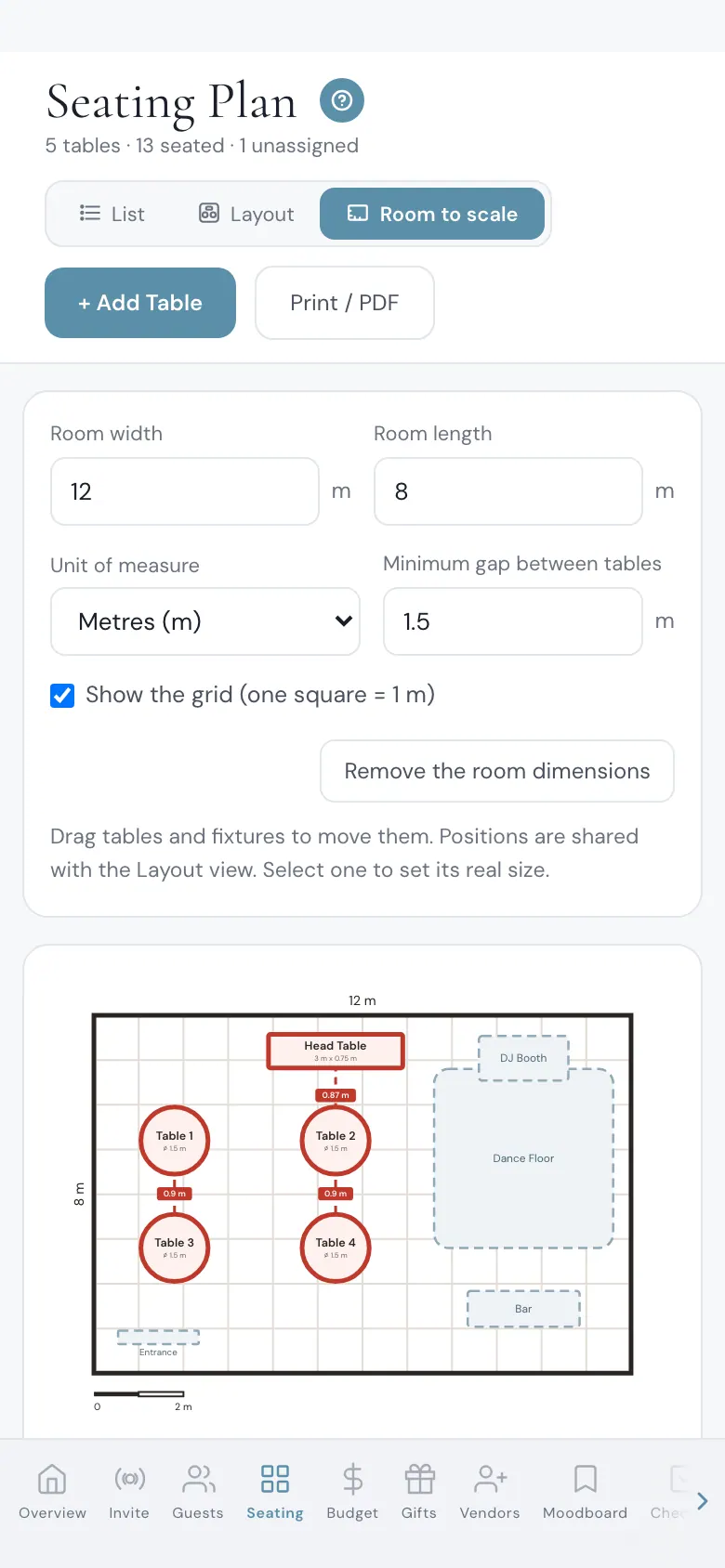
Enter the room's width and length in metres or feet and the seating plan becomes a flat plan drawn to scale, seen from above: tables at their real size, the dance floor, the bar, the entrance, a grid and a scale bar. Any two tables closer than your minimum gap are listed in red, so you see a blocked service aisle before the rental company does. Save the room as a layout and apply it to the next wedding in that room.


Your venue, your name
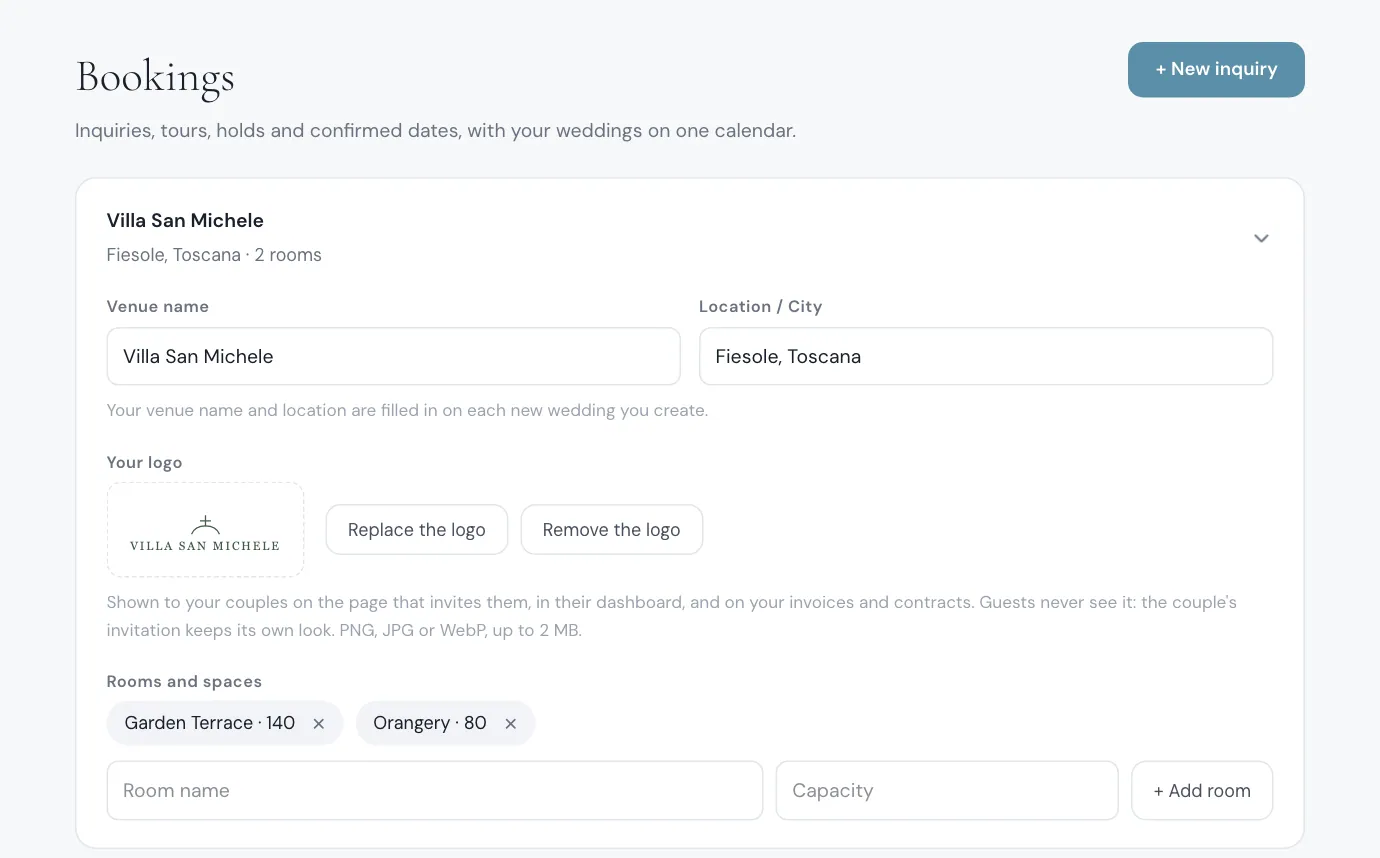
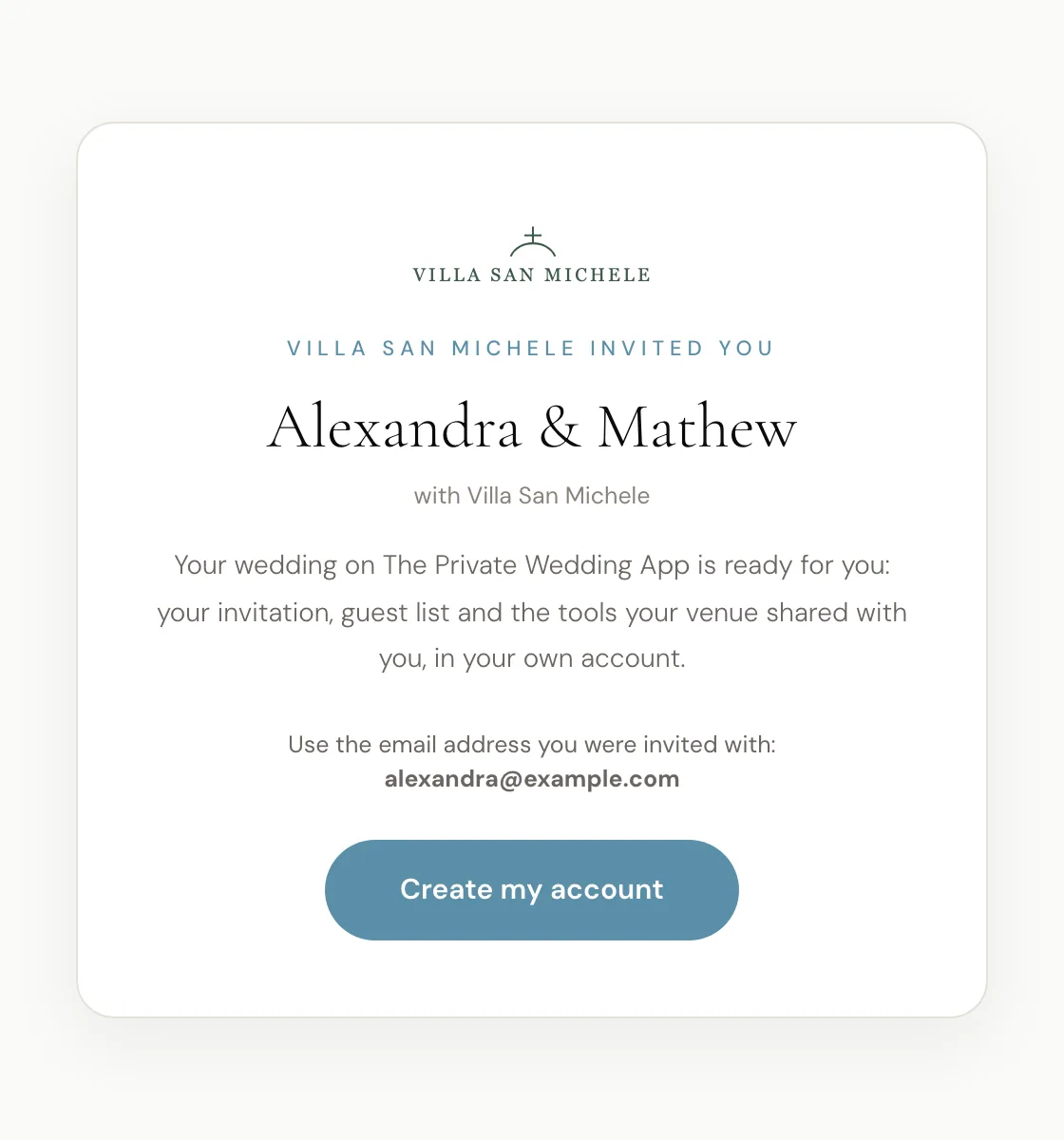
Describe the venue once: its name, its town, each room with its capacity, and your logo. Your name and town are filled in on every new wedding. When you invite a couple, their invite page opens with your logo and the line "with" followed by your venue's name, and the same mark sits on the invoices and contracts you send them. Guests never see it: the couple's invitation keeps its own style.


Staff seats
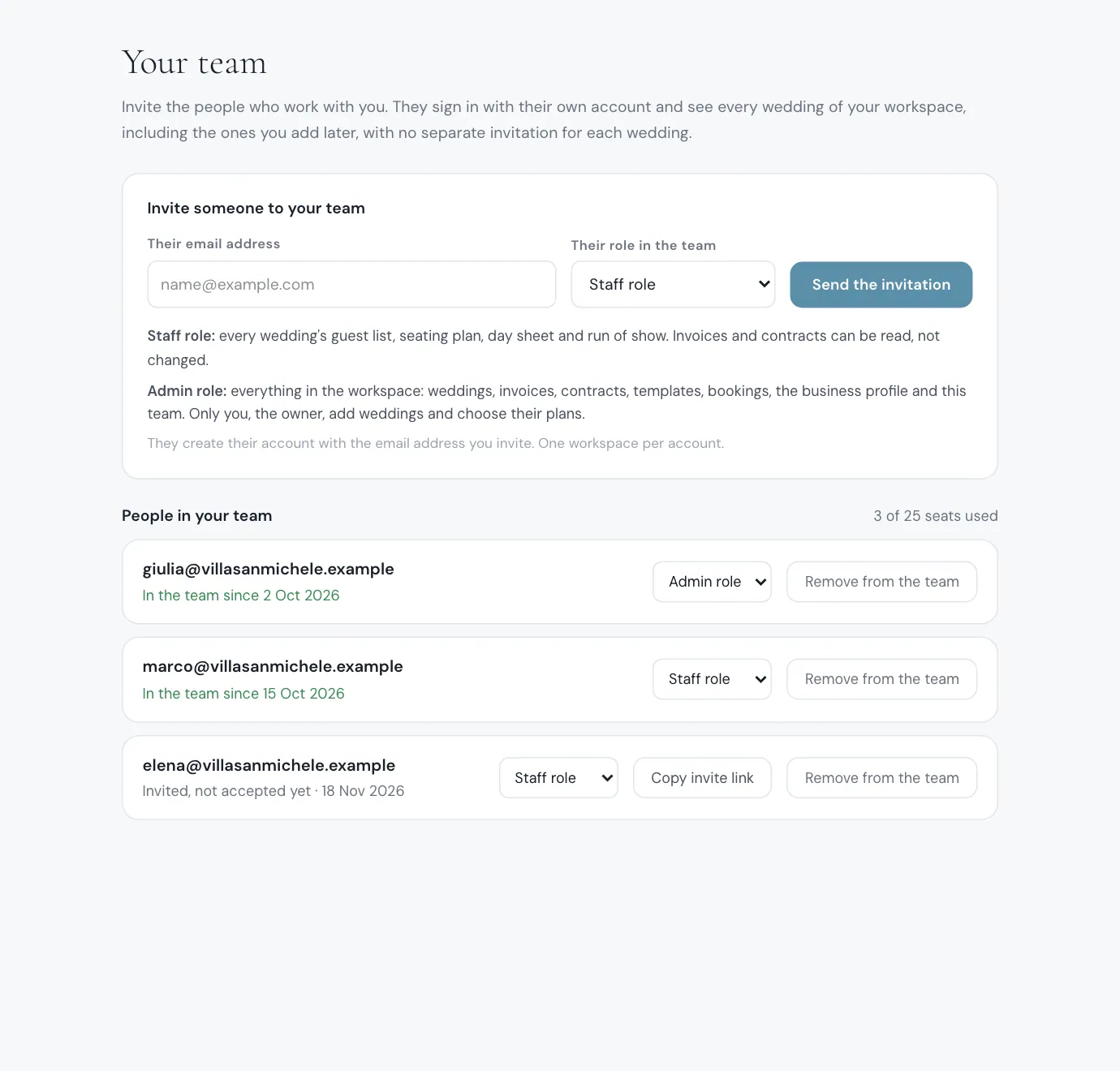
Invite the people who work with you by email. Each one gets their own account in your workspace and sees every wedding, including the ones you add later, with no invitation per wedding and no shared password. Choose a role per person and change it at any time.

Every wedding at a glance
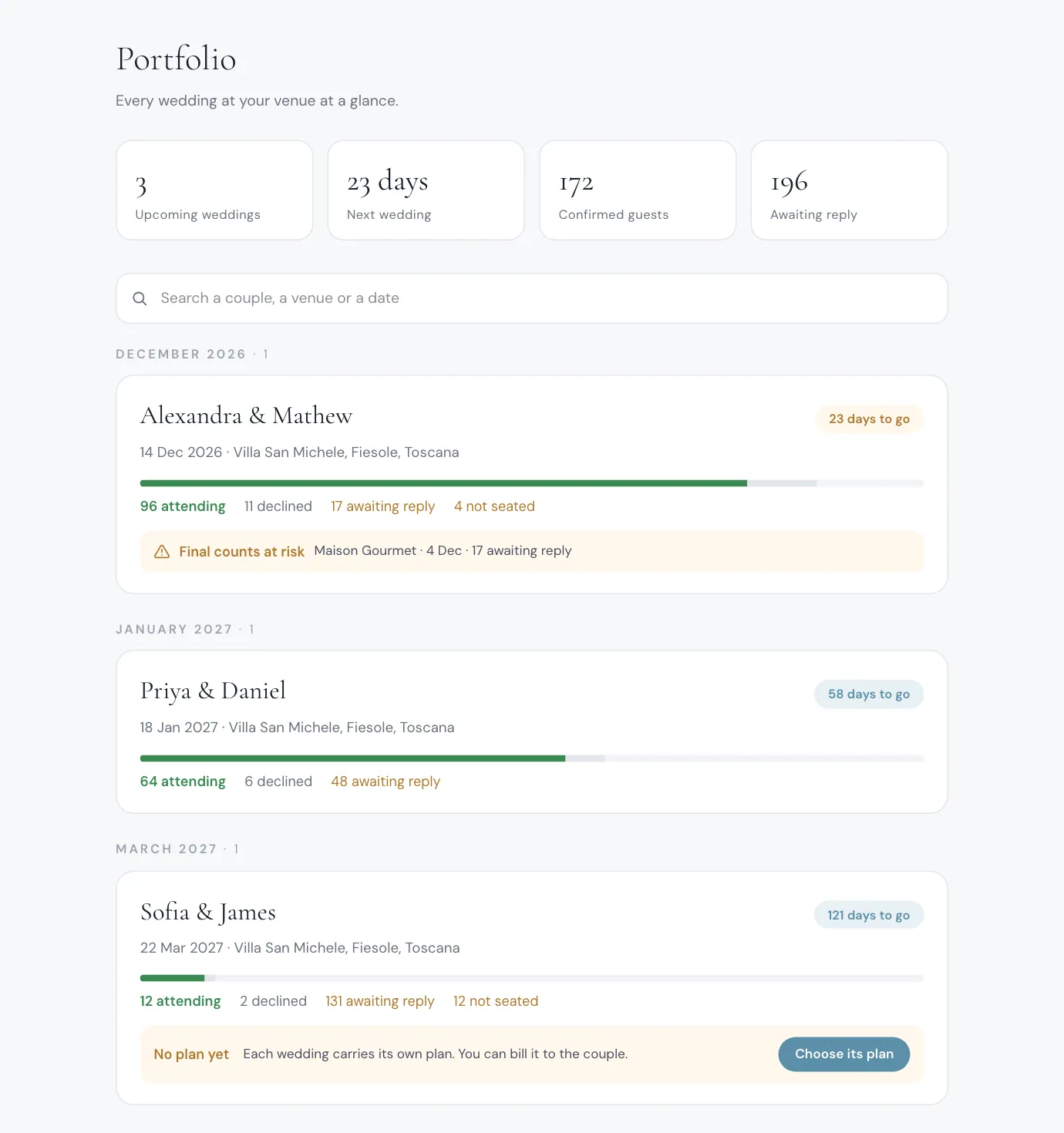
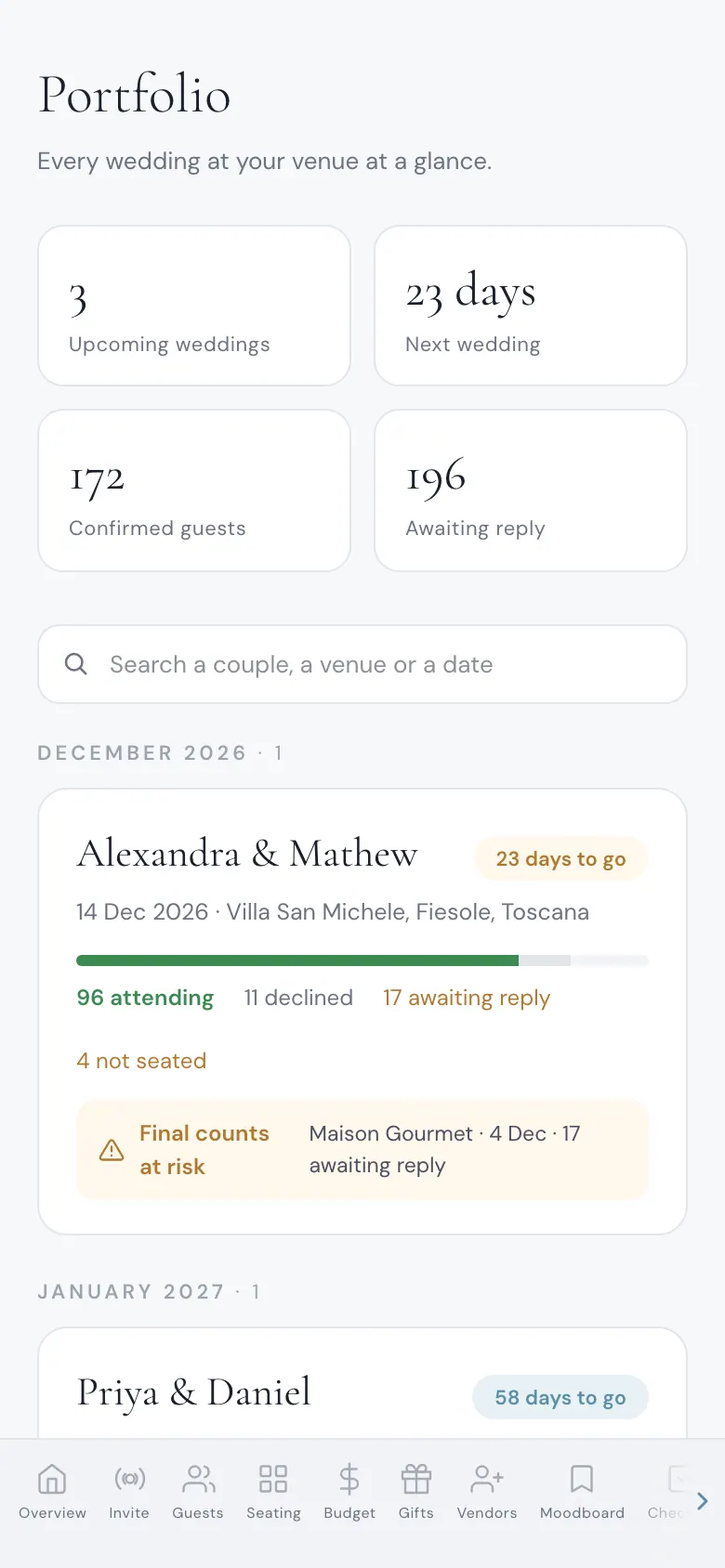
The portfolio lists every wedding you host, grouped by month, with its countdown, how many guests are coming, how many declined, how many have not answered and how many still have no table. Search by couple, date or place. A wedding whose final numbers are due while replies are still missing is flagged, so you chase the right couple.


Caterer and venue day sheet
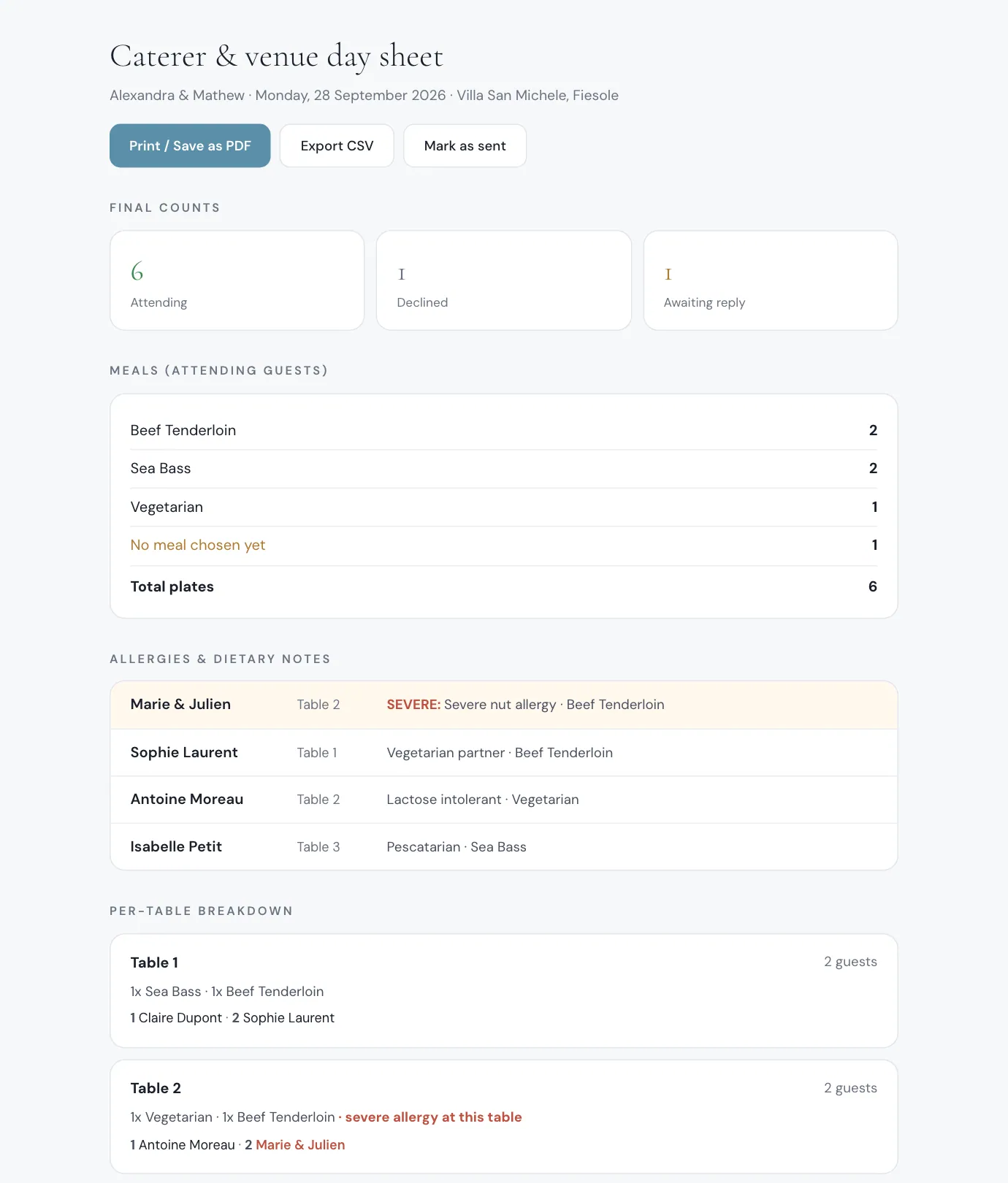
Guests answer online and choose their meal; the day sheet counts for you. Plates per meal, the allergy roster with table numbers and a severe flag, the breakdown table by table and a list of who sits where. It also shows what changed since the version you last sent, so nobody cooks from an old count.

Run of show
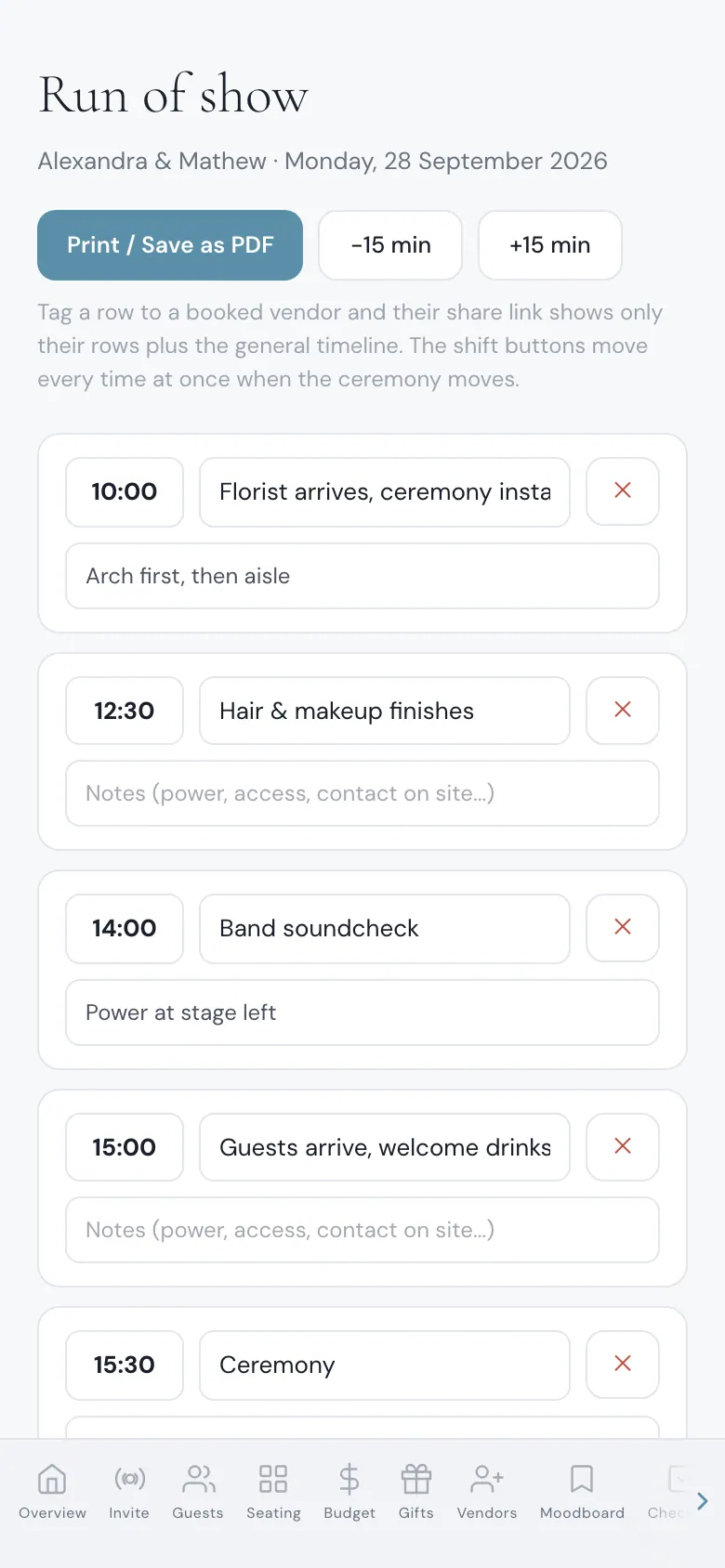
Build the run of show from the couple's schedule and the booked vendors, with a call time per vendor. When the ceremony moves, shift every time at once. Each vendor gets a read-only link that shows only their rows, so the florist and the band stop asking which version is current.

Deposits and contracts
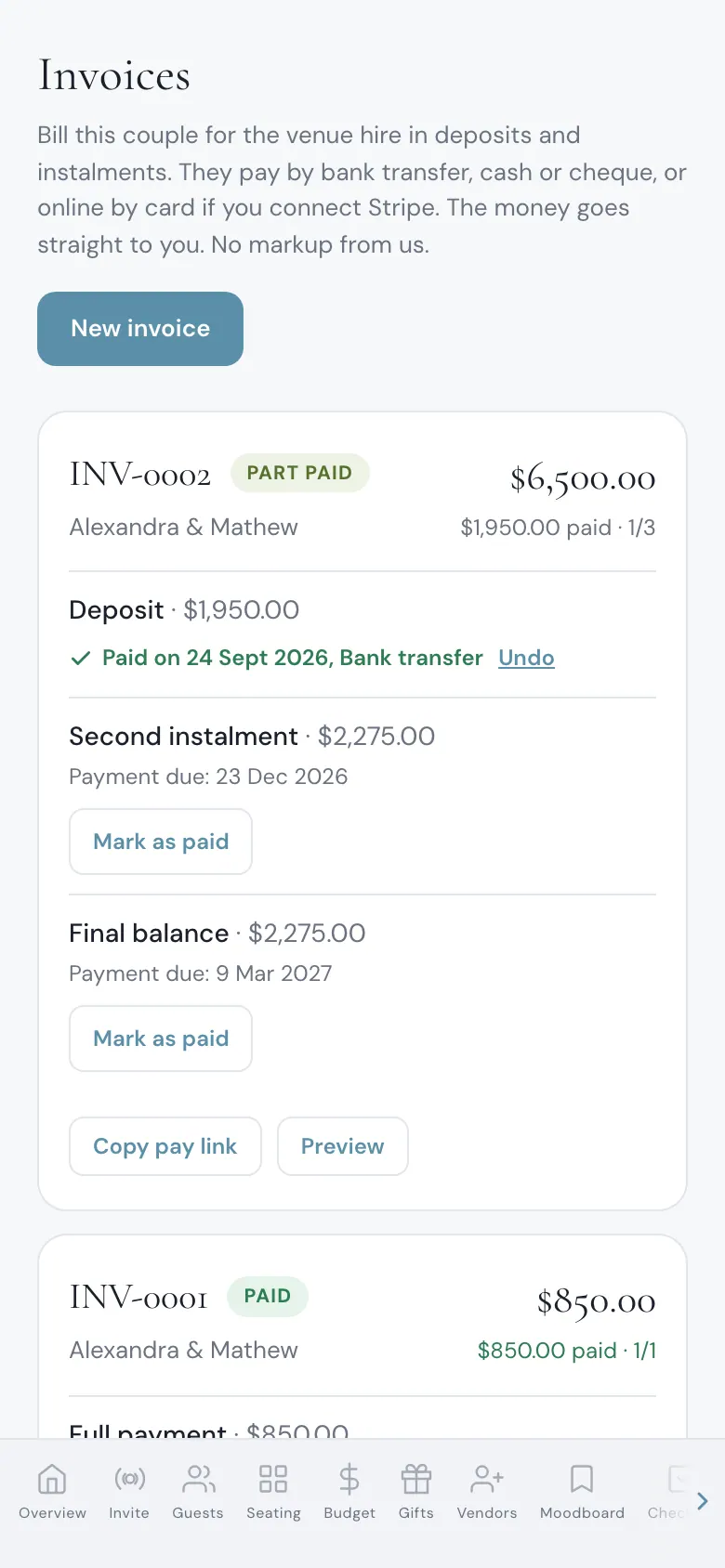
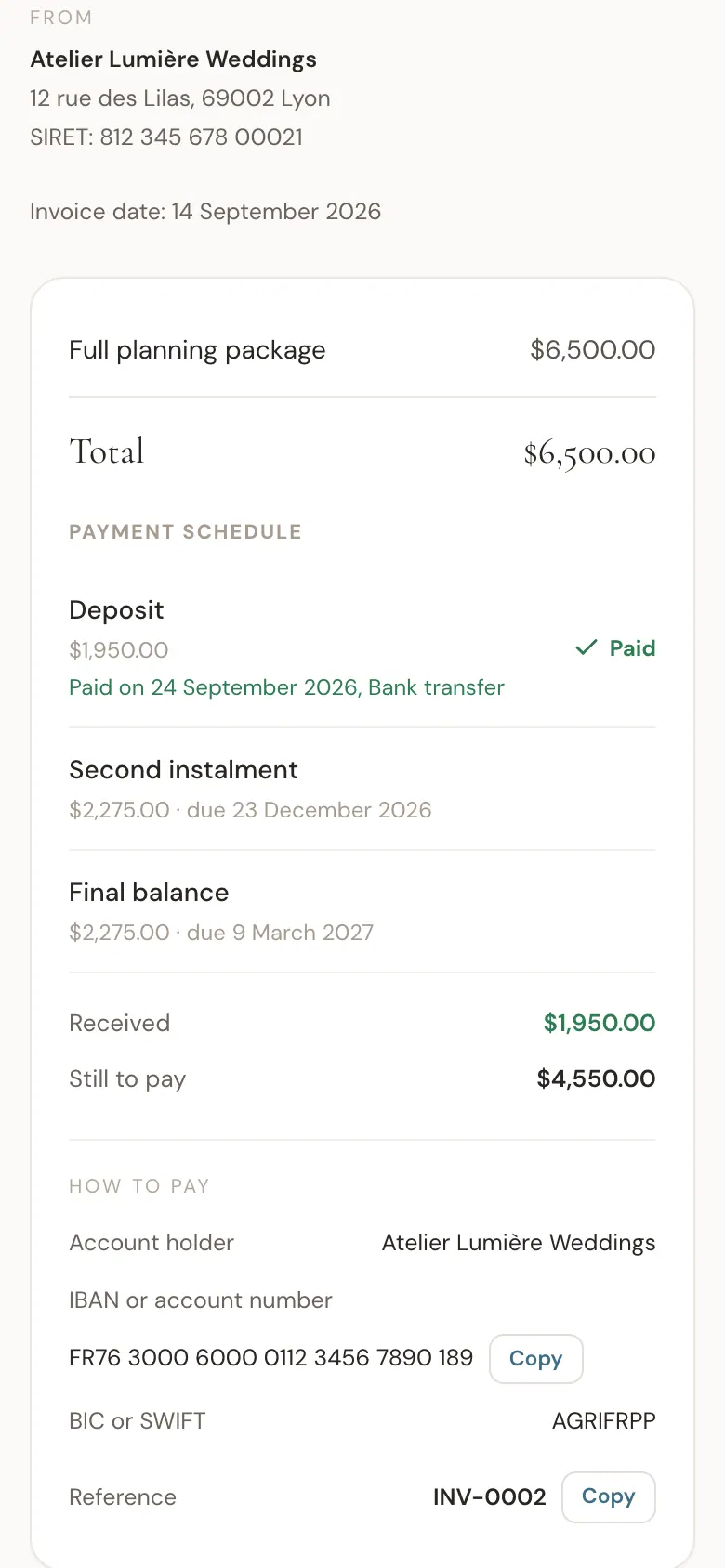
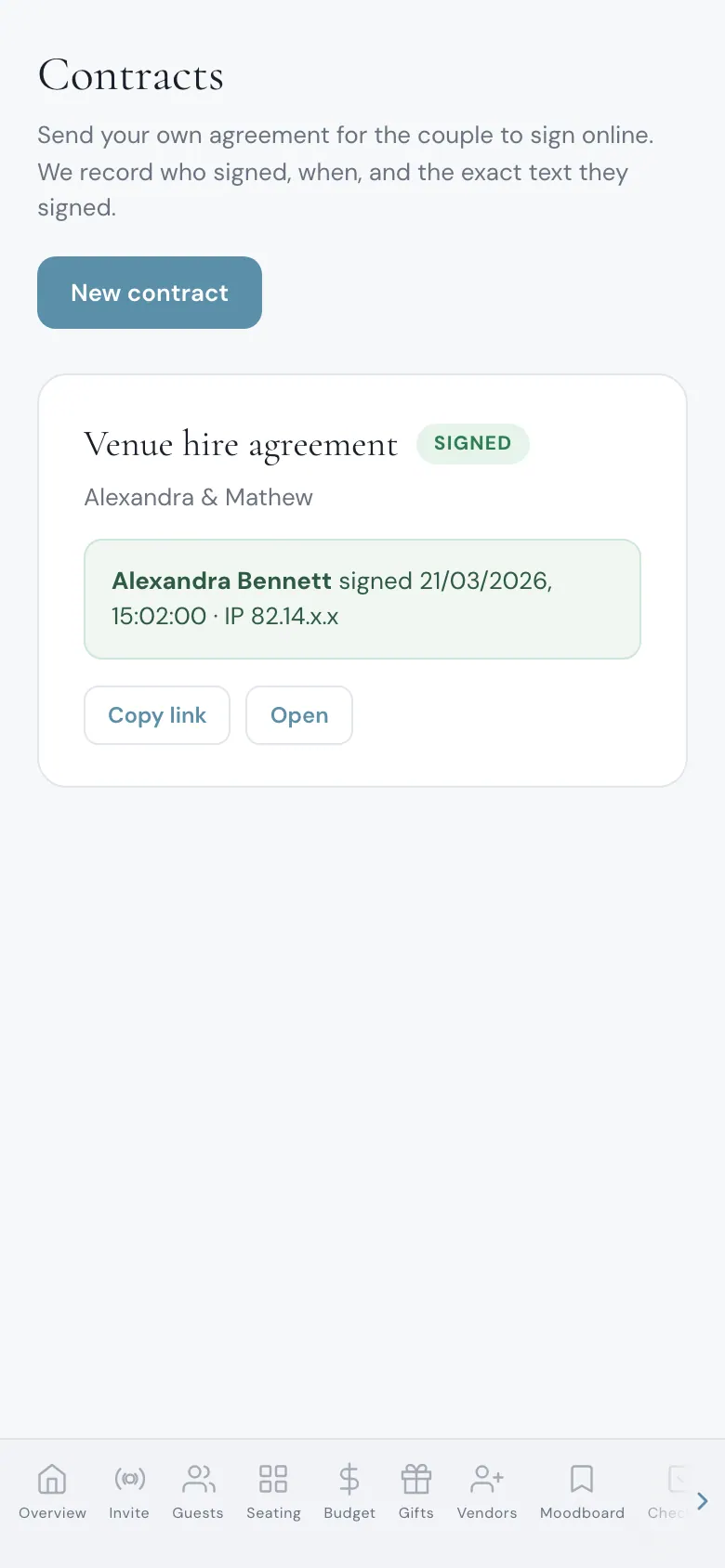
Invoice the couple for the venue hire with a deposit and instalments dated from the wedding date. You bill in your own currency: US dollars, pounds, euros, Canadian or Australian dollars, about 30 currencies in all. The invoice is your own: your business name, address and tax number, your tax rate as a separate line, your own invoice number, the issue and due dates and your legal note. It shows your bank details and a payment reference, so the couple pays by bank transfer, cash or cheque and you mark each instalment paid, in full or in part. To take cards online as well, connect your own Stripe account, where Stripe opens accounts: the money goes to you, the app takes no commission, and an instalment paid by card is marked paid automatically. Paste your own hire agreement and send it for signature: the couple types their name to sign from their phone and you keep a dated record of who signed and of the exact text.


Every screen on this page is a real capture of the app with sample weddings.
In every wedding
Guests answer from the invitation link or a QR code in about 30 seconds. Attendance, plus-ones and contact details land in the guest list on their own.
Each guest picks a meal and notes allergies when they answer. The counts feed the day sheet with no retyping.
Confirmed guests are dragged onto tables, per event on a multi-day wedding. The same tables appear in the room drawn to scale.
The couple gets their own login on their wedding and you decide section by section what they can see and edit.
A private invitation site in the couple's own style, in one language or several, with schedule, map and gifts. It is part of the same wedding, not a separate tool.
The couple plans the rest of the wedding in the same place, which is why their guest numbers reach you without a spreadsheet.
Pricing for venues
No software fee. Each wedding carries its own plan, $189 lifetime or $19.99 a month. You can bill it to the couple.
$189 once. The wedding stays open with no end date, before and after the day.
$19.99 a month while the wedding is active. Stop it when the wedding is over.
Bookings calendar, business profile, rooms, room layouts, team seats and the portfolio come with the account. Nothing is charged per seat.
Questions venues ask
The Private Wedding App does. A venue account holds the bookings calendar, the rooms and the team, and every wedding inside it has its own guest list with online RSVP, meal choices, allergies and a seating plan. The counts you see in the portfolio and on the caterer day sheet are the guests' own answers, updated as they reply.
In The Private Wedding App each inquiry is a card with the couple, their contact, the date or a tentative date, the room, a guest estimate, a status and a deposit note. The same entries appear on a month calendar next to your confirmed weddings, and two events in the same room on the same day are flagged as a date clash. When a booking is confirmed, it opens its wedding already filled in. The deposit on a booking is a note; to collect it, send the couple an invoice with your bank details and a payment reference: they pay by bank transfer, cash or cheque and you mark it paid, or online by card if you connect your own Stripe account.
Yes. Enter the room's width and length in metres or feet and the seating plan is drawn to scale as a flat plan seen from above, with tables at their real size, a grid and a scale bar. Tables closer than your minimum gap are listed with the measured distance. Print or PDF gives one page at a standard ratio, and the room can be saved as a layout and applied to another wedding.
The Private Wedding App gives a venue a to-scale floor plan and the guest side in one place: room dimensions, real table sizes, a clearance warning, a one-page print, and behind each table the guests who confirmed, with their meals and allergies. The plan is a flat view from above. Room layouts are saved once per room and reused, and your coordinators each have their own seat.
Yes. Add your logo and venue name to your business profile. The page a couple opens when you invite them shows your logo and "with" your venue's name, the same mark appears in their dashboard, and your invoices and contracts carry it too. The couple's guests never see it: the invitation keeps the couple's own design.
Yes. Invite each person by email from the Team page and choose admin or staff. Admins work on everything in the workspace. Staff work on the guest list, seating plan, day sheet and run of show of every wedding and can read invoices and contracts without changing them. Only the owner adds weddings and chooses their plans. A seat covers every wedding of the venue, including the ones created later.
No software fee. Each wedding carries its own plan, $189 lifetime or $19.99 a month. You can bill it to the couple. The venue account, its bookings calendar, rooms and team seats are not charged separately.
Create the couple's invoice in The Private Wedding App with the deposit as the first instalment; the due dates are proposed from the wedding date and you can change them. No Stripe account is needed: the invoice shows your bank details and a payment reference, the couple opens it from a private link and pays by bank transfer, cash or cheque, and you mark each payment as paid, in full or in part. To take cards online as well, connect your own Stripe account, which Stripe opens in the countries it supports: the money goes to you, the app takes no commission, and an instalment paid by card is marked paid automatically (US bank debit is offered on invoices in US dollars only). You issue the invoice in your own name, with your business details, tax number and tax line, in about 30 currencies, US dollars, pounds, euros, Canadian and Australian dollars among them; the app is not an accounting or tax-filing tool. For the agreement, paste your own text into a contract and send the link: the couple types their name to sign from their phone and you keep a dated record of who signed and of the exact text. The wording stays yours, we do not supply contract templates.
Guests install nothing: they open a private link and answer. The couple signs in with the email you invited and sees the sections you opened for them. Who pays the wedding's plan is your choice: you can add it to the hire invoice.
Are you a wedding planner rather than a venue? See the planner page
Guides for venues
Wedding venue software compared for 2026: Tripleseat, Perfect Venue, Planning Pod, HoneyBook, Cvent and The Private Wedding App, on bookings, rooms…
Banquet event order template for a wedding: what a BEO means, its sections, a table to copy, and the guest half: final counts, plates per meal, allergies.
Wedding venue software with guest management and RSVPs: a requirements checklist for venues, rooms to scale, bookings, day sheet, and what couples see.
How wedding venues track bookings, inquiries and deposits without spreadsheets: a booking pipeline table, a double-booking checklist, deposit notes…
Aisle Planner alternatives for wedding planners: HoneyBook, Dubsado, WeddingFlow, Plutio and planning.wedding compared on guests, payments and prices…
AI for wedding planners in 2026: what HoneyBook AI, WeddingFlow Aria, Dubsado, Plutio Pal, ChatGPT or Claude and The Private Wedding App each do, prices…
Create your venue account, add your rooms and log your first inquiry. Questions first? Write to us from the contact page.
Create my venue account