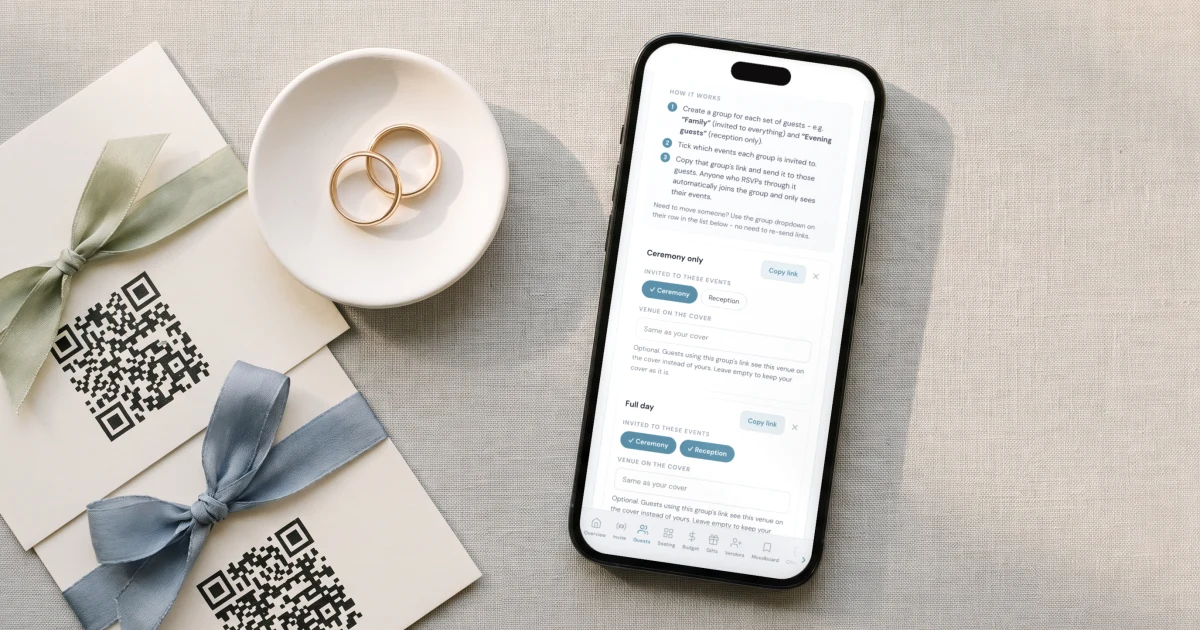
For a Nigerian wedding in London, Houston or anywhere in the UK or US, with a traditional engagement, a church wedding and a reception and around 400 guests on WhatsApp, The Private Wedding App, an all-in-one wedding planning platform, gives each guest group its own invitation link, takes one reply per event, lets only the guests you choose bring a plus-one, and gives every guest who says yes a personal QR entry pass that your gate team scans on any phone. It costs $189 once for lifetime access or $19.99 a month in the US, and £159 once or £17.99 a month in the UK, with no limit on guests. 3-day free trial.
$19.99 a month
3 days free, then $19.99/month. No commitment, stop whenever you want.
Try it free for 3 days →Your traditional engagement is on Friday, the church wedding and the reception are on Saturday, and the guest list is 400 before your parents have finished adding their friends. Most of those guests live on WhatsApp, a printed IV gets photographed and forwarded to three family groups within an hour, and every Nigerian couple knows the reception where people arrived who were never invited. This guide puts the whole thing in one place: who is invited to which event, how the invitations go out on WhatsApp, how plus-ones stay under control, and how the gate checks people in on the day.
Who is invited to what: the table to make before anything else
The traditional engagement (the Yoruba engagement, or the Igbo wine carrying) is mostly family, elders and close friends. The church wedding is open to more people, and the reception is the big list, with your parents' guests on top of yours. If you ask one question, 'are you coming?', you get none of those three numbers.
Write the table first: events across the top, guest groups down the side. Each group then gets an invitation link that shows only its events, so a colleague invited to the church and the reception never sees the engagement, and nobody learns about a dinner they were not invited to from the family chat.
In The Private Wedding App, switch on 'This wedding has multiple events' in the builder (it is off by default), add each event with its own venue and time, then create one group per row of your table. See how multi-event RSVP keeps a count for each event.

400 names in, without typing them twice
Most couples start from a spreadsheet, and both sets of parents send their own lists. 'Import list' takes names pasted one per line and picks up the phone numbers and emails written next to them. You can also drop the spreadsheet itself into the assistant chat, as it is, and it adds everyone in one go.
Save each number with its country code: +44 for the UK, +1 for the US, +234 for family in Nigeria. A number without one uses the country code you set at the top of the list.
If your mum is running her side of the list, she does not need your password. Under 'Share your wedding' in Settings, the 'Guests and tables' preset gives her her own login with the guest list and seating, and nothing else.
See the guest list tracker.
Plus-ones: only where you say so, and guests are told
A reception for 400 becomes 550 when everyone brings someone. In the builder's RSVP settings, under 'Who can bring extra guests?', choose 'Only guests I choose'. A +1 switch then appears on each guest row, and only the guests you switch on can add someone on their reply. Everyone else replies for themselves.
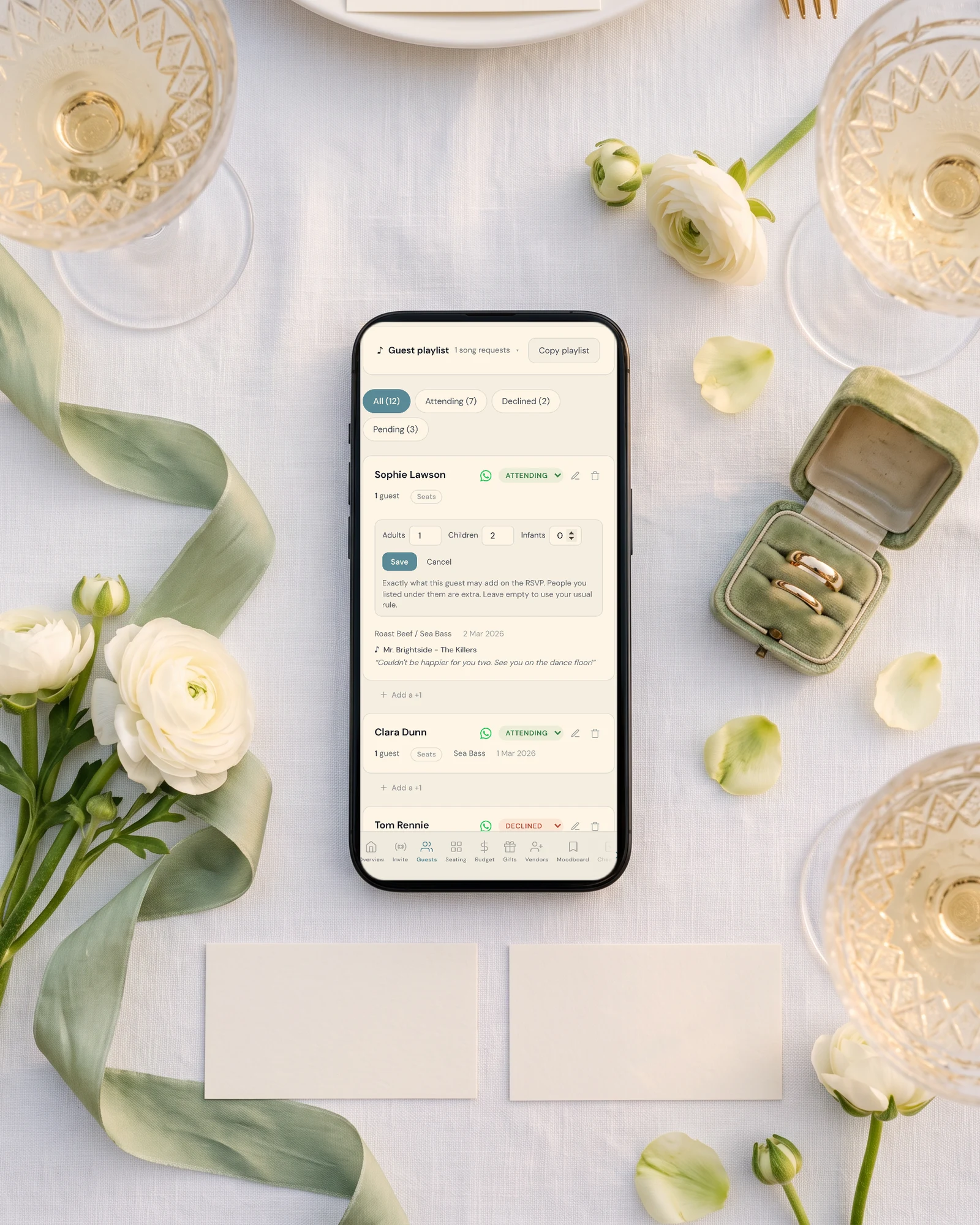
Guests are told, not left to guess. A guest you switched on reads 'Your invitation includes a plus one.' on the RSVP, and the same line is added to their WhatsApp message. For a family you listed together, the message says 'This invitation covers N of you.', and you can set the number of adults, children and infants per invitation.
More on this in plus-ones and adults-only invitations.

Sending on WhatsApp: one tap per guest, from your own number
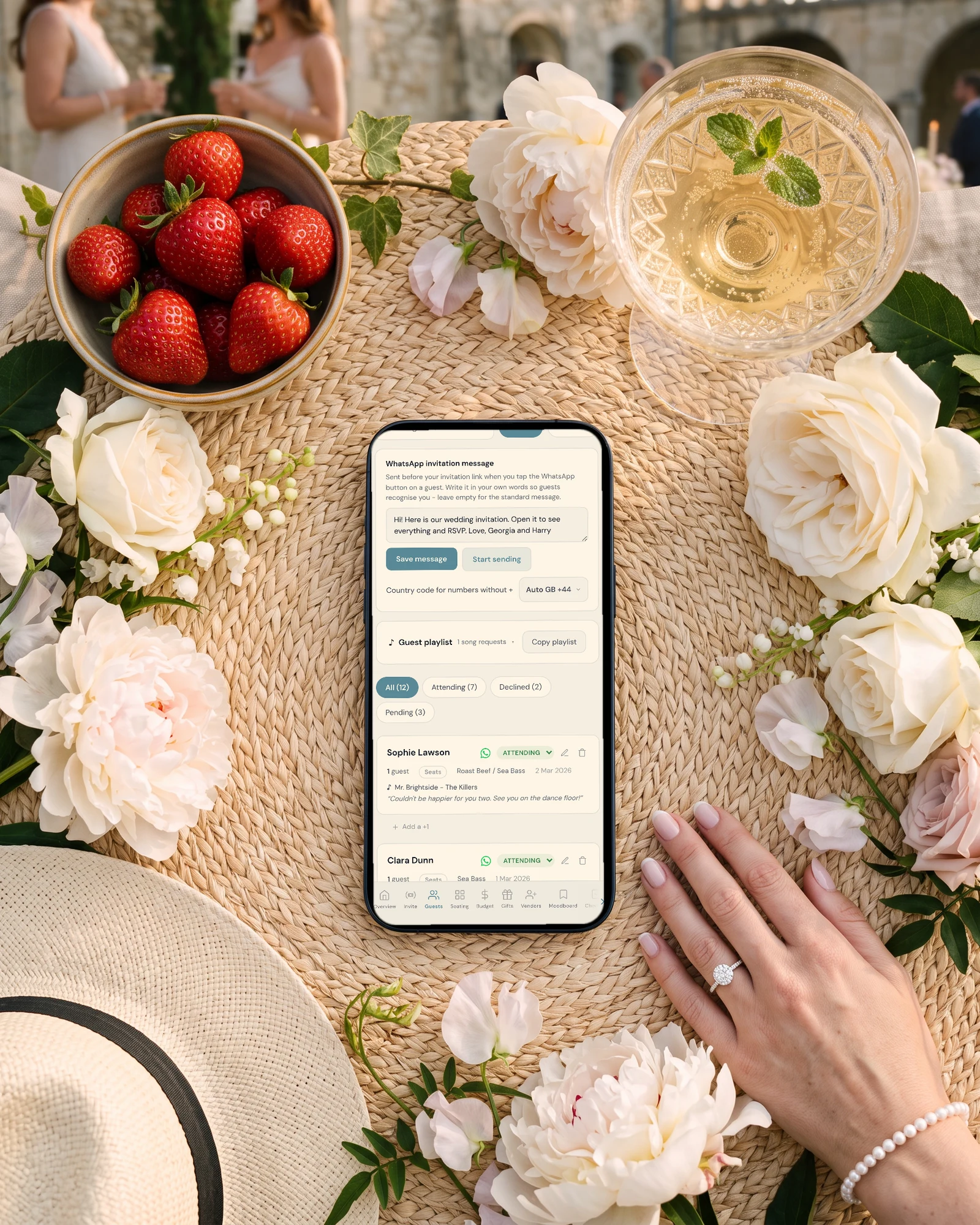
Write your message once at the top of the guest list. Each guest has a WhatsApp button that opens their chat with your message and their own group's link already typed, and you press send. It comes from your number, so your aunty sees a message from you, not from a company.
'Start sending' opens a focused list with a progress bar: each guest is ticked off as you send, the ones not yet sent stay at the top, and you can stop and pick up later. WhatsApp does not let any app bulk-send from a personal number, so 400 guests is 400 taps, done over a few evenings. For contacts you have saved, a WhatsApp broadcast list per group, with that group's link, is faster.
Guests who prefer email get the same link through 'Email the invitation', sent to everyone with an email address in one go.
See WhatsApp wedding invitations.
- Every number with its country code
- Every guest in their group before you send
- Elders first, with a personal line
- A reply-by date visible on the invitation
When the link is forwarded: private access
A link shared in one family group will travel. Switch on 'Private access' in the RSVP settings (it is off by default) and anyone who opens the invitation must first type an email or a phone number that is on your guest list. Someone who was forwarded the link and is not on the list sees nothing and cannot reply.
It only works if your guests have a phone number or an email saved on their row, so add them before you switch it on. Each guest verifies once on their phone.
See how a private wedding website works.
On the day: entry passes and check-in at the gate
Switch on 'Give guests a personal entry pass' in the 'Door check-in' card on the Guests page. Every guest who replies yes then sees their own QR code on the confirmation screen, and in their confirmation email when that email is switched on and they gave an address. The pass is signed, so nobody can make one from a name. Turn it on before you send the invitations: guests who replied earlier have no pass, and are found by name instead.
Copy the 'Check-in link for the door' and give it to your gate team, your planner or the venue staff. It opens on any phone, with no app and no account. They scan the pass, or search a name for someone who forgot their phone, and see the guest's name, how many people are in the party, their table and the events they accepted, then tap 'Mark as arrived'. A second scan of the same pass shows 'Already checked in', with the time.
With RSVP per event on, the gate team picks the event first, so the engagement and the reception each get their own count. Live Arrived and Expected counters refresh every 20 seconds, so two gates can check people in at once.
The limits, so there are no surprises: the gate needs an internet connection (there is no offline mode), there are no printed badges, and arrival times cannot be exported yet. Anyone holding the check-in link sees names and tables, so give it only to the people at the gate, and 'Make a new link' cancels the old one at once.
Tables, aso ebi and gifts
Only guests who said yes appear in the seating plan, and each event has its own tables. Put the families at their tables, open a table to put a name on each numbered seat, and the gate team sees each guest's table the moment they scan the pass.
Aso ebi is not sold through the app. What you can do is add an info section with the colours, the price and who to contact to order, and show it only to the groups wearing it.
For cash gifts paid by card, Stripe payouts work for bank accounts in the UK, the US and the other countries in the gifts settings. Nigeria is not on that list: for family sending money from Nigeria, add a gift card with your bank details instead.
Build the plan in the seating chart and set up gifts in the gift registry.
How the options compare for a 400-guest Nigerian wedding
Every fact about another product below comes from its own pages, checked on October 22, 2026, with the sources in the next section. 'Not stated' means the page does not mention it, not that the feature does not exist.
Sources: where each comparison fact comes from
Joy, checked October 22, 2026: pricing page (free to use, unlimited guests, online RSVP; text messaging as an upgrade, no price shown); online RSVP page (custom questions, multi-event responses).
Zola, checked October 22, 2026: App Store listing (free RSVP tracker; Premium SMS, US only, $59.99 and $79.99; Seating Chart $14.99).
RSVPify, checked October 22, 2026: pricing page (Starter $39/mo for 150 monthly registrations; Plus $125/mo for 500 with check-in).
The Private Wedding App: pricing page. Start the 3-day free trial there, add your three events and a few real names, and send yourself the invitation on WhatsApp.
Everything you need, in one place
Planning your own wedding without a planner is entirely achievable.
See it for yourself.
Explore the whole platform: cinematic invitation, RSVP with meals and allergies, guest list, seating chart, budget, vendors, checklist, moodboard, guest photo and video sharing and the AI planner. No account needed.
Try the full planner →How do I stop people coming to my wedding without an invitation?
Use three things together. Switch on private access so the invitation only opens for phone numbers and emails on your list, set plus-ones to 'Only guests I choose', and give every guest who replies yes a personal QR entry pass that your gate team scans. In The Private Wedding App all three are switches in the builder and on the Guests page.
Can guests RSVP separately for the traditional engagement, the church wedding and the reception?
Yes. Switch on multiple events, add the three events, and each guest answers each one. Each guest group gets its own link that shows only the events it is invited to, and you get a separate count per event.
Can I send 400 wedding invitations on WhatsApp?
Yes, from your own number, one tap per guest: each guest's WhatsApp button opens their chat with your message and their link typed in, and sending mode ticks them off as you go. WhatsApp does not allow automatic bulk sending from a personal number, so no app can send them all for you.
How does check-in at the gate work?
Guests who reply yes get a personal QR code on their confirmation screen. Your gate team opens the private check-in link on any phone, scans the code or searches the name, sees the party size and table, and taps 'Mark as arrived'. Several phones can check people in at once, and a pass scanned twice shows when it was first used. The gate needs an internet connection.
Can I control who brings a plus-one?
Yes. Choose 'Only guests I choose' and switch on the +1 for the guests who may bring someone. Those guests read 'Your invitation includes a plus one.' on the RSVP and in their WhatsApp message; nobody else can add a guest.
Can my parents add their own guests?
Yes. Under 'Share your wedding' you invite a parent by email with the 'Guests and tables' preset: they get their own login to the guest list and seating, and they pay nothing.
Can guests in Nigeria send cash gifts?
Card gifts are paid out by Stripe to bank accounts in the UK, the US and the other countries listed in the gifts settings; Nigeria is not one of them. For family in Nigeria, add a gift card with your bank details.
How much does it cost?
$189 once for lifetime access or $19.99 a month in the US, £159 once or £17.99 a month in the UK, with no limit on guests. Both include the invitation, RSVP per event, the guest list, private access, entry passes and door check-in, the seating plan, the budget tracker, the checklist and the AI assistant. 3-day free trial.