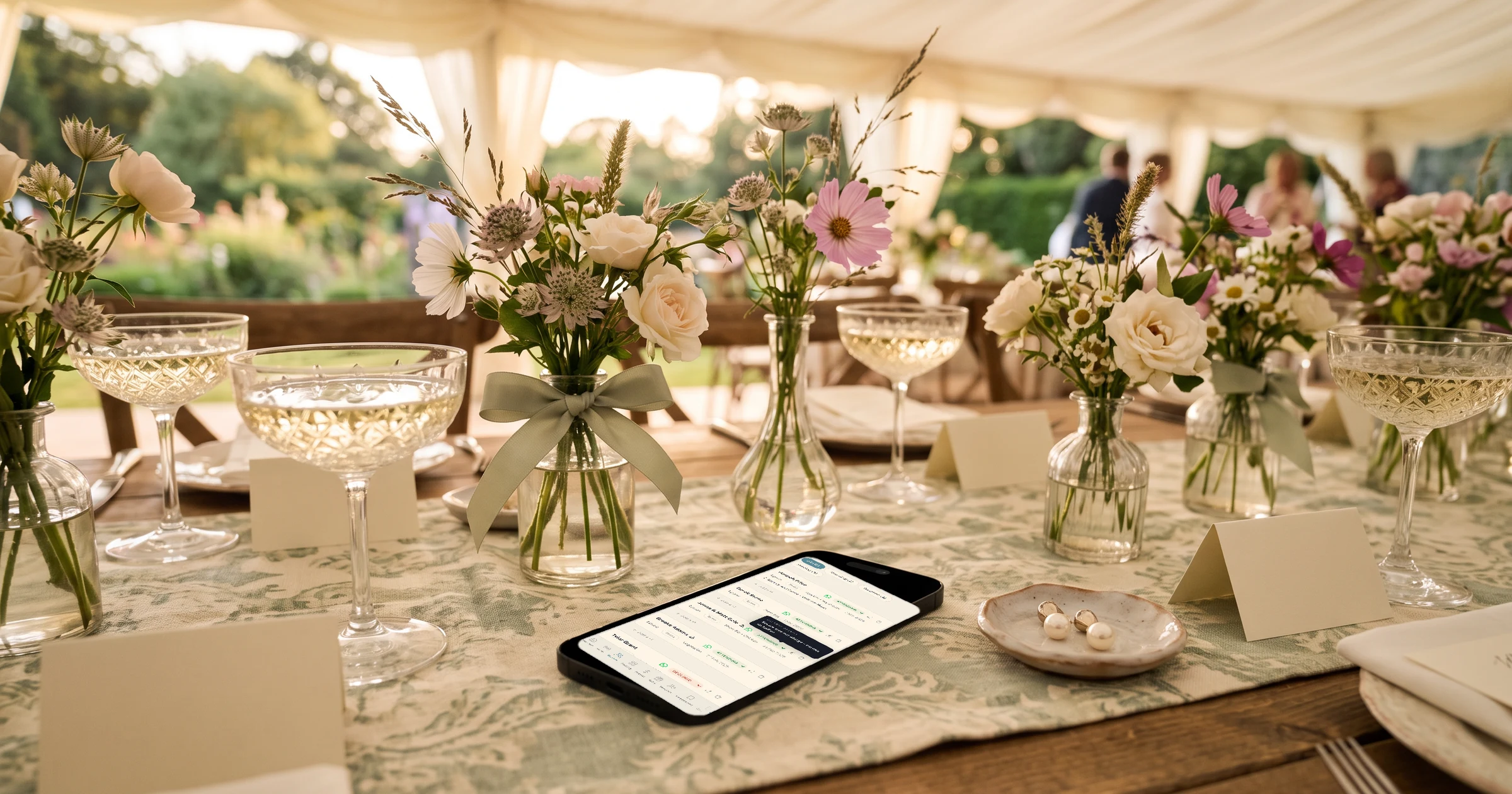
To control exactly who each invitation covers, The Private Wedding App lets you list a partner under the main guest so one invitation counts as two, give plus-ones only to the guests you choose, and set a number of seats per family, such as one adult and two children. Each guest sees on their RSVP who their invitation includes or how many they can bring, and cannot add anyone beyond that, which is also how an adults-only wedding keeps its count. It costs $189 once for lifetime access, or $19.99/month. 3-day free trial.
These are the questions couples ask most once the guest list gets real. How do I send one invitation to a couple and count it as two seats? How do I give a plus-one to my single friends but not to everyone? How do I invite my cousin's family with their two children but keep the rest of the wedding adults only? And how do I make sure guests understand it, so nobody turns up with a surprise date? A printed card answers it with the names on the envelope. A digital invitation needs the same clarity on the RSVP itself. This guide shows how to set up each case so the right number reaches your seating plan and your caterer.
One invitation for a couple, counted as two
When you know both names, list both. On the Guests page, add the main guest, then use 'Add a +1' under their row to add their partner by name. The two are one party: one invitation, one link, two seats.
On the RSVP, the main guest sees 'Your invitation also includes' with their partner's name, and answers Coming or Not coming for each person, each with their own meal. If one of them cannot come, that person is marked as declined, not deleted. When you send the invitation by WhatsApp from their row, the message adds 'This invitation covers 2 of you.' On the seating plan the couple arrives as one card and only drops on a table with room for both.
More on the guest list tracker.
Plus-ones only for the guests you choose
By default, any guest can add companions up to the maximum you set. To change that, open RSVP Settings, find 'Who can bring extra guests?' under 'Allow additional guests', and pick 'Only guests I choose'. A +1 switch then appears on each row of the Guests page.
Only the guests you switch on can add someone on the RSVP, and they see 'Your invitation includes a plus one.' Everyone else replies just for themselves and sees nothing about a plus-one. Do not switch on +1 for a guest whose partner is already listed by name: they are already covered as two, and a +1 would let them bring a third person. The app marks those rows in amber.
One condition: the guest must already be on your list and type their name on the RSVP as it is written there, so the app can recognise them.
Families with a set number of children
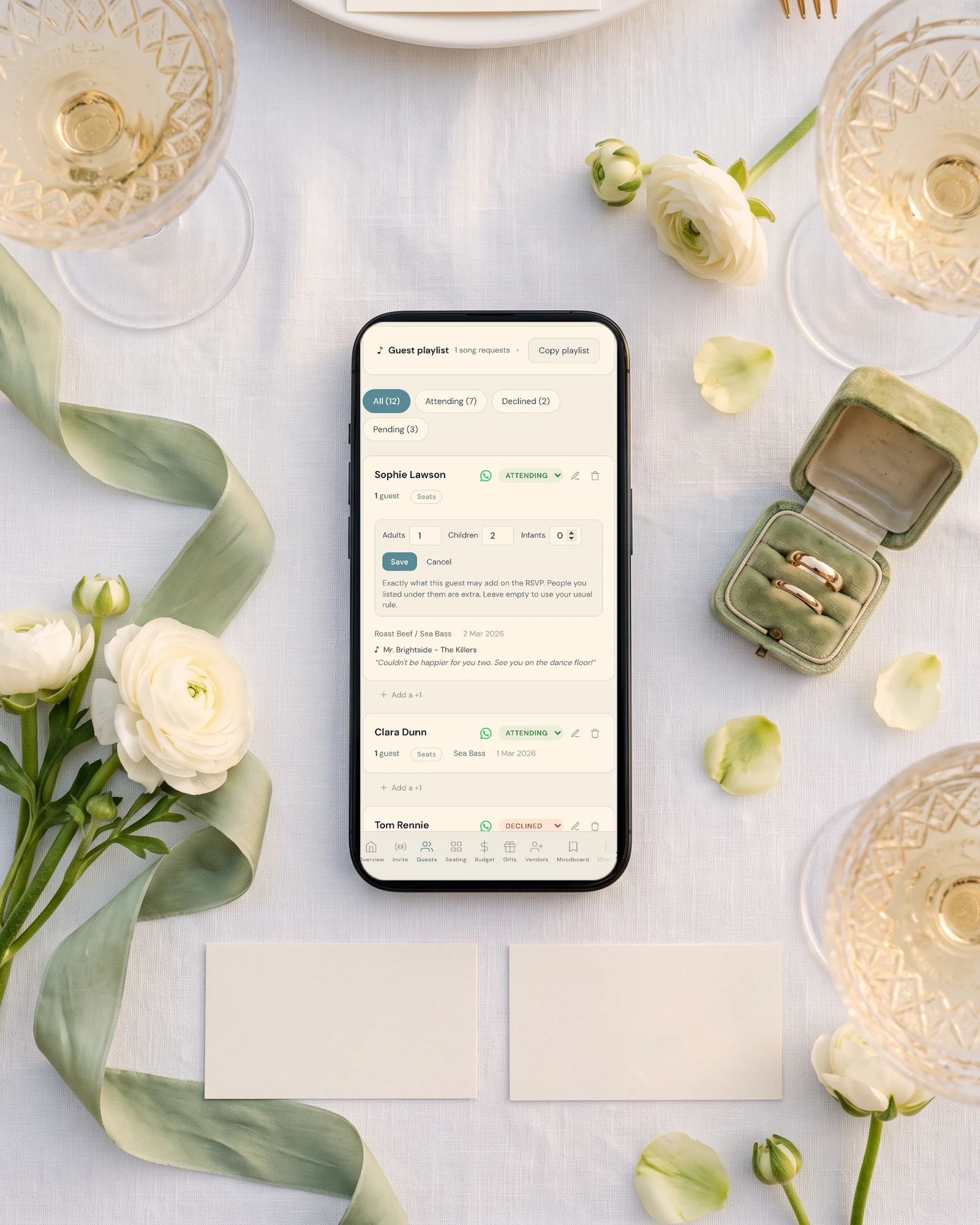
For a family whose children's names you do not know, or do not want to type, give the main guest seats instead. With 'Allow additional guests' on, switch on 'Count children and infants separately' in RSVP Settings, then use the 'Seats' button on the guest's row: for example one adult and two children.
On the RSVP, that guest sees 'You can bring: 1 adult, 2 children.' and gets one button per category, which disappears once that category is full, so they cannot add a third child or an adult they were not given. Infants are not asked for a meal, children can pick a kids' dish if you add one, and the Guests page shows adults, children and infants separately, per event if you have several.
The caterer gets the same split on the day sheet; see the meal and allergy tracker.
Adults only, made clear
There is no single 'no children' switch. What keeps the count right is that the RSVP only lets guests bring the people you allowed. Set plus-ones to 'Only guests I choose', list partners by name, and where a guest may bring someone, give them seats for one adult and no children. Guests then cannot add anyone beyond that, children included.
Then say it in words, kindly, so nobody is surprised: a plus-one is one person, and it helps to say it is an adult. A line in an info section works well: 'We love your little ones, but our celebration will be adults only.' Our guide to wedding invitation wording for children has more examples, including for weddings where only some children are invited.
Checking the count before it goes to the caterer
When a guest replies with a nickname or a slightly different spelling, the app matches the reply to the guest you listed when it can, so their seats and plus-one still apply. When it is unsure, a 'Possible duplicates' panel shows the two rows side by side with a Merge button.
The header of the Guests page shows attending adults, children and infants, and the caterer day sheet carries the final numbers, plates per dish and allergies with tables.
See how the seating chart places each party at one table.
Everything you need, in one place
Planning your own wedding without a planner is entirely achievable.
See it for yourself.
Explore the whole platform: cinematic invitation, RSVP with meals and allergies, guest list, seating chart, budget, vendors, checklist, moodboard, photo sharing and the AI planner. No account needed.
Try the full planner →How do I send one invitation to a couple and count it as two?
List both names. In The Private Wedding App you add the main guest, then their partner with 'Add a +1' under their row. They share one invitation and one link, each answers Coming or Not coming with their own meal, and the WhatsApp message says the invitation covers 2 of them.
How do I give a plus-one only to some guests?
In RSVP Settings choose 'Only guests I choose' under 'Who can bring extra guests?', then switch on +1 for those guests on the Guests page. They see 'Your invitation includes a plus one.' and everyone else replies only for themselves.
How do I invite a family with two children without knowing their names?
Give the main guest seats: switch on 'Count children and infants separately', then set one adult and two children with the Seats button on their row. They type the names on the RSVP, and the numbers stay fixed.
How do I make our wedding adults only?
Allow plus-ones only for guests you choose and, where someone may bring a guest, give them seats for one adult and no children, so nobody can add more people than you allowed. Then add one kind line to the invitation saying the celebration is adults only.
What if a guest's partner is already on the list and I also tick +1?
Then they can bring a third person. Leave +1 off for guests whose partner is listed by name; the app marks those rows in amber to warn you.
How much does The Private Wedding App cost?
$189 once for lifetime access, or $19.99/month, with the guest list, plus-one rules, seats, RSVP, seating and the budget included. 3-day free trial.