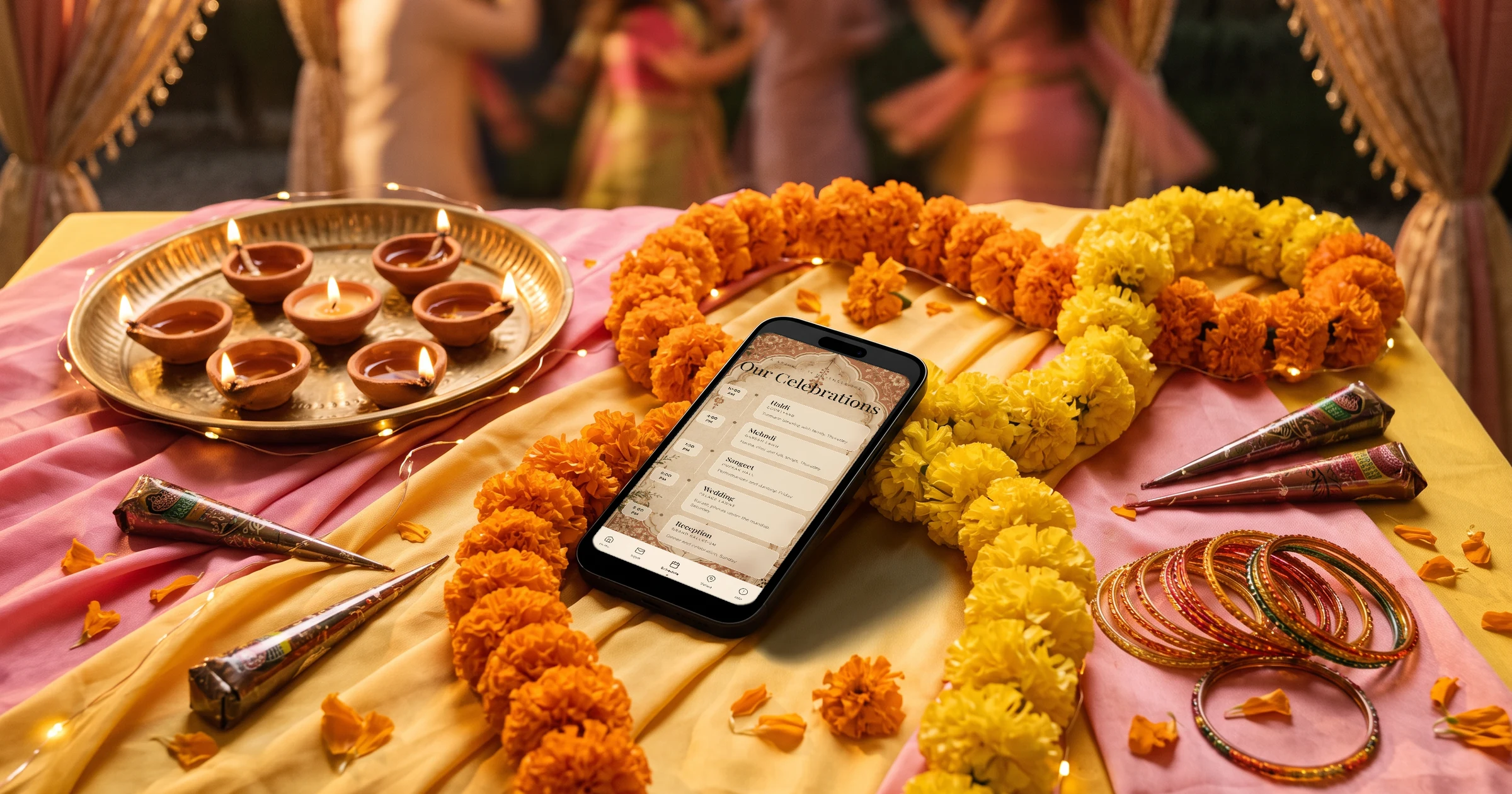
For a three-day Indian wedding with 300 or more guests, The Private Wedding App puts the mehndi, sangeet, wedding and reception on one invitation, with a separate RSVP and headcount for each function and a private link per guest group that shows only the functions that group is invited to. You send each household its link from your own WhatsApp, guests choose meal options you set such as veg, non-veg or Jain and add dietary notes, and the reception gets its own seating plan built from the guests who said yes. It costs $189 once for lifetime access, or $19.99/month (£159 or £17.99 in the UK, ₹14,999 or ₹1,599 in India). 3-day free trial.
Your wedding runs over three days: the mehndi, the sangeet, the wedding ceremony and the reception, perhaps a haldi on the first morning. More than 300 guests are invited, but not all to everything: close family comes to all of it, friends to the sangeet and the reception, and your parents' colleagues to the reception only. The caterer needs veg, non-veg and Jain counts for each function, the reception needs a seating plan, and the invitations go out on WhatsApp because that is where the families are. Spreadsheets with a tab per function and RSVPs coming back as voice notes are where most couples start. This guide shows how to run every function from one invitation instead.
Lay out the three days, function by function
Every function has its own date, time, venue, dress code and guest circle. Put each one on the schedule before anything else: the haldi in the morning at home, the mehndi in the afternoon, the sangeet in the evening, the wedding with the baraat and the pheras the next day, the reception after. Guests travelling from abroad need to see the three days at a glance to book their hotel nights.
Each function can carry its own dress code and its own artwork, and each day of the schedule can have its own background photo. Our Indian wedding checklist covers what to book for each function and when.
The Private Wedding App's schedule runs over several days with one tab per day and a venue card with a map for each place. See the digital wedding invitation.
- Haldi and mehndi: time, place, dress code
- Sangeet: time, place, dress code
- Wedding: baraat time, muhurat, venue
- Reception: time, venue, dress code
- Hotels and transfers for guests travelling
A group for each guest circle, a link for each group
Switch on 'This wedding has multiple events' and add each function. Then create guest groups and tick which functions each one is invited to: close family to everything, friends to the sangeet, wedding and reception, the wider circle to the reception only. Each group's private link shows only its functions, its schedule moments and the info sections you choose, and asks for replies to those alone.
With 300 guests, import the list instead of typing it. In 'Import list' you paste names one per line, with phone numbers next to them, and add a Group column to put everyone in the right group at once. You can also drop your Excel file into the app's AI assistant chat and it adds the guests for you, up to 200 at a time.
See how multi-event RSVP keeps a count per function.
Sending 300 invitations on WhatsApp
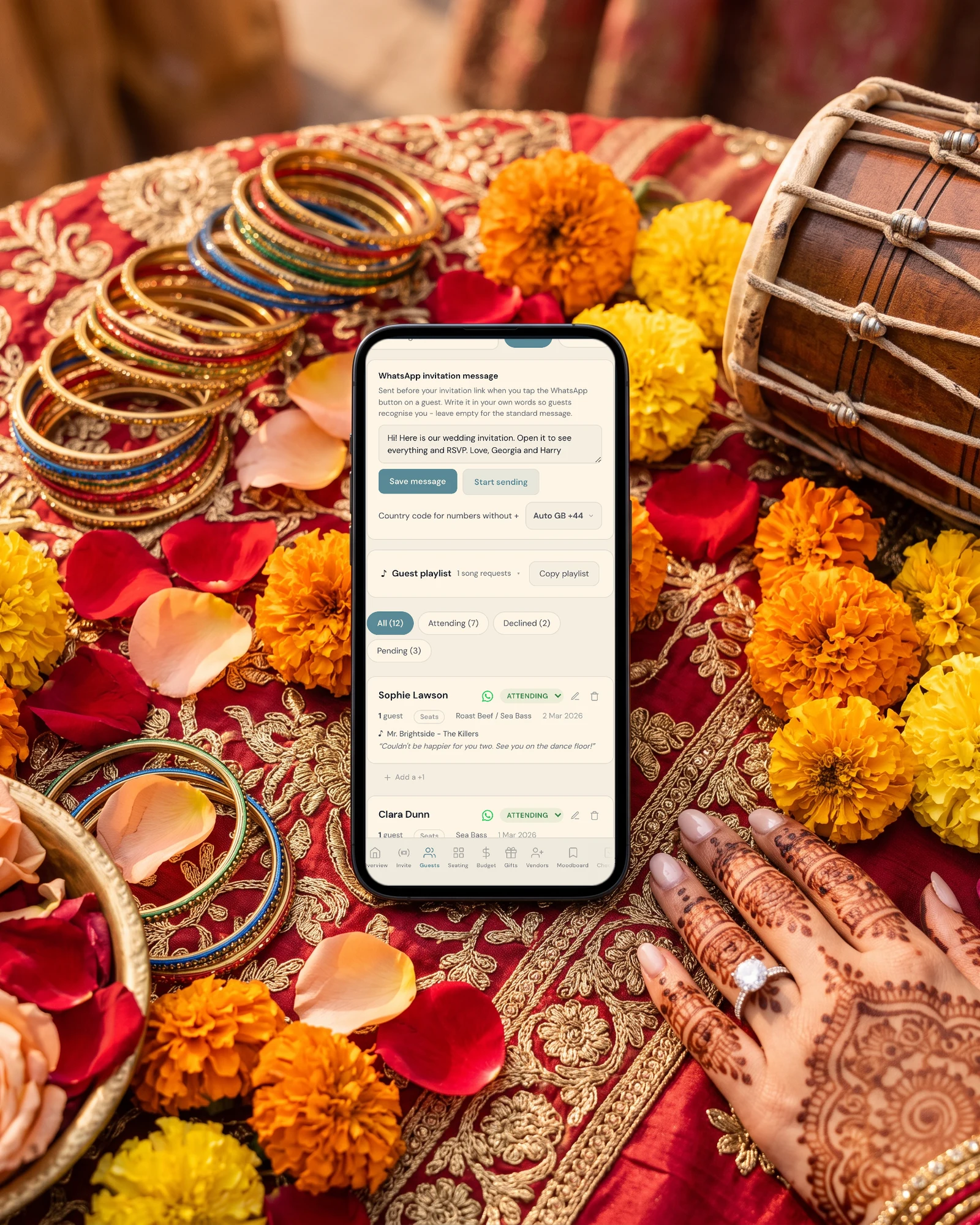
WhatsApp does not let any app send messages in bulk from a personal number, so the invitations go from your phone, one household at a time. The Private Wedding App makes that fast: each guest row has a WhatsApp button that opens a chat with your message and that guest's own link, their group's link if they are in a group. Sending mode lists every household with a progress bar, ticks each one off as you send, and remembers where you stopped.
Write your own message once, in your words, so guests recognise who it is from. For households you have saved in your contacts, a WhatsApp broadcast list per group with that group's link also works. Guests with an email address can get their link by email in one go.
Veg, non-veg, Jain, and every dietary note
In the Meal Options tab you write the meal options yourself, so they can be exactly what your caterer serves: veg, non-veg, Jain, or the names of the dishes. On functions where food is a buffet or a thali for everyone, untick 'Ask the meal choice for this event'. Guests can write a dietary note, such as no onion and garlic, and a severe allergy is flagged next to their name and on the seating plan.
Each person in a household picks their own option, and the caterer day sheet gives the counts per option, the dietary notes and the allergies with tables.
More on the meal and allergy tracker.
Seating the reception from real replies
The reception is usually the function with assigned tables. With RSVP per function on, the seating plan has its own tables for the reception, and only guests who accepted the reception appear. Each household is one card you drag to a table; tables take up to 20 seats, or more with the pencil next to the number.
At the door, a personal entry pass can be switched on: guests who said yes get a QR code, and your staff scan it on a phone to see the party size and the table, with a live count of who has arrived.
Plan it with the seating chart.
Elders, cousins and both families helping
If grandparents read Hindi, Tamil or Bengali more easily than English, add it as a second language; each guest picks theirs when they open the link, and the buttons and RSVP form are translated on their own. With Share your wedding, a parent or a cousin gets their own login to help with the guest list and the tables, without seeing the budget if you prefer.
Read about the bilingual wedding invitation.
Everything you need, in one place
Planning your own wedding without a planner is entirely achievable.
See it for yourself.
Explore the whole platform: cinematic invitation, RSVP with meals and allergies, guest list, seating chart, budget, vendors, checklist, moodboard, photo sharing and the AI planner. No account needed.
Try the full planner →How do I manage RSVPs for the mehndi, sangeet and reception separately?
Add each function as its own event. In The Private Wedding App guests answer each function they are invited to, and the Guests page shows attending, pending and declined for each one. Guest groups decide which functions each family sees.
Can some guests be invited to the reception only?
Yes. Put them in a group invited to the reception only. Their private link shows the reception alone, with its venue and dress code, and their replies land in the same guest list.
How do I send 300 wedding invitations on WhatsApp?
From your own WhatsApp, one household at a time, which WhatsApp requires. In The Private Wedding App each guest row has a WhatsApp button with your message and their link already typed, and sending mode ticks off each household and remembers where you stopped.
Can guests choose veg, non-veg or Jain?
Yes. You write the meal options yourself, so they can be veg, non-veg and Jain, and guests can add a dietary note such as no onion and garlic. The caterer day sheet gives the count per option.
Can I import my guest list from Excel?
Yes. Paste the names and phone numbers into Import list, with a Group column if you want, or drop the Excel file into the AI assistant chat and it adds your guests.
Can the invitation be in Hindi and English?
Yes. Add Hindi as a second language and each guest picks theirs when they open the link. Tamil and Bengali are also among the guest languages.
How much does The Private Wedding App cost?
$189 once for lifetime access, or $19.99/month. In the UK, £159 once or £17.99 a month; in India, ₹14,999 once or ₹1,599 a month. There is no charge per guest. 3-day free trial.