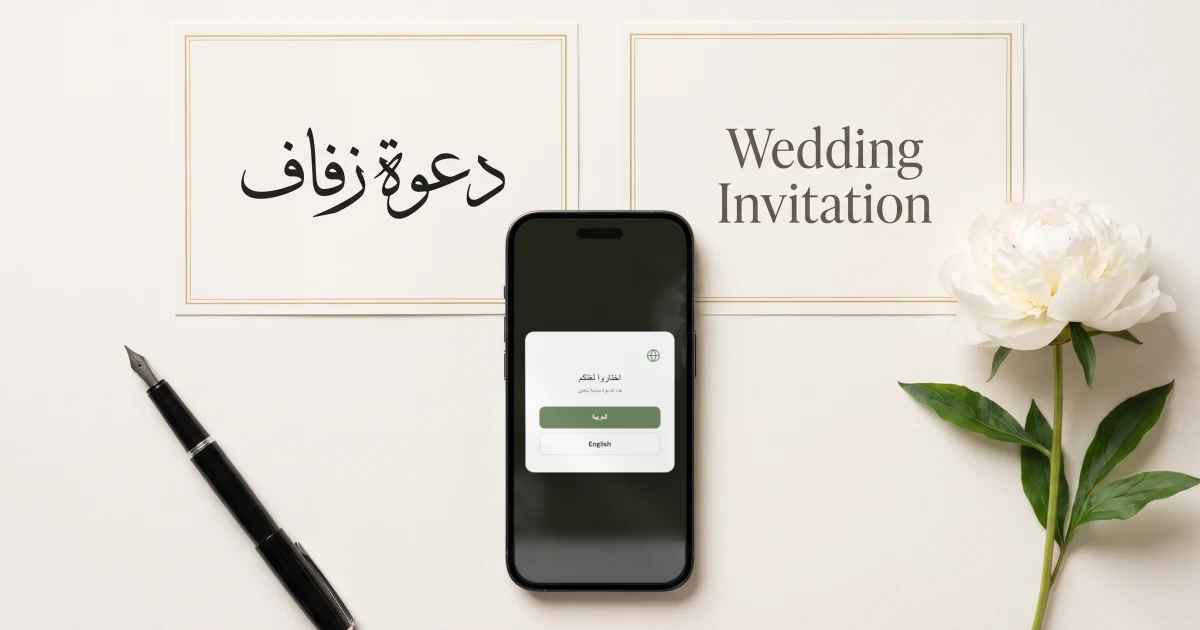
You are getting married in Dubai and your guests speak English and Arabic. The Private Wedding App, the all-in-one wedding planner, sends one invitation link: each guest opens it in English or in Arabic, written right to left, and the cover, schedule, venue, dress code and RSVP all follow their language. Guests choose their meal and allergies, and every reply, in either language, lands in one guest list that feeds your seating plan. AED 699 once for lifetime access, or AED 74.99 a month ($189 once or $19.99 a month in US dollars). 3-day free trial.
$19.99 a month
3 days free, then $19.99/month. No commitment, stop whenever you want.
Try it free for 3 days →A Dubai wedding often brings two worlds to the same hall. One side of the family reads Arabic first, friends and colleagues from abroad read English, and the invitation has to feel natural to both. Printing two sets of cards doubles the cost and still leaves you chasing replies on WhatsApp, counting meals by hand and building the seating plan from a spreadsheet. This guide shows how to run the whole thing from one invitation link: each guest reads it in their own language, replies once, and their answer goes straight into your guest list, meal count and seating plan.
Write the invitation once, in both languages
Start with the language you write most comfortably, then add Arabic or English as a second language in the Languages tab. The AI Translation button drafts every text for you, the couple's names, the welcome words, the schedule and the dress code, and every word stays yours to edit, which matters for the wording of an Arabic wedding invitation.
The buttons, menus and RSVP form are translated on their own, so you only write your own texts. If part of the family reads a third language, Hindi, French or Russian for example, you can add it too: an invitation can carry up to three languages.
See how the bilingual wedding invitation works.
What each guest sees when they open the link
The guest taps the link and picks English or Arabic in a small window before the invitation opens. From there, everything follows their choice: the cover with your names, the countdown, the schedule, the venue with its map, the dress code and the RSVP form. In Arabic the whole invitation reads right to left.
The choice is remembered on that phone, and you can also send a link that opens straight in one language, so your grandmother never sees the picker at all. If you want the Islamic date shown next to the Gregorian date, switch on 'Show the Hijri date' and it appears in each guest's language.
More on the digital wedding invitation.
- Names, date and welcome words in both languages
- Venue with its map and a parking note
- Dress code in both languages
- Hijri date switched on if the family expects it
- A reply-by date visible on the invitation
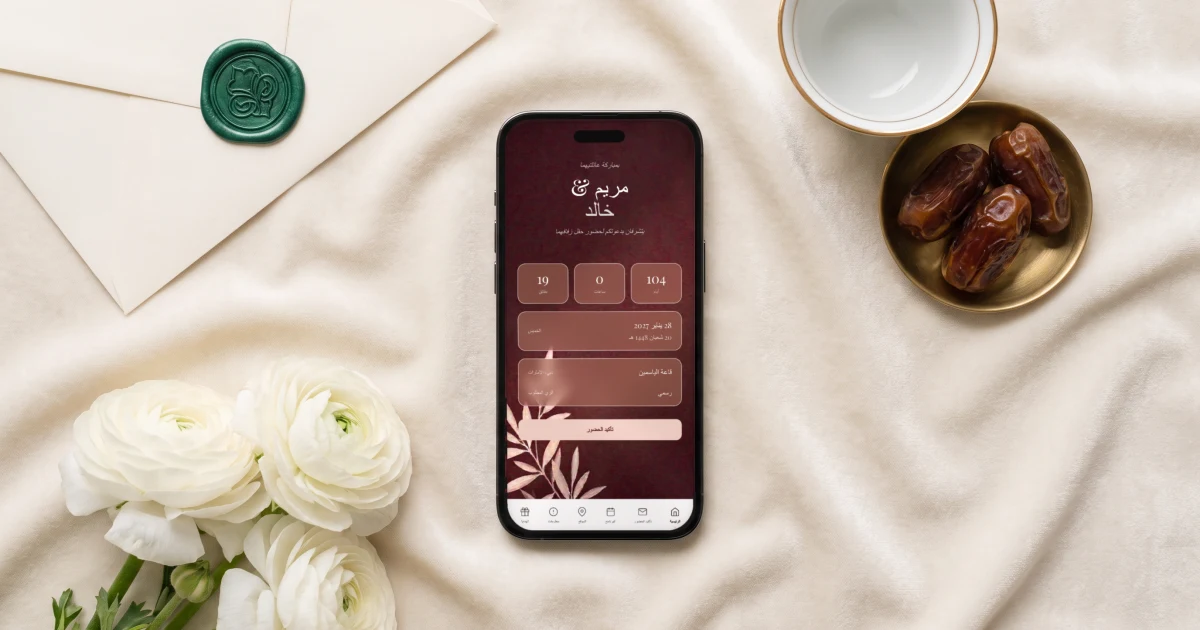
Replies with meals and allergies
On the RSVP form, each guest confirms whether they are coming, adds the people coming with them, picks their meal and notes any allergy, with a separate question for severe allergies. An Arabic reply and an English reply land in the same guest list, side by side, with the same meal and allergy columns.
If your evening has several parts, a henna night, a katb al-kitab and the wedding party for example, switch on 'This wedding has multiple events': guests answer each event on its own and you see a count per event.
See the meal and allergy tracker and multi-event RSVP.

Send it on WhatsApp, guest by guest
Import your guest list with phone numbers, +971 numbers included. Each guest has a WhatsApp button that opens their chat with your message and their invitation link already typed, so the message goes from your own WhatsApp, with no per-message cost.
Invitations get forwarded in family groups. If you want only invited guests to open yours, switch on Private access: anyone opening the link must enter a phone number or email that is on your guest list first.
From replies to the seating plan
Only guests who said yes appear in the seating plan, with their meal and any severe allergy shown at their seat. Build the tables for the hall, move guests between them, and the caterer day sheet gives the hall the number of plates per dish and the allergy list with table numbers.
Build it in the seating chart.
Everything you need, in one place
Planning your own wedding without a planner is entirely achievable.
See it for yourself.
Explore the whole platform: cinematic invitation, RSVP with meals and allergies, guest list, seating chart, budget, vendors, checklist, moodboard, guest photo and video sharing and the AI planner. No account needed.
Try the full planner →Which app can make one wedding invitation in English and Arabic with RSVP?
The Private Wedding App makes one invitation link in English and Arabic: each guest picks their language when they open it, Arabic reads right to left, and the RSVP form, meal choice and allergy questions follow that language. Every reply lands in one guest list that feeds your seating plan.
Do both languages show on the same screen?
No. Each guest reads the whole invitation in the language they pick, English or Arabic, so neither language is squeezed into half a card. You can send a link that opens straight in one language for guests who should not see the choice.
Can guests choose their meal on an Arabic invitation?
Yes. The meal options, dietary notes and the severe-allergy question appear in Arabic for guests who picked Arabic, and their answers land in the same guest list as the English replies.
Can I send the invitation on WhatsApp to UAE numbers?
Yes. Each guest in your list has a WhatsApp button that opens their chat with your message and their own link, sent from your own WhatsApp, with no per-message cost.
Can the invitation show the Hijri date?
Yes. Switch on 'Show the Hijri date' and the Islamic date appears next to the Gregorian date, in each guest's language.
How much does it cost in the UAE?
AED 699 once for lifetime access, or AED 74.99 a month. In US dollars, $189 once or $19.99 a month. Every plan includes the bilingual invitation, RSVP with meals and allergies, the guest list, the seating plan, the budget tracker and the checklist. 3-day free trial.