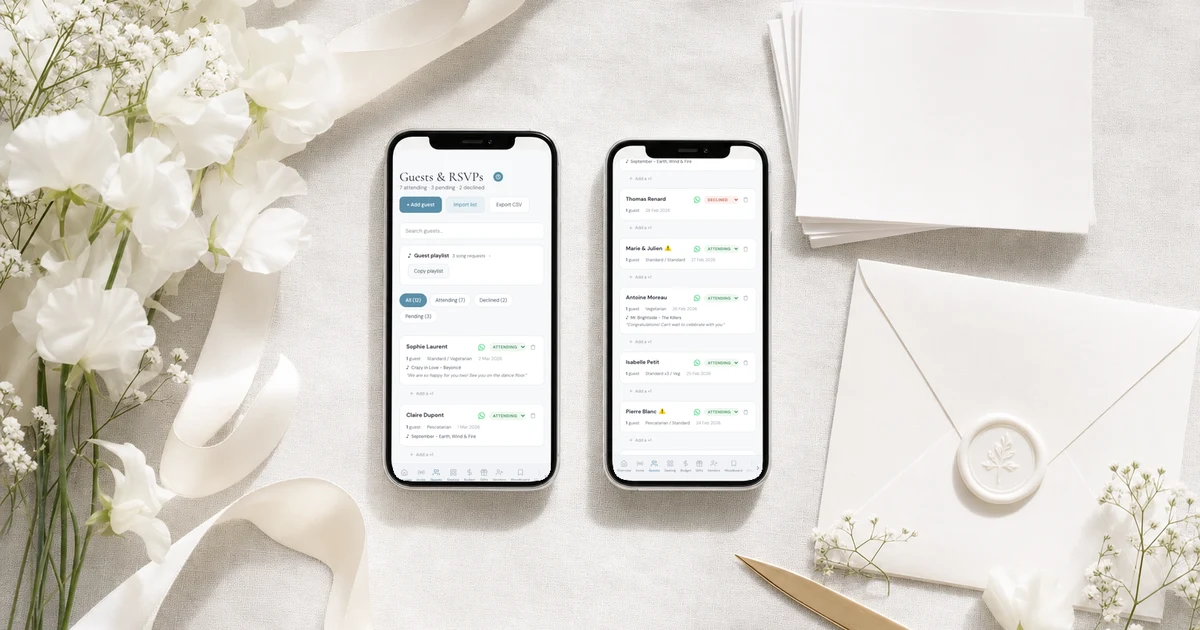
Yes. On The Private Wedding App, the wedding planner with the invitation, RSVP, guest list, seating chart and budget in one place, choose "Text message" under "Send invitations with" on your guest list: each tap opens a text from your own phone with your message and that guest's own RSVP link, free, since it goes through your own phone plan. On an iPhone, "Send to everyone from your iPhone" texts your whole list in one go through the Wedding Texts shortcut in the Apple Shortcuts app, still from your own number and still free. Every reply lands in the same guest list. Pay $189 once for lifetime access, or $19.99 a month. 3-day free trial.
$19.99 a month
3 days free, then $19.99/month. No commitment, stop whenever you want.
Try it free for 3 days →Most of your guests will open a text before they open an email, and your grandparents may not have WhatsApp at all. So you want to text the invitation. The catch is everything around it: 150 separate threads, a link that has to be right for each person, and no idea who has answered. Paid bulk-text services solve the volume but send from a number your family does not know. This guide shows how to text every guest their own invitation and RSVP link from your own number, free, either one tap per guest or all at once from an iPhone, and how to see who replied and text the rest again.
What your guests receive
The text comes from your own number, so it lands in the thread your aunt already has with you, under your name. It carries your message ("Hi, it's Maya and Ben, here is our wedding invitation") and a link that is theirs: when a guest belongs to an invite group, the link is that group's, so the rehearsal dinner only shows up for the people invited to it.
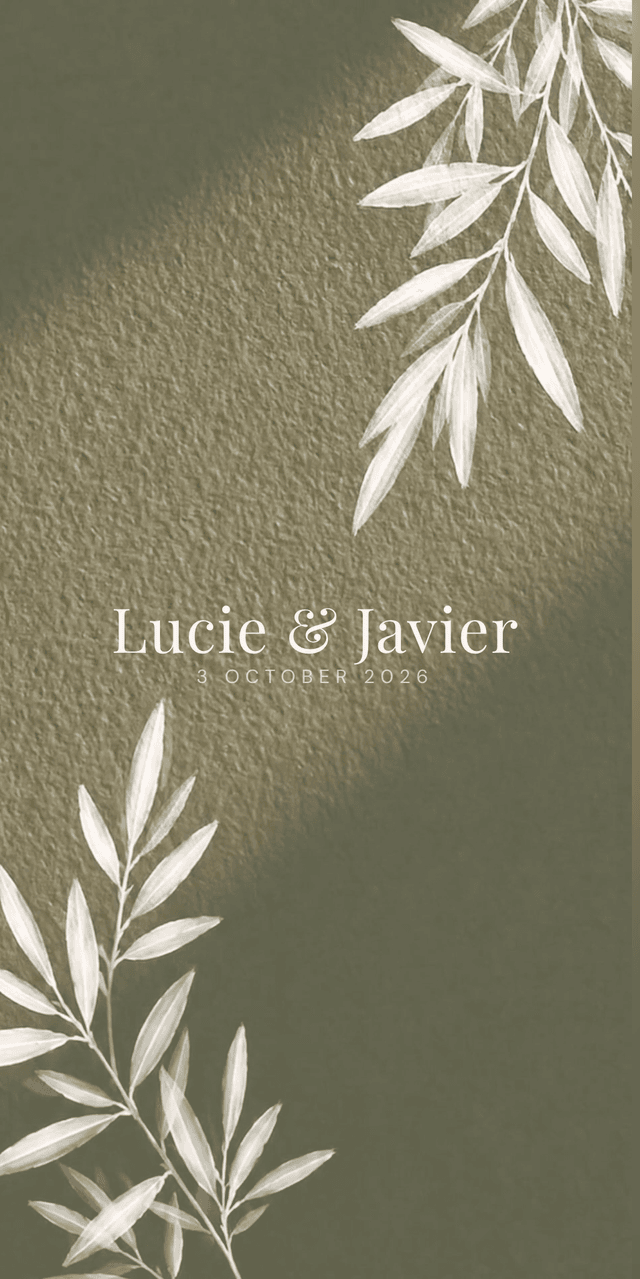
They tap the link and the invitation opens in their phone's browser: your names and photo, the schedule, the venue with its map, the dress code, travel notes and the RSVP. No app to download, no account to create. They answer for themselves and the people listed with them, pick a meal, note an allergy, and the reply goes straight into your guest list. If a guest's invitation includes a plus-one, the text says so in its own line, so nobody has to ask.
What the invitation itself can hold is on the digital wedding invitation page.
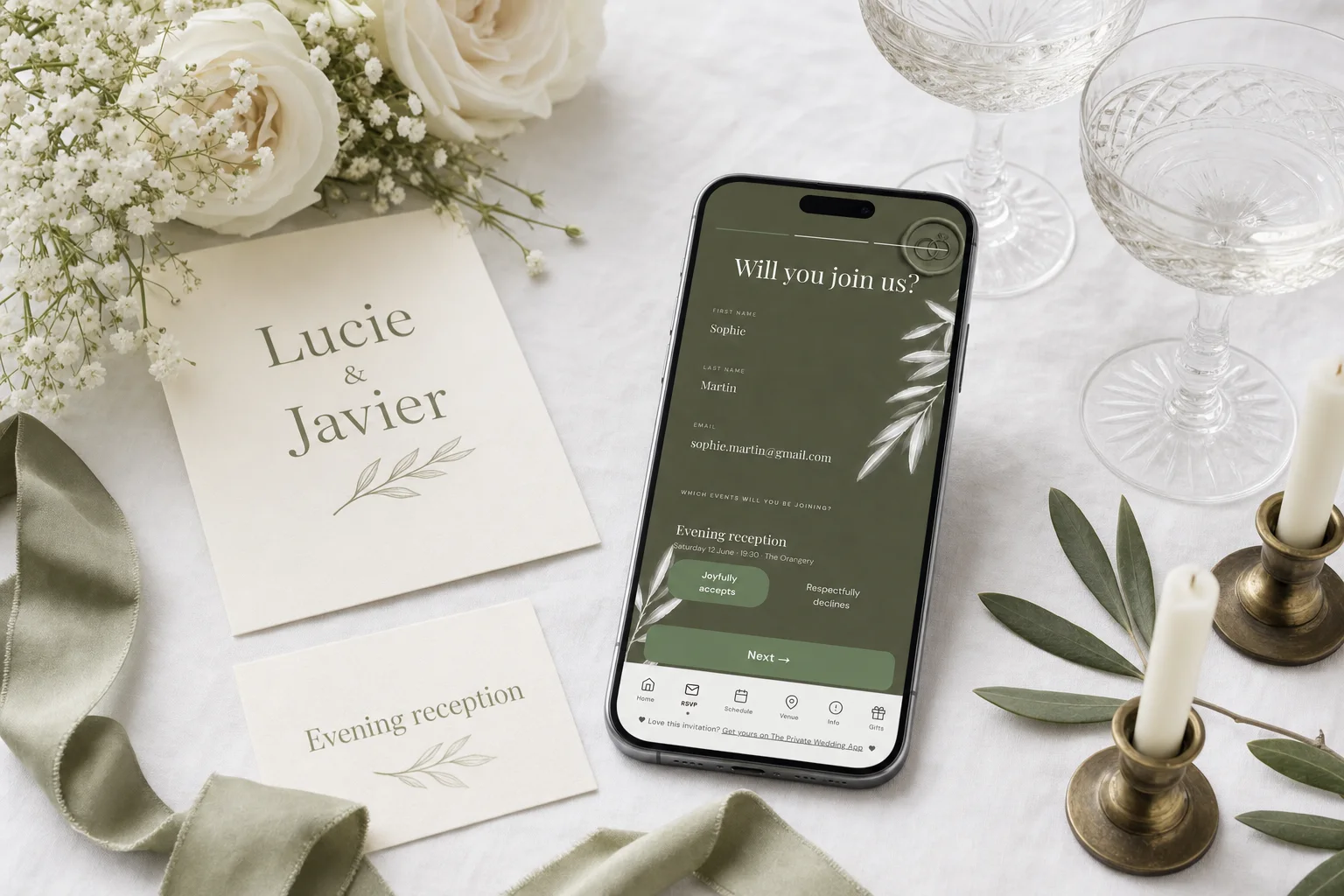
Step 1: put your guests and their numbers on the list
Add guests one by one with "+ Add guest" (first name, last name, email and phone with a country picker), or paste your spreadsheet columns into "Import list": phone numbers next to a name are picked up. The easiest way with an existing spreadsheet is to drop the file itself into the assistant chat, which adds everyone on one card.
Write numbers with the country code, +1 for the US and Canada, so the text opens on the right person. Guests without a number simply get a greyed-out button; email them instead.
As soon as guests with US or Canadian numbers are on your list, "Text message" appears as a choice under "Send invitations with", in the message card at the top of the Guests page. Choose it: a speech-bubble button then sits on every guest row.
How the list handles households, plus-ones and replies is on the guest list tracker page.
- Every guest on the list, with a phone number written +1 ...
- "Send invitations with" set to "Text message"
- Your message written once in the message card (your names first, so nobody mistakes it for spam)
- Guests in their invite groups before you send, if not everyone is invited to everything
Step 2: one tap per guest, from any phone
Open the Guests page on your phone, not your laptop: the button hands the text to your phone's Messages app, and a computer usually has none for texts. Tap a guest's speech bubble and Messages opens with their number, your message and their own link already typed. You press send. That is the whole step, and it works on iPhone and Android.
For a long list, tap "Start sending". Sending mode lists every party with a progress bar, ticks each guest off as you tap them, keeps the ones you have not texted at the top, and saves your progress, so you can stop at guest 60 on the train and finish at home.
If you want the wording first, these messages to send with your invitation link are ready to copy.
Step 3 on an iPhone: text everyone at once
On an iPhone you can skip the tapping. Log in on the iPhone, open Guests, choose "Text message" under "Send invitations with", and tap "Start sending". The block "Send to everyone from your iPhone" sits at the top of that screen, with three steps.
First, tap "Get the Apple Shortcuts app" (Apple's own free app; skip this if it is already on your phone), then come back to the wedding app. Second, tap "Add the Wedding Texts shortcut", then "Add Shortcut" in the Apple Shortcuts app, and come back again. Third, tap "Send to N guests at once". The first time, your iPhone asks for permission: choose "Always Allow".
The texts then go out one by one from your own number. Each guest gets two messages: your message, then their link on its own, so it shows as the invitation card with your cover photo. Guests who do not have you saved in their contacts see "Tap to load preview" instead, which is Apple's rule for unknown numbers. Every guest has a tick box in that list, all ticked by default, so you can leave out anyone you are not ready to invite yet.
Opening the Wedding Texts shortcut by itself inside the Apple Shortcuts app does nothing: it only works from the send button. After the first send, only the send button shows.
Different texts for different guests
Most US weddings are several invitations: the rehearsal dinner for family and the wedding party, a welcome party for everyone who travels, the wedding itself. Turn on "This wedding has multiple events" in the RSVP Settings tab of the builder (it is off by default), add your events, then create invite groups on the Guests page. Each group gets its own link that shows only its events, and the text each guest receives carries their group's link.
Each group card also has "Invitation message for this group". Fill it and that group's guests get that text instead of the main message, by text message, WhatsApp or Telegram, one by one or all at once from the iPhone. Leave it empty and they get the main message.
How groups and events fit together is in sending wedding invitations to different guest groups and on the multi-event RSVP page.
Who replied, and texting the rest again
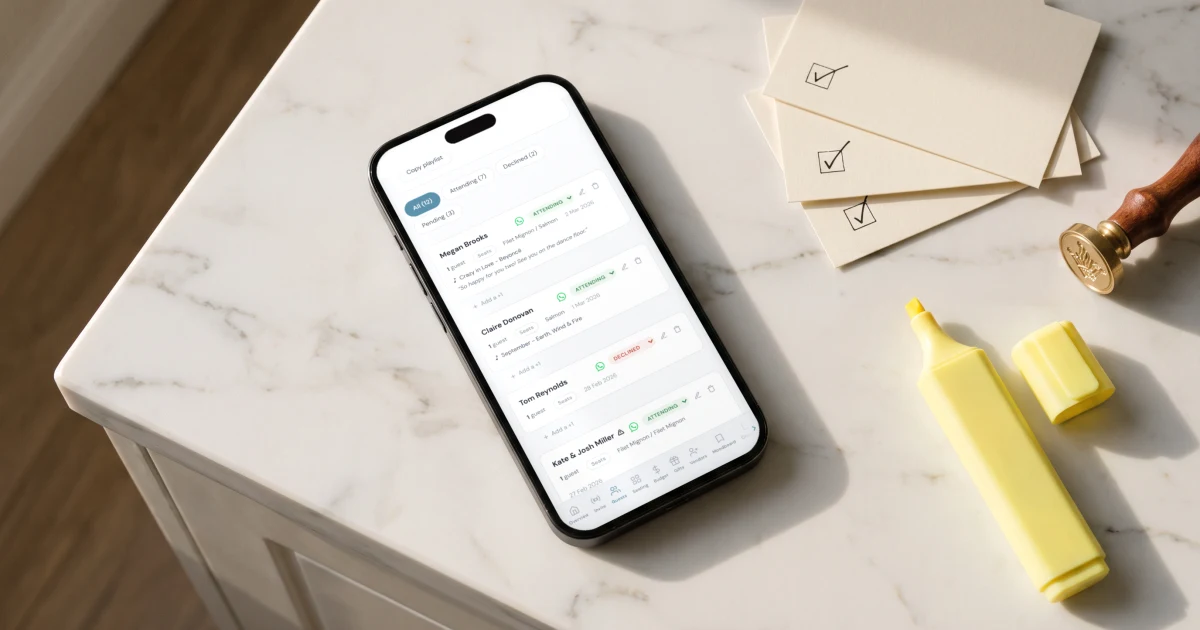
Replies arrive in the guest list as guests answer: attending, declined or pending, with their meals, allergies and the people in their party. The filters above the list show only Pending in one tap, and "Latest replies" puts the newest answers on top with the date and time.
To chase the quiet ones, use the same channel. One tap per guest: filter Pending and tap their speech bubbles again. From the iPhone: tick "Also text guests already sent" under the send button, untick the guests who have already answered, and send. If a relative replies by phone call instead, change their status by hand with the menu on their row.
You can also let email do the chasing. In the RSVP Settings tab, "Remind guests who haven't replied by email" (off by default, it needs a reply-by date) sends pending guests who have an email address up to two reminders before your date.
When to send and when to set the reply-by date is in when to send wedding invitations.
Texting your invitation: the options compared
Texting from your own phone is free and comes from a number your guests know. What you give up is the one-button send to Android phones: on Android it stays one tap per guest. For guests who live in their inbox, "Email the invitation" on the Guests page sends every guest with an address their own link in one go, after a preview, and is included in every plan. The paid bulk text pack is not open for US and Canadian numbers.
Sources
The Private Wedding App, checked November 19, 2026: pricing ($189 once for lifetime access, or $19.99 a month), guest list, RSVP per event and invite groups, text wedding invitations.
Zola, checked November 19, 2026: US App Store listing (in-app purchases include "Premium SMS" at $59.99 and $79.99; the listing does not describe what they include).
Joy, checked November 19, 2026: pricing page (free to use; "optional upgrades, like custom domain names, text messaging, and premium designs", no price shown for text messaging).
Getting married in the UK, or most of your guests have UK numbers? Text wedding invitations in the UK covers the one-send SMS pack that is open there.
Try it on your own phone tonight
Create your wedding, add yourself and one friend with your real numbers, choose "Text message" and send yourself the invitation: you will see exactly what your guests receive. Pay $189 once for lifetime access, so your invitation stays online and your planner stays open with nothing to renew, or pick the $19.99/month plan. Both are on the pricing page. The monthly plan starts with a 3-day free trial.
Everything you need, in one place
Planning your own wedding without a planner is entirely achievable.
See it for yourself.
Explore the whole platform: cinematic invitation, RSVP with meals and allergies, guest list, seating chart, budget, vendors, checklist, moodboard, guest photo and video sharing and the AI planner. No account needed.
Try the full planner →Can I text my wedding invitation to all my guests with an RSVP link?
Yes. On The Private Wedding App, choose "Text message" under "Send invitations with" on the Guests page: each tap opens a text from your own phone with that guest's own RSVP link. On an iPhone, "Send to everyone from your iPhone" sends to your whole list in one go through the Wedding Texts shortcut. Replies land in your guest list.
Do I pay per text?
No. The texts go out from your own phone, so they count as ordinary texts on your own phone plan. The Text message channel and the iPhone send are included in the plan.
Can I send to everyone at once from an Android phone?
Not at once. On Android, and on any phone, it is one tap per guest with sending mode keeping track. The all-at-once send uses Apple's Shortcuts app, so it works on an iPhone.
Will the text come from my number?
Yes, both ways go through your own Messages app and your own number, so guests see the text in their thread with you.
Why does my guest see "Tap to load preview" instead of the invitation card?
That is Apple's rule for texts from numbers a person has not saved: the link is there, they tap once to load the card. Guests who have you in their contacts see the invitation card with your cover photo straight away.
How do I send a reminder by text to guests who have not replied?
Filter the guest list on Pending and tap their speech-bubble buttons again, or on the iPhone tick "Also text guests already sent", untick the guests who already answered and send. The optional reminder emails can also chase pending guests who have an email address.
Can I bulk text US numbers through the app instead of my phone?
Not yet. The paid bulk text pack is not open for US and Canadian numbers. Use the free Text message channel, which works for those numbers, and Email the invitation for guests with an email address.
How much does it cost?
$189 once for lifetime access, or $19.99 a month. Both include the invitation, RSVP per event with meals and allergies, the guest list, the seating chart, the budget and the checklist, and sending by text message, WhatsApp and email. 3-day free trial.