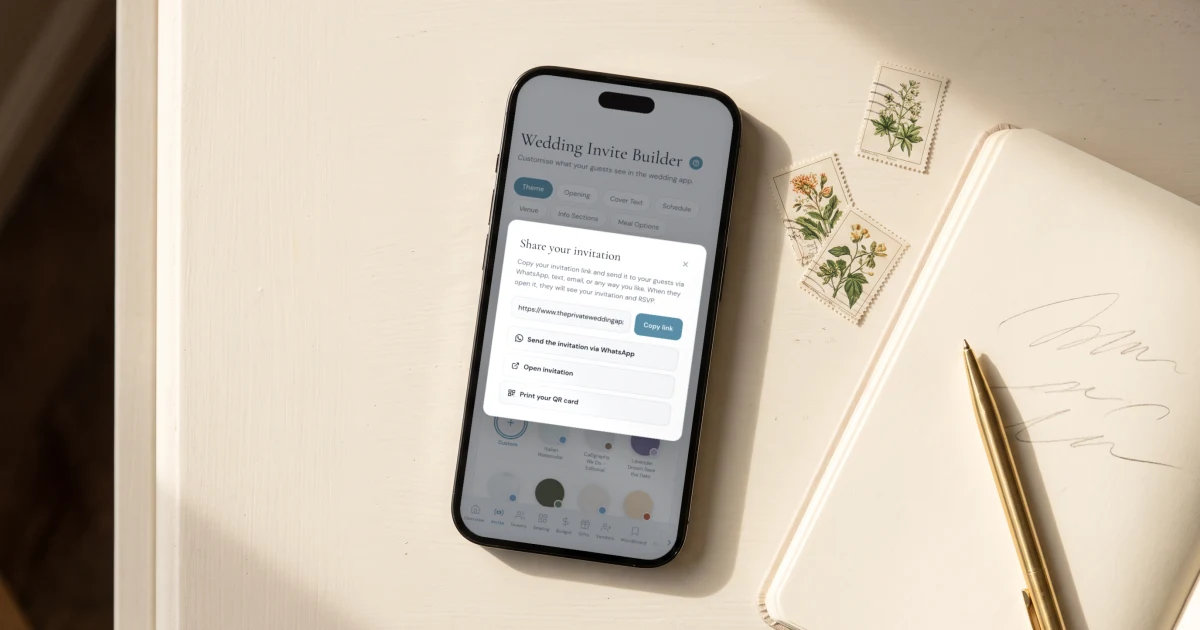
When you send your wedding invitation link, pair it with a short message that does three things: says clearly that they are invited, explains that the link IS the invitation (schedule, venue, dress code and RSVP are inside), and gives an RSVP deadline. For example: 'We're getting married! Here is your invitation to our wedding on [date] - everything you need is inside, including the RSVP: [link]. Please answer by [RSVP date].' With The Private Wedding App, a message like this comes pre-typed on a per-guest WhatsApp button, and every RSVP lands in the same platform's guest list, meal and allergy tracking and seating chart automatically. The Private Wedding App is $19.99/month or $189 once, lifetime, with the full platform either way.
You built the invitation, the RSVP is ready, the guest list is waiting to fill itself - and now you are staring at an empty message box wondering what to actually write. It is a real question: the message around the link decides whether guests open it, understand it and answer it, or leave it sitting in the chat. This guide gives you the exact messages, ready to copy: the announcement that tells people they are invited before the formal invitation arrives, the main invitation message in formal and casual versions, the family group message, and the follow-up for guests who have not answered. It is written for couples using a full planning platform like The Private Wedding App, where the link carries everything - schedule, venue map, dress code, RSVP with meals and allergies - and every answer flows into your guest list, seating chart and planning dashboard automatically. But the wording works for any wedding link.
Before the invitation: the announcement message
Many couples want guests to know they are invited before the formal invitation goes out - especially for dates people need to book travel for. A short announcement does that job and prepares guests for something most of them have never received: a wedding invitation that arrives as a link.
Template - the announcement: 'Big news - we're getting married! [Name] and [Name], [date], in [city]. We would love to have you there. Your invitation is on its way: it will arrive as a link to our wedding app, where you'll find every detail and can RSVP in under a minute. Save the date!'
That second-to-last sentence matters more than it looks. Telling guests the invitation will arrive as a link means nobody scrolls past it later thinking it is just another forwarded URL.
The main message: formal and casual templates
The invitation message itself needs three things: the clear statement that they are invited, what the link contains, and the RSVP deadline. Everything else is tone. Pick the version that sounds like you and personalize the opening line per guest - one warm sentence is worth more than a long paragraph.
Template - formal: 'Dear [Name], we are delighted to invite you to our wedding on [date] at [venue]. Your invitation is here, with the full schedule, venue details and dress code: [link]. Please RSVP inside by [RSVP date] - it takes only a minute. With all our love, [Names].'
Template - casual: '[Name]!! We're getting married and you are VERY invited. Everything is in here - the plan for the day, the venue, what to wear, and the RSVP: [link]. Please answer by [RSVP date]. We cannot wait to celebrate with you!'
Template - wedding party and close family: add one personal line before the link: 'It would mean the world to us to have you there - you know you're not optional.' Then the same link and deadline. These are the messages worth sending individually rather than in a group.
The family group message
For the wider circle, one message to the family group works perfectly - if it makes clear that every person answers individually. Otherwise you get one 'we're all coming!' reply and no idea who 'all' includes, which meals they need or who has the shellfish allergy.
Template - group: 'Hello everyone! Here is the official invitation to our wedding on [date]: [link]. Open it to see the full schedule and venue, and please RSVP inside - each person confirms individually, including meal choice and any allergies, so the caterer gets it right. Deadline: [RSVP date]!'
This is where a real RSVP system earns its keep: with The Private Wedding App, every individual answer from that one group link lands as its own row in your guest list - attendance, meal, allergies - and confirmed guests flow straight into the seating chart. No spreadsheet reconciliation afterwards.
See the featureDigital wedding invitation
Which channel, and what guests see when they open it
The wording above works everywhere: WhatsApp, SMS, email, even a DM. WhatsApp and SMS get the fastest answers because that is where your guests already talk to you - and on WhatsApp the link unfurls with your cover photo, so the message arrives looking like an invitation, not a bare URL. For the exact per-guest sending workflow, we wrote a full guide to sending wedding invitations on WhatsApp, including the one-tap button next to each guest in your list.
Two questions couples ask us constantly: yes, the link works on desktop as well as phones - it opens in any browser, nothing to download, no account for guests. And for the grandparents who deserve paper, a printable QR card in your invitation's design opens the same link with one camera scan. Try the invitation below - it is a live demo of exactly what your guests receive.
What guests see when they tap your link. This demo is interactive - tap through it.
After sending: the follow-up and the 'details changed' message
Plan the follow-up before you send anything: a friendly nudge two to three days after your RSVP deadline catches most stragglers. Your dashboard shows exactly who is still pending, so you only message the people who actually need it.
Template - the reminder: 'Hi [Name]! Gentle nudge - we're finalizing numbers with the caterer and would love to count you in. The RSVP takes one minute, right inside the invitation: [link]. Thank you!'
And the message you will be happiest to never send: the correction. Because the invitation is a live link, a changed time or venue detail is edited once in the builder and every guest sees the updated version at the same link - no 'please ignore the previous PDF' message, no wrong version circulating through forwards. If the change is big, one line to the group does it: 'Small update - the ceremony now starts at [time]. Everything is correct in the invitation: [link].'
- Send in waves: wedding party and close family individually first, then friends, then the group messages
- Always include the RSVP deadline in the first message - not as a follow-up surprise
- Check the pending list in your dashboard before nudging - only message who needs it
- Nudge 2-3 days after the deadline, warmly, with the link again
- If details change, edit once in the builder - the same link is always current
Everything you need, in one place
Planning your own wedding without a planner is entirely achievable.
See it for yourself.
Explore the whole platform: cinematic invitation, RSVP with meals and allergies, guest list, seating chart, budget, vendors, checklist, moodboard, photo sharing and the AI planner. No account needed.
Try the full planner →How do I share my wedding invitation with guests?
Send your private invitation link with a short personal message on WhatsApp, SMS or email. Say clearly that they are invited, that the link contains everything (schedule, venue, dress code and RSVP) and give an RSVP deadline. In The Private Wedding App, every guest with a phone number gets a one-tap WhatsApp button that opens their chat with the message and link pre-typed.
Does a digital wedding invitation link work on desktop?
Yes. The link opens in any browser on any device - phone, tablet or desktop. Guests do not download an app or create an account; they tap the link, see the invitation and RSVP directly.
What should I write before sending the actual invitation?
A short announcement: that you are getting married, the date and city, that they are invited, and that the invitation will arrive as a link to your wedding app where they can see every detail and RSVP. Telling guests to expect a link means nobody overlooks it when it arrives.
What if the wedding details change after I send the link?
With a live invitation link you edit once and every guest automatically sees the updated version at the same link - unlike a PDF or image, where the old version keeps circulating. For big changes, send one short message pointing guests back to the invitation.
How do I remind guests who have not RSVPed?
Your guest list shows who is pending, so you only nudge those guests. Send a warm one-line reminder with the link again, 2-3 days after your RSVP deadline: mention the caterer needs final numbers - it gives the deadline a reason and guests respond faster.