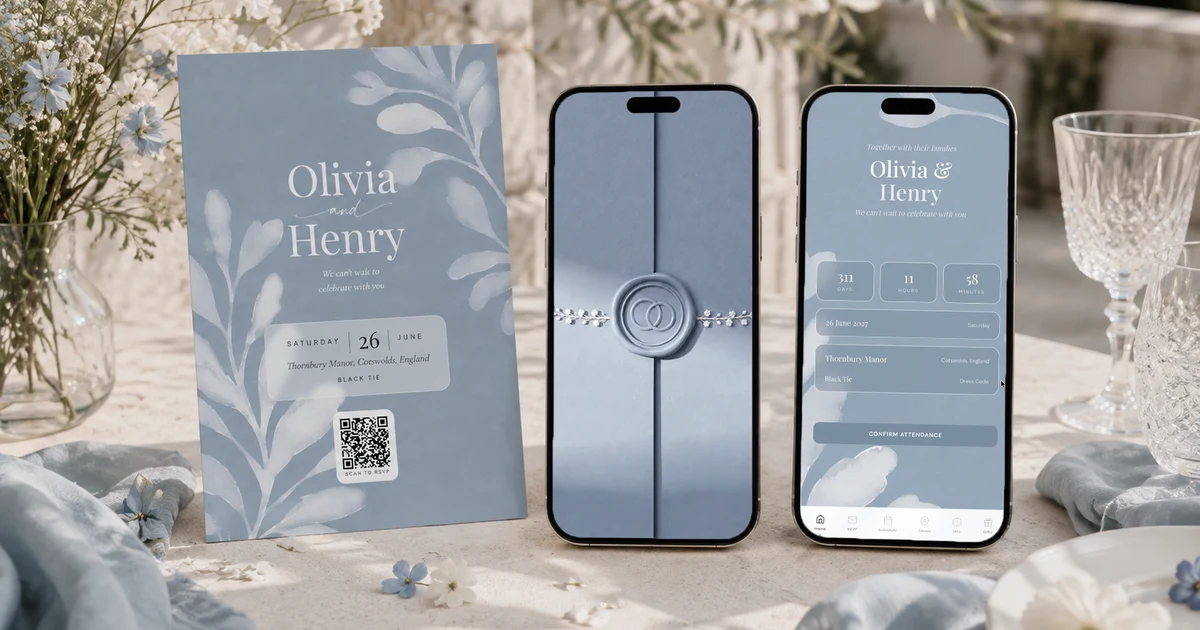
A QR code wedding RSVP is a QR code printed on your invitation, save-the-date or table card that opens your RSVP form in the guest's phone browser: they confirm attendance, pick a meal, note allergies and add their plus-one in about 30 seconds, and the answer lands in your guest list automatically. The Private Wedding App ($19.99/mo, or $189 once for lifetime access) generates the print-ready QR code for you, linked to your private digital invitation, so the same link also carries the schedule, venue details and photo gallery; generic QR generators only produce a code and leave you to build the form and the tracking behind it.
The reply card is the piece of wedding stationery most likely to be found, years later, in a drawer at a guest's house, stamped, filled in, never posted. Paper RSVPs fail at the last step because they depend on a hundred separate people each finding a postbox. The QR code version removes every step between reading the invitation and answering it: the phone is already in their hand, the camera already scans QR codes natively, and the form already knows what to ask. This guide covers how it works, what the RSVP should collect, where to print the code, how to handle guests who do not scan things, and why the code should lead to your invitation rather than to a bare form.
How a QR code RSVP actually works
A QR code is just a link a camera can read. The guest points their phone at the code, a preview appears, they tap it and land on your RSVP. The whole mechanism guests need to understand is 'point your camera at the square', which at this point includes nearly every generation at the wedding.
What matters is where the code leads. With QR code RSVP in The Private Wedding App, the code opens your private digital invitation, so the guest sees the wedding, the date, the venue and the schedule, and replies in that context. The RSVP flow captures attendance, meal choice, dietary requirements and allergies, plus-one details, and ceremony-only or reception-only attendance where you offer it. Every answer flows straight into the guest list, with no spreadsheet and no manual entry.
Where to print the code, and where not to
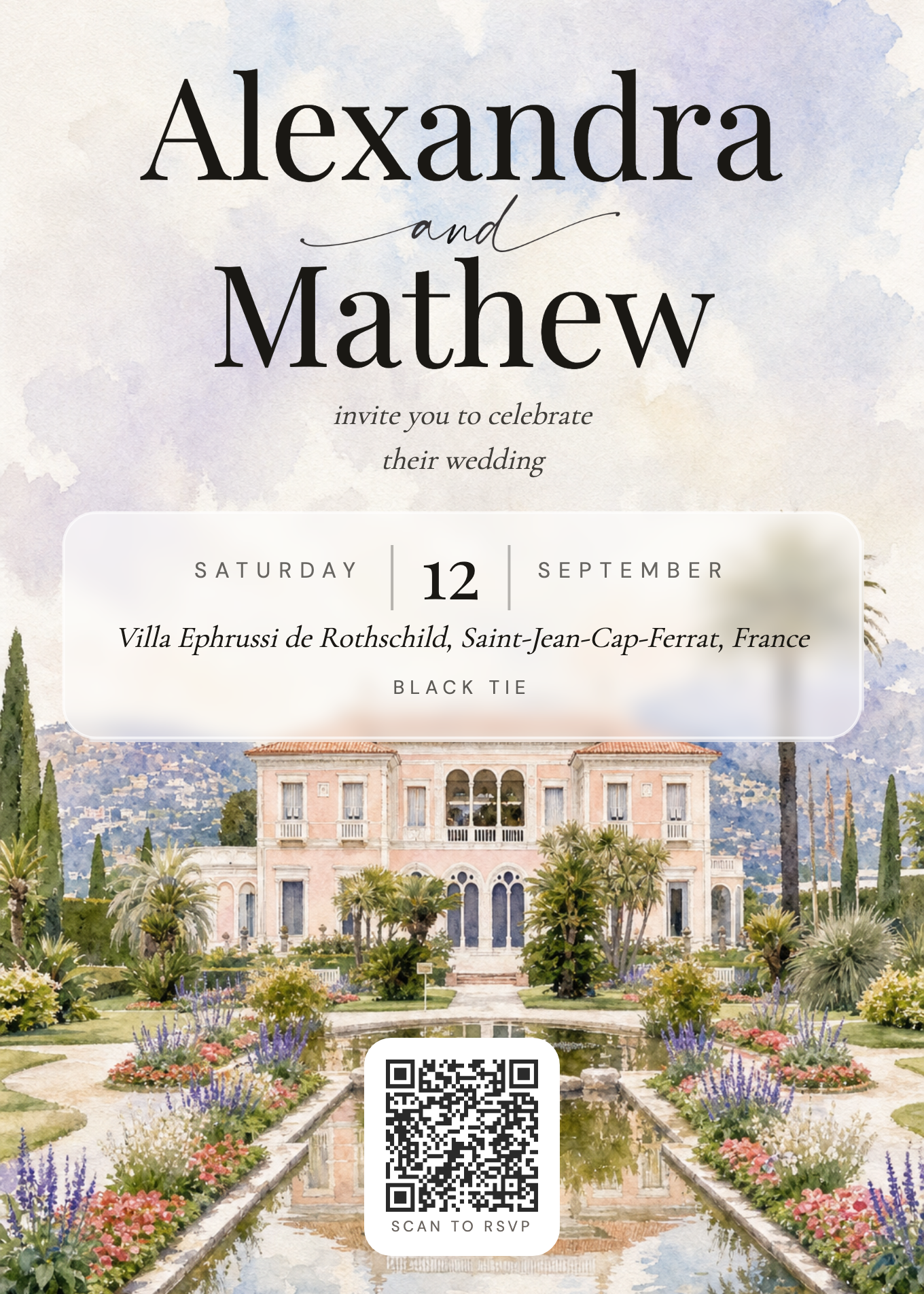
The QR code belongs anywhere a guest meets your wedding on paper: the invitation itself, the save-the-date, the details card in a paper suite, and later the table cards, where the same link becomes the door to the photo gallery. Download the print-ready code from your dashboard and place it wherever the design allows; a short line like 'Scan to RSVP' next to it does all the explaining required.
Resist printing it tiny in a corner as an apology. A QR code is scanned in a second or squinted at for ten depending on size and contrast: give it at least 2cm, dark on light, on a flat area of the design. And always print the short link URL under the code for the one uncle who reads links aloud instead of scanning them.
What about guests who do not scan things?
Every QR code in the app is just a wrapper around your invitation's private link, and the link travels every way paper cannot: send it by WhatsApp, text or email to the guests who prefer taps to scans, using ready-made wording from our invitation message templates. Everyone lands on the same RSVP, and every route feeds the same guest list.
For the very few guests with no smartphone at all, take their answer by phone and enter it in the dashboard yourself. That is the entire fallback plan, and it costs you two minutes per grandparent.

Deadlines, chasing, and what happens after the scan
The QR code does not change RSVP arithmetic: invitations go out around three months before the date with a deadline 4 to 6 weeks out, as covered in our guide to invitation timing and RSVP deadlines. What it changes is everything around the deadline: the dashboard shows pending, confirmed and declined in real time, so reminders go only to the people who have not answered instead of the whole list. Switch on the automatic reminder emails and guests with an email address who have not replied get a nudge before the deadline, and the per-guest WhatsApp button covers the rest.
Because answers arrive with meal choices and allergies attached, the numbers your caterer and your seating chart need are simply there when the deadline passes, and weddings with several events can collect one answer per event through multi-event RSVP.
Where every scan ends up: the live guest list with pending, confirmed and declined, plus meals and allergies.
Everything you need, in one place
Planning your own wedding without a planner is entirely achievable.
See it for yourself.
Explore the whole platform: cinematic invitation, RSVP with meals and allergies, guest list, seating chart, budget, vendors, checklist, moodboard, photo sharing and the AI planner. No account needed.
Try the full planner →How do I make a QR code for my wedding RSVP?
In The Private Wedding App, the print-ready QR code is generated for you and linked to your private digital invitation with its built-in RSVP: download it from the dashboard and place it on your stationery. A generic QR generator can encode any link for free, but you still need an RSVP form and guest list behind that link, which is the actual work.
What should a QR code wedding RSVP collect?
Attendance, meal choice, dietary requirements and allergies, plus-one details, and where relevant ceremony-only or reception-only attendance. Collecting meals and allergies at RSVP time is the point: the caterer's count builds itself.
Do older guests manage QR codes?
Most phone cameras now scan QR codes natively, with no app. For guests who prefer not to scan, the same RSVP link travels by text, WhatsApp or email, and for guests with no smartphone you enter their phoned-in answer in the dashboard yourself.
Is a QR code RSVP free?
The code itself is free anywhere; what costs money is the system behind it. In The Private Wedding App the QR code, the RSVP flow, the guest list and the invitation it opens are all part of the $19.99/mo plan, rather than a per-guest or per-response fee.
Can I put the QR code on paper invitations?
Yes, that is the classic hybrid: printed invitations carry the QR code and short link, the RSVP happens digitally, and the guest list stays current without a single reply card. The same code later goes on table cards, where the link also opens the guest photo gallery.