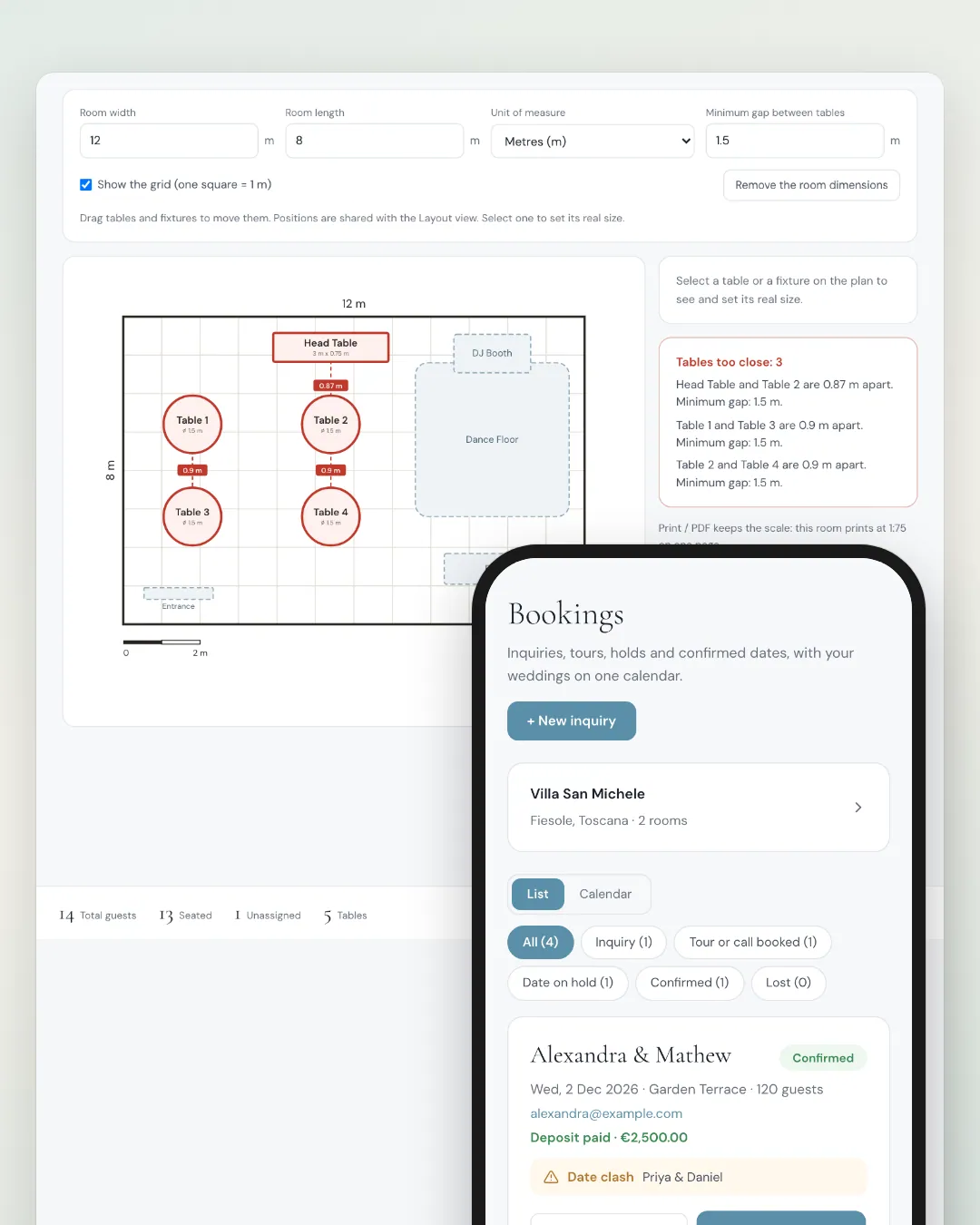
The Private Wedding App gives each couple a login on their wedding, its seven sections each set to hidden, view or edit. No software fee. Each wedding carries its own plan, $189 lifetime or $19.99 a month, and most planners bill it to the couple. HoneyBook ($29 to $109 a month, billed yearly) and Dubsado ($35 or $55 a month) list client portals but no guest list, RSVP or seating tool. Aisle Planner ($69.99 a month up to 15 projects) shows clients what you assign, with online payments for US and Canadian businesses only. The Private Wedding App is not white-label, and your logo stays off the guests' invitation.
- The Private Wedding App: the couple's own login on their wedding, with 7 sections each set to hidden, view or edit.
- In that portal the couple works inside the wedding itself: a guest list filled by the RSVPs, seating, budget, vendors, checklist, moodboard.
- HoneyBook ($29 to $109 a month, billed yearly) and Dubsado ($335 or $525 a year) list client portals, proposals, contracts and invoices, and no guest list, RSVP or seating tool.
- Aisle Planner shows clients only what is assigned to them, from $69.99 a month for up to 15 projects.
- White label: planning.wedding $120 a month flat, Plutio $9 a month add-on on Core and Pro; The Private Wedding App is not white-label.
- The couple pays nothing to log in and sees only their own wedding.
For wedding planners · All guides
A couple who hires you wants to see their wedding take shape. The usual answer is a link: a client portal where the couple reads the proposal, signs the contract and pays the deposit. Then the real planning happens somewhere else, in a spreadsheet of guests, a seating file and a long email thread, and the couple asks you for updates by message. So the useful question is not "does this software have a client portal?" Most of them do. The question is what sits behind the login: the paperwork of the engagement, or the wedding itself. This page compares what the couple sees and can do in seven tools planners consider, from each company's own pages. The short version for planners is also on the wedding planners page.
This comparison is written by The Private Wedding App, one of the tools compared. Each tool is described from its own pricing, feature and help pages, read on 23 November 2026, without signing up to any of them. We compared what decides a planner's season: who the tool is built for, what the couple logs into, how much of it you control, whether the guest list, RSVPs and seating sit behind the same login, contracts and invoices, branding and white label, and the price. The Sources section links every page.
At a glanceSide-by-side comparison
| What the couple gets | The Private Wedding App | HoneyBook | Dubsado | Aisle Planner | WeddingFlow |
|---|---|---|---|---|---|
| Built for | Wedding planners and venues | Independent service businesses in general | Service providers and small teams | Event professionals | Professional wedding planners |
| Client portal | The couple's own login on their wedding | Client portal | Client portals | Client portal, branded client login | Branded client portals |
| What you control | Hidden, view or edit, per section | Not detailed on the pages read | Not detailed on the pages read | Clients see only what is assigned to them | Not detailed on the pages read |
| Guest list and online RSVP | Per wedding, filled by the RSVPs | Not listed on its site | Not listed on its site | On project tiers only | Guest Hub with RSVP |
| Seating | Drag-and-drop from attending guests, room to scale in 2D | Seating tool not listed on its site | Not listed on its site | 2D layouts, to scale, synced with seating | Floor plans and seating |
| Contracts and invoices | Contracts signed online, invoices with deposit and instalments | Proposals, contracts, invoices, autopay | Contracts, invoices, payment plans | E-signatures, invoicing; online payments US and Canada only | Proposals, agreements, invoicing |
| Your branding | Logo and "with [business]"; not white-label | Custom branding; "Powered by HoneyBook" removable from Essentials | Extra brand $10/mo | Custom branding on all plans | Branded portals; multi-brand on Agency |
| Price | $189 once or $19.99/mo per wedding | $29, $49 or $109/mo, billed yearly | $35 or $55/mo; $335 or $525/yr | $69.99/mo up to 15 projects, then by tier | Pro $49/mo, Agency $99/mo |
Checked on 23 November 2026 on each company's own pages. Prices and plans change; the Sources section links every page. planning.wedding and Plutio are described below the table and in the price table.
Tool 01The Private Wedding App
Tool 02HoneyBook
Tool 03Dubsado
Tool 04Aisle Planner
Tool 05WeddingFlow
Tool 06planning.wedding
Tool 07Plutio
The planner workspace below is live. Tap a tab to open the screens a planner works on every day:
Explore it before you buy
Your invitation
Click to switch theme

Your studio
Click to explore
VerdictWhich tool fits your business?
It depends on how you work:
If you want the couple to work inside the wedding, The Private Wedding App opens their login on the guest list, seating, budget, vendors, checklist and moodboard, each set by you to hidden, view or edit. HoneyBook and Dubsado give the couple a portal for proposals, contracts and payments, and neither lists a guest list, RSVP or seating tool.
If you want the couple to see only what you choose, The Private Wedding App sets it per section of each wedding. Aisle Planner shows clients only what is assigned to them, with its guest tools on project tiers from $69.99 a month and online payments for US and Canadian businesses only.
If you want a white-label portal, The Private Wedding App is not that: it shows your logo and "with [business]" next to its own name. planning.wedding sells white label at $120 a month for projects already run there, with no contracts or invoices listed, and Plutio adds it for $9 a month on Core and Pro, with a 9-client cap on Core.
If your couples pay by bank transfer, or you work outside the US and Canada, The Private Wedding App invoices without Stripe in about 30 currencies, and card payment through your own Stripe is optional. Aisle Planner's online payments are for businesses banking in the US and Canada only, and HoneyBook lists professionals in the U.S., Canada, the UK and Australia only.
The planner tools and screens are on the wedding planners page, the cost is on the planner pricing page, and the wider question of which software planners run on is in wedding planner software for professionals. When you are ready, create my account.
01How much does a wedding planner client portal cost, and who publishes prices?
All seven tools publish a price, so you can compare the unit before you compare the features. Look at three things: what you pay for (a month, a project, a client, a wedding), what a busy season does to the bill, and whether the portal includes the guests or only the paperwork.
The Private Wedding App is priced per wedding. No software fee. Each wedding carries its own plan, $189 lifetime or $19.99 a month, and most planners bill it to the couple. Team seats do not change the price. A client wedding can be set up before its plan is chosen and stays open 5 days without a plan. Details are on the planner pricing page.
02What does the couple see when they log in to The Private Wedding App?
You open the wedding in your account and invite the couple. The page they open shows your logo, their names and the line "with" followed by your business name. From there they sign in to their own wedding, and only to it: every wedding in your account is sealed from the others.
What they find depends on you. Seven sections each take one of three settings: hidden, view or edit. The sections are the invitation builder, the guest list, the seating, the budget, the vendors, the checklist and the moodboard. A couple who wants to write their own invitation can get edit on the invitation builder and the guest list, view on the seating, and the budget hidden until your quotes are in. A couple who wants to be shown finished work can get view everywhere. You change a setting whenever the engagement changes.
Your mark follows them: your logo and "with [business]" sit in their dashboard, on the invoices and on the contracts you send. It stops at the guests. The invitation the guests open never shows your logo, and the product keeps its own name, so this is not white-label. Your logo is a PNG, JPG or WebP file of up to 2 MB.
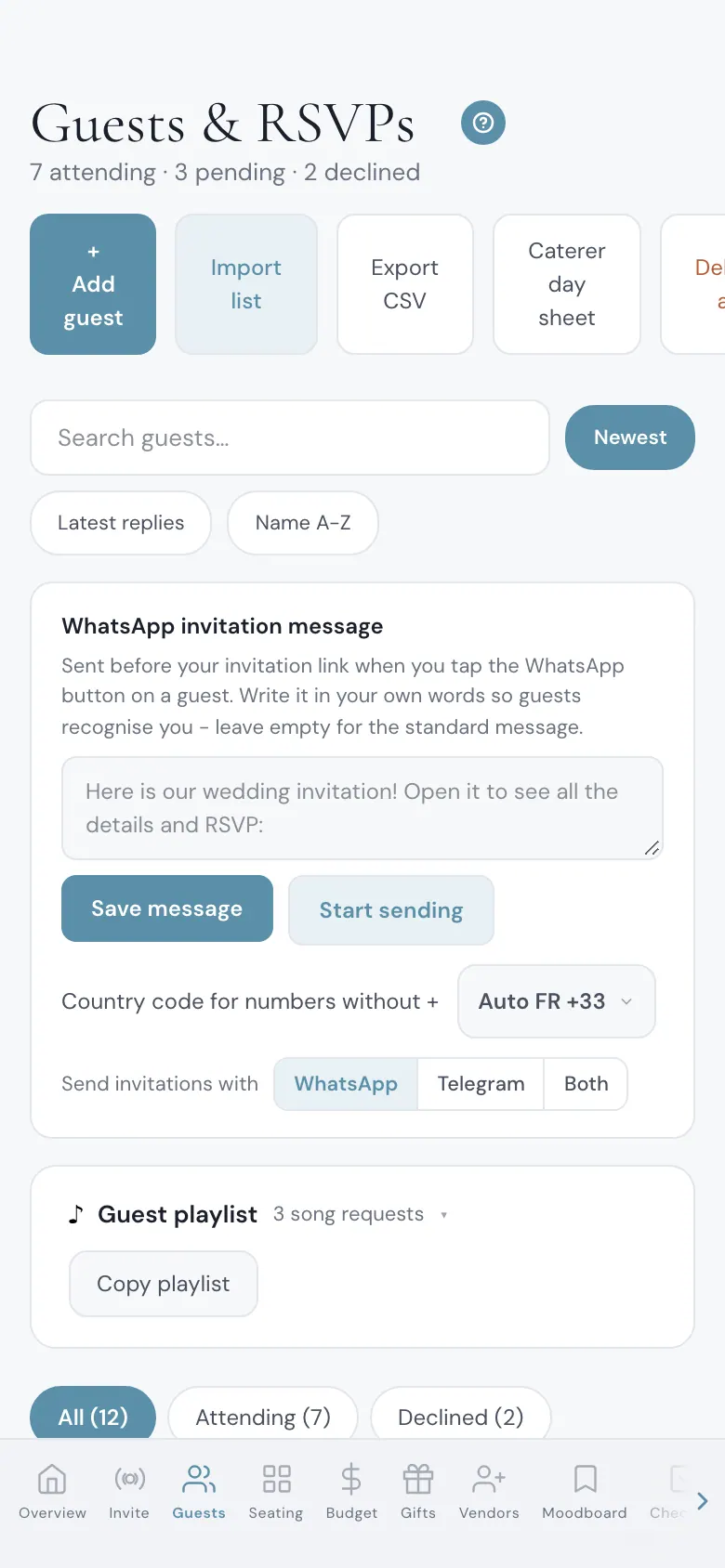
03Can the couple work on the guest list and seating inside the portal?
Yes, if you give them edit. This is where a portal that opens on the wedding differs from a portal that opens on documents. Guests reply on the couple's private invitation link, and each reply lands in the guest list the couple sees: attending, declined or awaiting reply, the meal choice, dietary notes, a severe-allergy flag, plus-ones and children, per event on a multi-event wedding. Nobody retypes a reply, and the list exports as CSV.
The seating plan is built from the guests who confirmed, by drag and drop, with named seats and a print sheet. If you draw the room to scale, the tables on the plan are the tables of the seating plan, in 2D seen from above. The couple can move guests themselves, or only watch you do it, depending on the setting you chose.
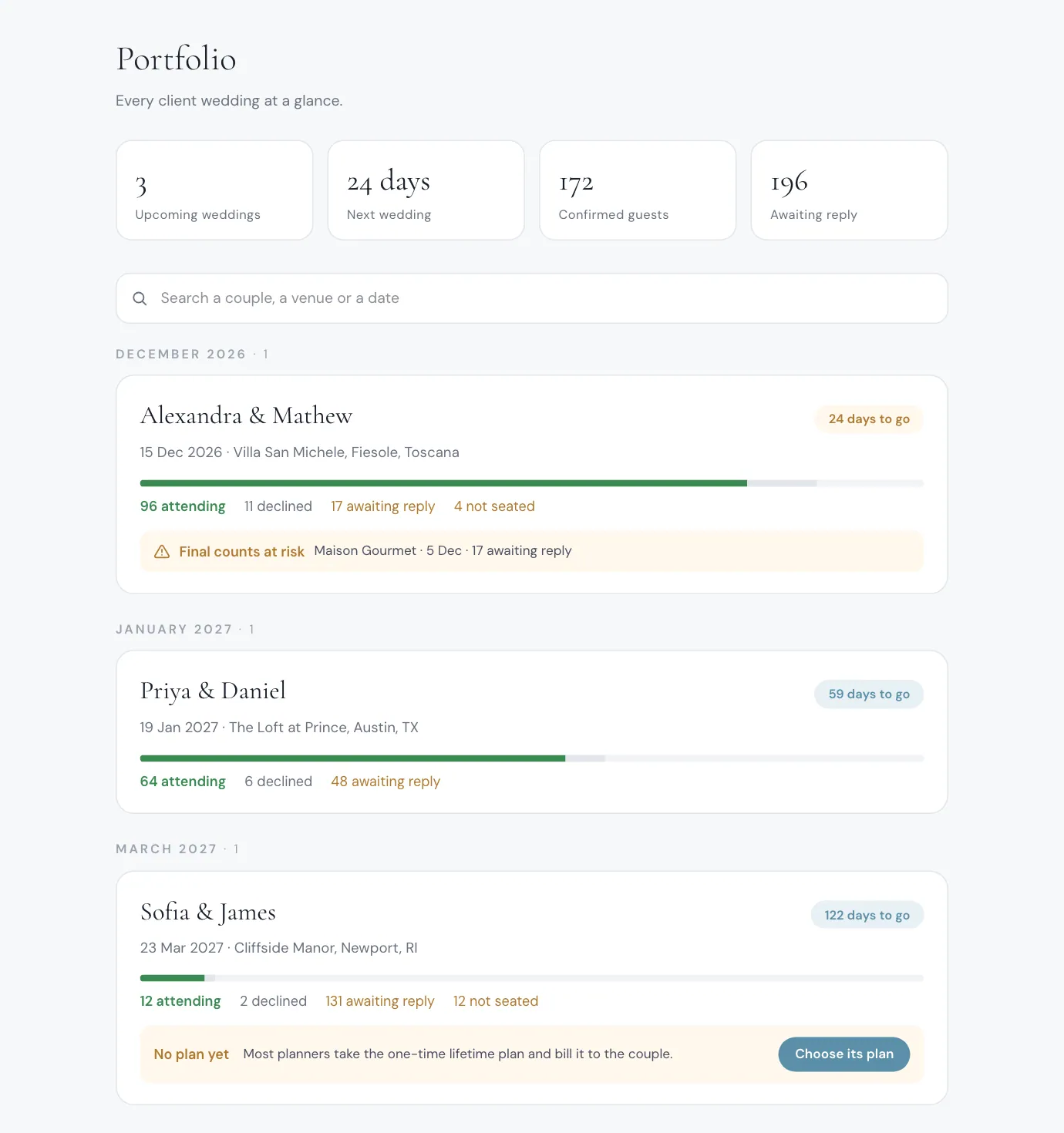
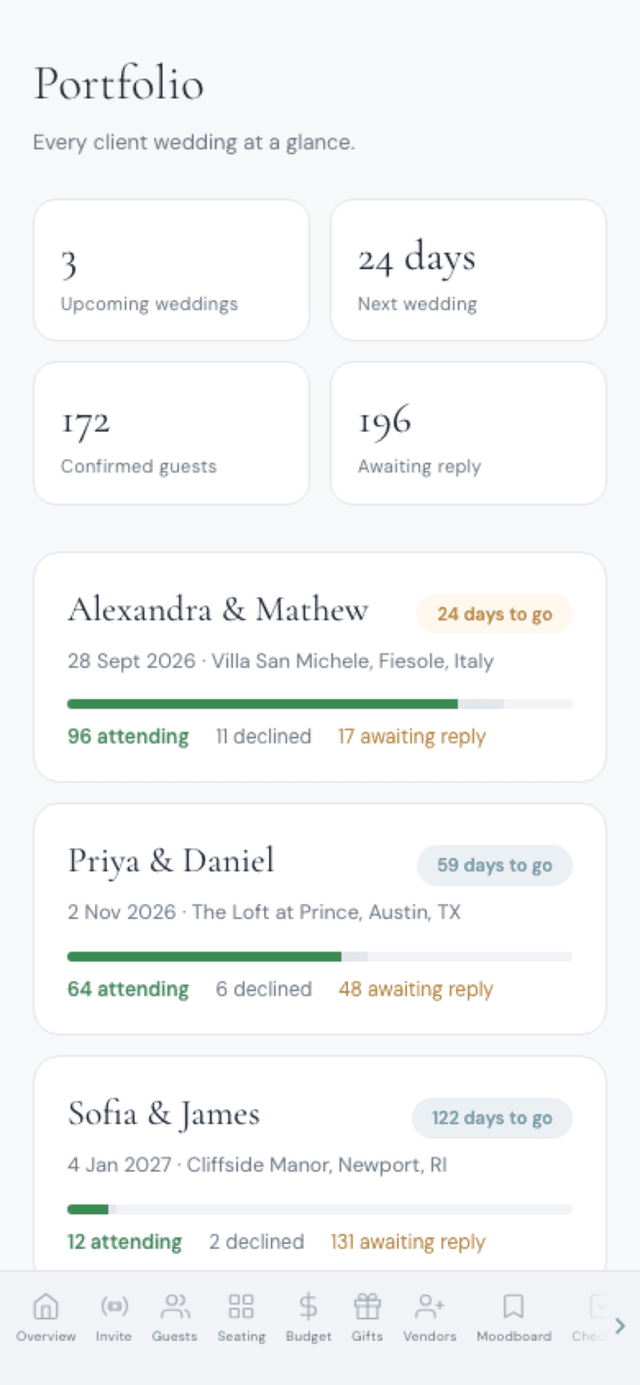
On your side, the portfolio shows every client wedding with its live attending, declined and awaiting reply counts, so you see which couple is waiting on replies without asking them. Automatic RSVP reminders are emails, at most two per guest. How to run this across a full season is in how to manage RSVPs for multiple wedding clients.
Elsewhere, HoneyBook and Dubsado list no guest list, RSVP or seating tool. Aisle Planner keeps guest management and online RSVP to its project tiers. WeddingFlow lists a Guest Hub with RSVP without detailing what the couple can edit, and planning.wedding shares the project in full or view-only, with no per-section setting listed.
04Where do contracts and invoices sit when the portal is the wedding?
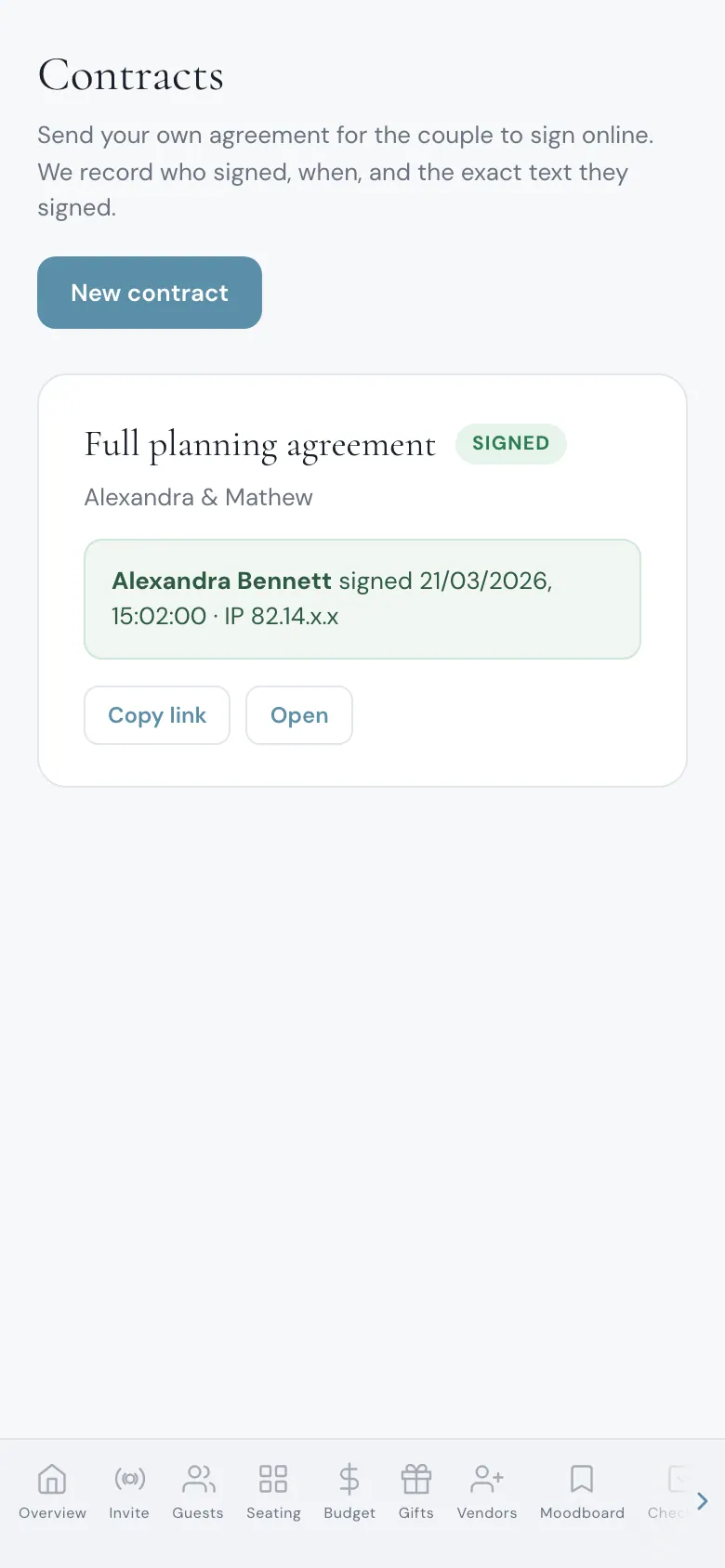
On the same wedding. The paperwork is part of the engagement, not a separate system the couple has to learn. For the contract you paste your own text: the app supplies no template and no wording. The couple opens a private link, ticks a consent box and types their name. The app records the name, the date and time, the IP address and a SHA-256 hash of the exact text they signed. A contract can be voided before it is signed.
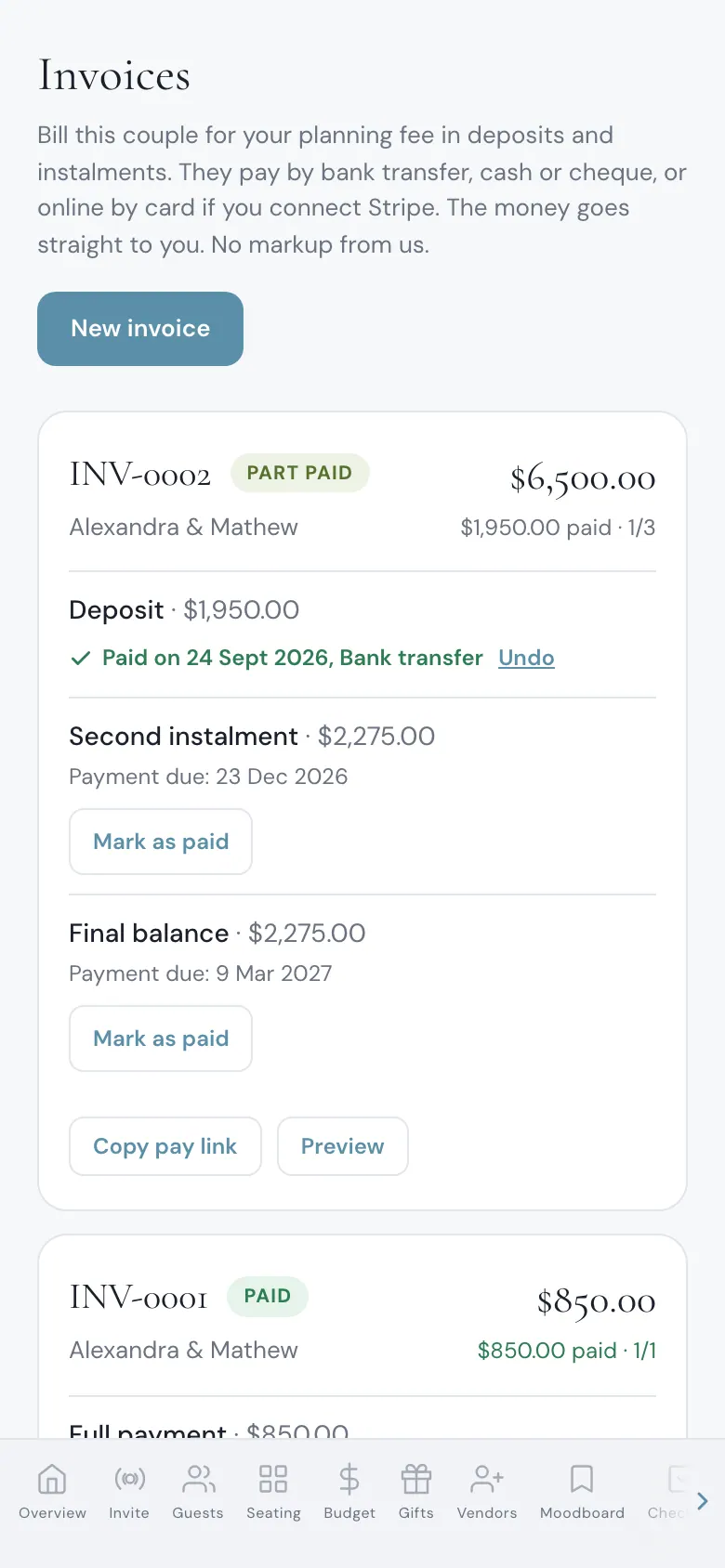
The invoice carries a deposit and instalments, with your logo. The couple pays by bank transfer, cash or cheque from the bank details and payment instructions printed on the invoice, and you mark each payment paid, partial payments included. Card payment is optional, through your own Stripe account. What a planning agreement should say is covered in what to include in a wedding planner contract.
HoneyBook, Dubsado and Plutio put this paperwork at the centre of their portal, and the first two list no guest tool beside it. planning.wedding is the reverse case: guests and seating are listed, and contracts, invoices and payments are not.
05Payments without Stripe, tax documents and the couple's language: what to check before you choose
Payments. The Private Wedding App creates and sends invoices without Stripe: the bank details or payment instructions are printed on the invoice, you mark each payment as paid, partial payments work, and about 30 currencies are available. Invoices paid by bank transfer work in every country. Online card payment needs your own Stripe account, where Stripe opens accounts; the money goes to you and the app takes no commission. Elsewhere, Aisle Planner's online payments are for businesses banking in the US and Canada only, and Dubsado Payments needs the business to be based in one of 34 listed countries.
Tax documents. The app's invoice is a payment request with a deposit and instalments. It is not a tax or e-invoicing document, so your accountant or invoicing software keeps that role. The app sends no email about invoices.
Language and devices. The couple's dashboard is available in 16 languages, and the guests' invitation can be written in up to 3 of 26 languages, right-to-left included. Nothing is installed: the couple and your team use it in the browser on any phone or computer. HoneyBook's apps are for the business, with clients on the mobile web, and Aisle Planner has no native app yet.
SourcesEvery fact on this page, with the date it was checked
The Private Wedding App, checked 23 November 2026: the wedding planners page (the couple's own login on their wedding, hidden, view or edit for invitation builder, guest list, seating, budget, vendors, checklist and moodboard; logo and "with [business]" on the invite page, dashboard, invoices and contracts, not white-label, never on the guests' invitation; contracts signed online; invoices with a deposit and instalments, bank transfer or card through your own Stripe) and the planner pricing page ($189 lifetime or $19.99 a month per wedding).
HoneyBook, checked 23 November 2026: pricing page (Starter $29, Essentials $49, Premium $109 a month billed annually; unlimited clients and projects; client portal, proposals and contracts, invoices and payments, autopay, custom branding, remove "Powered by HoneyBook" on Essentials and up; 30-day trial, no card; no guest list, RSVP, meal or seating tool listed), UK and Australia launch post (U.S., Canada, UK, Australia), floor plans help page (Essentials and up, clients view 2D or 3D, created and edited on desktop only), mobile apps help page (apps for the business, clients use the mobile web).
Dubsado, checked 23 November 2026: pricing page (Starter $335 and Premier $525 a year; extra brand $10 a month; 3 extra users free, 4 to 10 users $25 a month; unlimited projects and clients; 21-day trial of Premier, no card), company summary page (for service providers and small teams; $35 or $55 a month; no guest list, RSVP, seating or event timeline mentioned), Dubsado Payments help page (client portals, contracts, invoicing and payment plans; business based in one of 34 listed countries; Square and PayPal), mobile app help page (iOS and Android companion app).
Aisle Planner, checked 23 November 2026: client portal page (clients see only what is assigned to them, branded client login), pricing page ($49.99 Sales Essentials without project tools; $69.99 up to 15 projects, $109.99 for 16 to 25, $164.99 for 26 to 50, $229.99 for 51 to 100; save 10% annually; unlimited users, custom branding; guest management, event website and online RSVP on project tiers; 30-day trial, card required), layouts and seating help page (2D layouts set to scale, synced with the seating list), online payments help page (businesses banking in the US and Canada), mobile app help page (no native app, used in the mobile browser).
WeddingFlow, checked 23 November 2026: pricing page (Pro $49 a month, 2 team members, 800 AI credits, unlimited active weddings; Agency $99 a month, unlimited team, 2,500 credits, multi-brand client portals) and features page (for professional wedding planners; branded client portals, Guest Hub with RSVP, floor plans and seating, run sheets, budgets, vendors, proposals, agreements, invoicing; Aria drafts, nothing client-facing sent without approval).
planning.wedding, checked 23 November 2026: pricing page (Basic free, seating capped at 5 tables or 3 chair rows; Premium $29 once per project; business profile $19 a month), client portal page (white-label integration $120 a month flat, 14-day trial, for professionals already running projects there; shared live project, full or view-only; 38 platform languages), software for professionals page (guest list with dietary restrictions, personal RSVP links, meal choices, plus-ones, seating, day-of timeline, budget; contracts, e-signature, invoices, payments and team seats not listed).
Plutio, checked 23 November 2026: pricing page (Core $19 a month or $190 a year, 9 active clients, 500 AI credits; Pro $49 a month or $490 a year, 2,500 credits; Max $199 a month or $1,990 a year, white label included; white label $9 a month add-on on Core and Pro; 7-day trial, limited; client portal, proposals, contracts with e-signature, invoices through Stripe, PayPal or Square, scheduling, forms; apps for iOS, Android, Mac, Windows).
Spotted a fact that has changed? Tell us through the contact page and it will be re-checked and re-dated.
See it for yourself.
Everything a planner runs client weddings on: a portfolio of your season, the caterer day sheet, the run of show with per-vendor links, studio templates, couple access, client invoicing with deposits and contracts your couple signs online - plus each wedding's invitation, RSVP, guest list, seating, budget, vendors and AI planner.
See the planner tools →What wedding planning software gives my couples their own client portal?
The Private Wedding App gives each couple their own login on their wedding. You set seven sections to hidden, view or edit: invitation builder, guest list, seating, budget, vendors, checklist and moodboard. The guest list they see is filled by the RSVPs. They see your logo and "with" your business name, pay nothing to log in and see only their wedding. It is not white-label.
What is the best client portal for wedding planners?
The Private Wedding App, if you want the couple to work inside the wedding: their login opens on the guest list, seating, budget, vendors, checklist and moodboard, each set by you to hidden, view or edit, with contracts and invoices on the same wedding. HoneyBook and Dubsado list client portals for proposals, contracts and payments, and no guest list, RSVP or seating tool.
Does HoneyBook have a client portal, and what does it cost?
HoneyBook lists a client portal with proposals, contracts, invoices and autopay, at $29, $49 or $109 a month billed yearly (checked 23 November 2026), with no guest list, RSVP or seating tool listed; clients use the mobile web. No software fee. Each wedding carries its own plan, $189 lifetime or $19.99 a month, and most planners bill it to the couple.
Does Dubsado have a client portal, and what does it cost?
Dubsado lists client portals with contracts, invoicing and payment plans, at $335 or $525 a year, or $35 or $55 a month (checked 23 November 2026), with no guest list, RSVP, seating or event timeline mentioned. No software fee. Each wedding carries its own plan, $189 lifetime or $19.99 a month, and most planners bill it to the couple.
How much does Aisle Planner cost, and what do clients see in its portal?
Aisle Planner shows clients only what is assigned to them, behind a branded client login. Its project tiers cost $69.99 a month for up to 15 projects, up to $229.99 for 51 to 100 (checked 23 November 2026), and online payments are for US and Canadian businesses only. No software fee. Each wedding carries its own plan, $189 lifetime or $19.99 a month, and most planners bill it to the couple.
Is there a white-label client portal for wedding planners?
The Private Wedding App is not white-label: the couple sees your logo and "with" your business name beside the product's name, and your logo never appears on the guests' invitation. As checked on 23 November 2026, planning.wedding lists a white-label integration at $120 a month flat for projects already run there, with no contracts or invoices listed, and Plutio a $9 a month add-on on Core and Pro.
Does the couple pay anything or install an app?
No. In The Private Wedding App the couple pays nothing to log in, and nothing is installed: they use their wedding in the browser on any phone or computer, and guests reply on the couple's private invitation link. No software fee. Each wedding carries its own plan, $189 lifetime or $19.99 a month, and most planners bill it to the couple.
Can couples pay my invoices without Stripe?
Yes. In The Private Wedding App the invoice carries a deposit and instalments with your bank details or payment instructions printed on it, the couple pays by bank transfer, cash or cheque, and you mark each payment paid, partial payments included. This works in every country, in about 30 currencies. Card payment is optional through your own Stripe account, with no commission taken by the app.
What does The Private Wedding App not do in the client portal?
It is not white-label, it never puts your logo on the guests' invitation, and the AI assistant is for the account owner, not the couple's login. It has no lead forms, no workflow automations and no email marketing, and its invoices are not tax or e-invoicing documents. It works in the browser, with no native app. To set up your first client wedding, create my account.