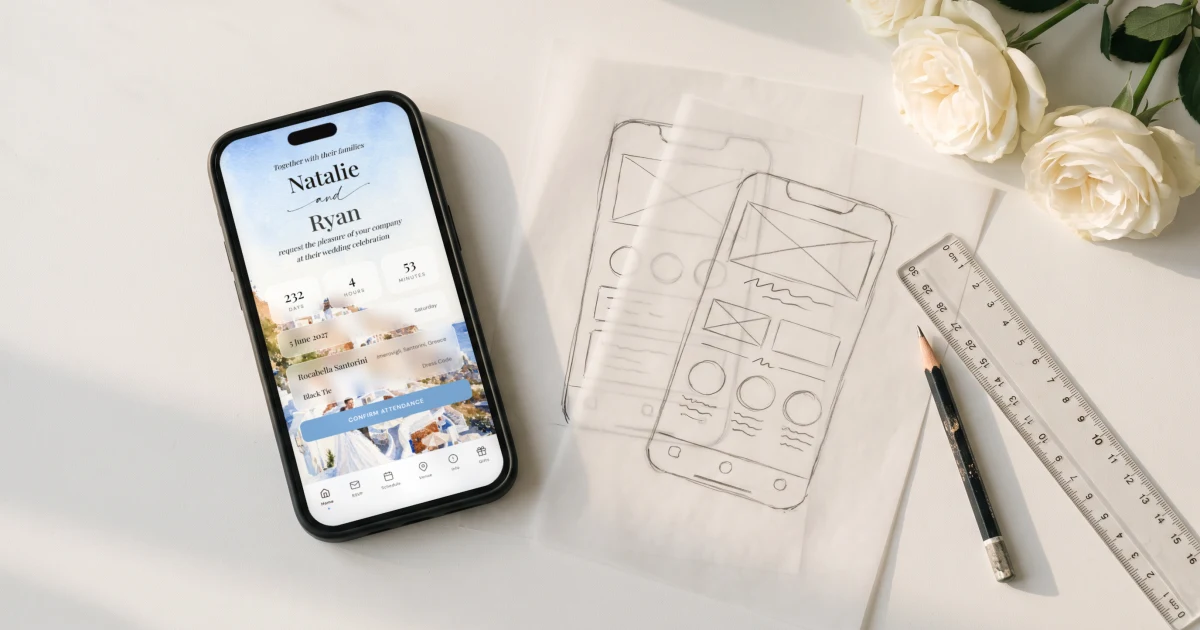
A wedding homepage is the single page your guests land on for everything about your wedding: names and date, countdown, RSVP, schedule, venue and travel details, dress code and gift information. In 2026 the strongest examples are private rather than public, and they are invitations rather than brochures: The Private Wedding App ($19.99/mo, or $189 once for lifetime access) builds the homepage as a cinematic digital invitation behind one private link, with RSVP, meal choices, schedule, gallery and gift registry inside, in any language pair your families speak. Public homepage builders produce a page search engines and strangers can find; a private homepage shows your wedding only to the people invited to it.
Search for wedding homepage examples and you get screenshots: frozen thumbnails of other couples' pages, cropped before you can see whether the RSVP works or the schedule makes sense. This page does it differently. Below are live wedding homepages you can open, scroll and click, built as digital invitations for demo couples, followed by the anatomy every good example shares, whatever tool builds it. One thing to notice as you browse: none of these pages are public. The modern wedding homepage sits behind a private link sent to guests, which changes what you can safely put on it, and that difference decides more than the color palette does.
The examples, live: open them like a guest would
Below are six complete wedding homepages, each built as a private digital invitation for a demo couple, from a sage botanical garden wedding to Italian watercolor, calligraphy, a Greek island, lavender fields and a fully custom design. Tap one and scroll it exactly as a guest would: names and countdown, then the RSVP, the schedule, the venue and travel details. Switch themes to see how the same structure changes voice completely.
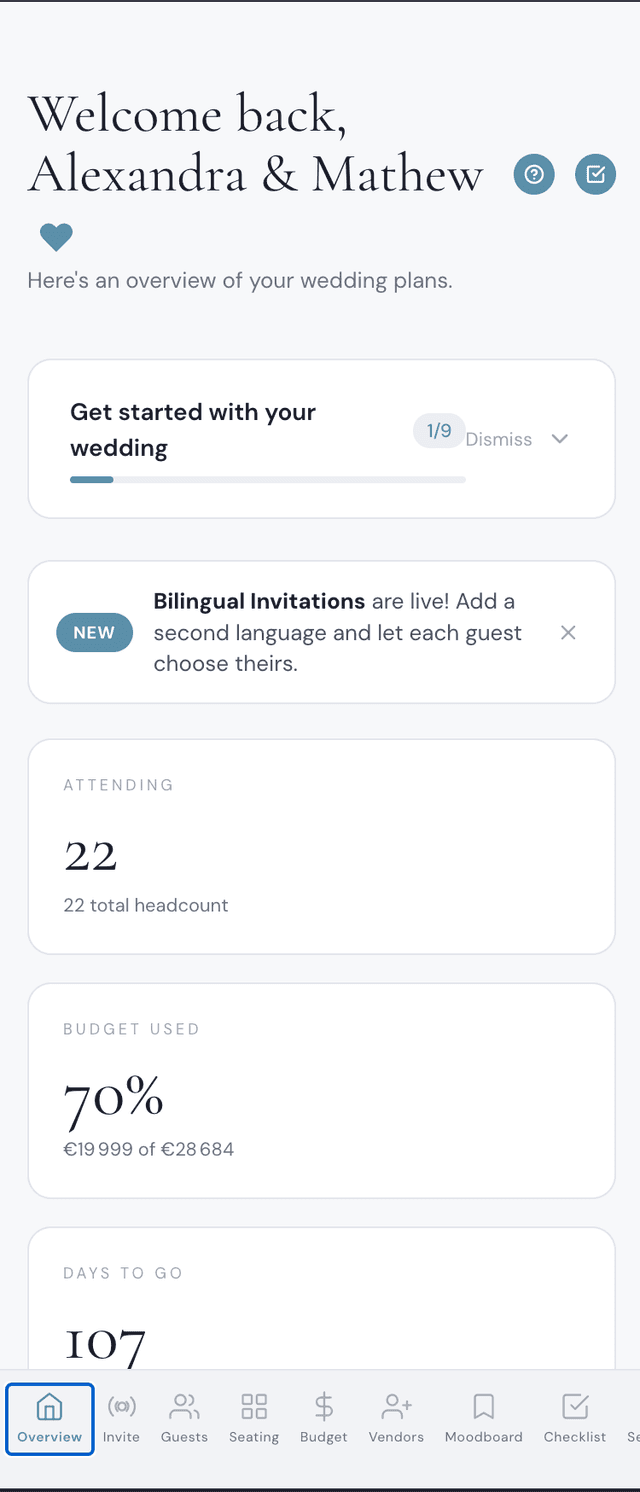
The second phone shows the other half of the story: the planner behind the homepage. The guest list the RSVPs fill, the seating chart, the budget, the checklist and the photo gallery all read the same data the homepage collects, which is what separates a wedding homepage from a pretty brochure.
Explore it before you buy
Your invitation
Click to switch theme

Your planner
Click to explore
The anatomy every good wedding homepage shares
Strip the design away and the strong examples all answer the same guest questions in the same order: who and when, above the fold with a countdown; where, with the venue, a map and travel or hotel details for anyone coming from out of town; the ask, an RSVP guests complete in under a minute with meal choice and allergies; the plan, a schedule of the day or weekend; and the extras, dress code, gifts and the photo gallery. Our guide to what your wedding website should actually do in 2026 goes deep on each block; the homepage is where they all surface.
The commonest failure in homemade examples is burying the RSVP below a long story section. Guests love your story; they still came to answer a question. Keep the RSVP one scroll from the top.
Private beats public, and it changes what you can publish
A homepage built on a public website builder is indexable: your names, venue, date and sometimes your guest list logistics sit on the open web for anyone searching. A private homepage behind one link inverts that. Because only invited guests reach the page, you can safely publish the things guests actually need: exact addresses and timings, the schedule, family details, the photo gallery. That is the quiet reason the private model took over: not secrecy, usefulness.
It also travels better. The same private link carries the homepage in both families' languages through the bilingual invitation, and sends by WhatsApp, text or email with wording from our message templates.
Start from a theme, not a blank page
Every example above started as a pre-built designer theme with the structure already in place: browse the theme gallery and swap in your names, date, venue and photos. For a sense of the range, the sage botanical, Talavera and La Dolce Vita lemon pages each show a full homepage in a completely different mood. Pick the one that feels like your wedding; the RSVP, schedule and guest list underneath work identically.
Everything you need, in one place
Planning your own wedding without a planner is entirely achievable.
See it for yourself.
Explore the whole platform: cinematic invitation, RSVP with meals and allergies, guest list, seating chart, budget, vendors, checklist, moodboard, photo sharing and the AI planner. No account needed.
Try the full planner →What is a wedding homepage?
The single page your guests land on for everything about your wedding: names, date, countdown, RSVP, schedule, venue and travel details, dress code, gifts and photo gallery. In 2026 it is usually a mobile-first digital invitation behind a private link rather than a public website.
Where can I see real wedding homepage examples?
The live demo on this page lets you open six complete wedding homepages, from sage botanical to Italian watercolor, calligraphy, Greek island and lavender, and scroll each one like a guest, including the RSVP flow. The theme pages for sage botanical, Talavera and La Dolce Vita show full looks in even more detail.
Should a wedding homepage be public or private?
Private. A public page is indexable by search engines and readable by strangers, which limits what you can safely publish. A homepage behind a private link can carry exact addresses, timings and family details because only invited guests reach it.
What should be at the top of a wedding homepage?
Names, date and countdown above the fold, with the RSVP no more than one scroll away. Story sections and galleries belong below the answers guests came for.
How do I make a wedding homepage?
In The Private Wedding App, pick a designer theme, enter names, date, venue and photos, and the homepage exists behind your private link with RSVP, schedule, gallery and gift registry built in, from $19.99/mo, or $189 once. Sharing is the link itself: QR code on printed cards, or WhatsApp, text and email.