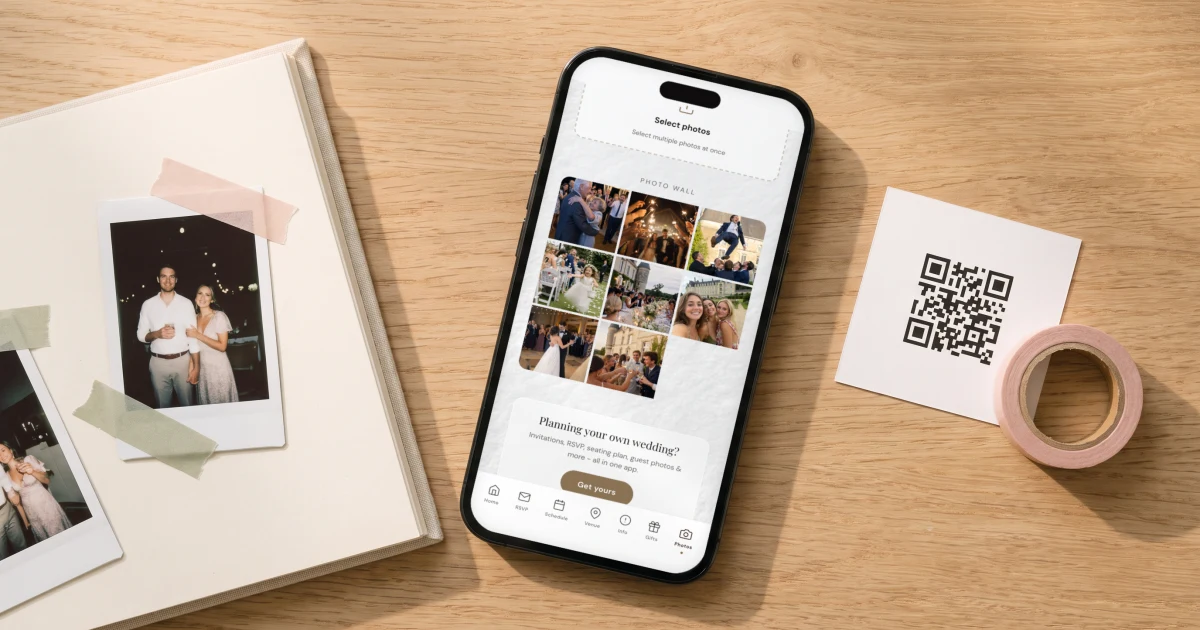
The most reliable photo guest book in 2026 is digital: a QR code on the tables that opens a private upload page in the browser, where guests enter their name and send the photos already on their phones, from any moment of the day, with no app and no account. The Private Wedding App ($19.99/mo, or $189 once for lifetime access) includes this as guest photo sharing: guests upload through the QR code or link, every image lands in a private gallery only the couple sees, tagged with the name of the guest who took it, and you download the whole collection afterwards. Physical photo guest books, instant cameras plus album, remain charming but depend on one table, film supplies and guests doing crafts at a party, which is why so many come home half empty.
The photo guest book is the best idea at the wedding and the most common disappointment after it. The plan is always lovely: an instant camera, a stack of film, a beautiful album, guests snap a photo, stick it in, write something warm. The reality is a queue of four people at 7pm, film that runs out during dinner, prints nobody can find tape for, and an album that comes home one-third full with the same fifteen guests in it. The fix is not a better camera. It is noticing that every guest already carries a camera with two hundred photos of your wedding on it by midnight, and that the photo half of the guest book's job does not need paper to happen. Here is how the QR version works, what it costs compared to the instant-camera setup, where handwriting still fits, and how to end up with a physical book afterwards if you want one on the coffee table.
Why photo guest books come home half empty
A physical photo guest book depends on three fragile things at once: a station guests must walk to, supplies that run out precisely when the party is best, and the willingness of dressed-up adults to do crafts. Any one of them failing thins the book; usually all three wobble. The photos it does capture share one frame and one corner of the room, taken in the ninety seconds someone stood at the table.
Meanwhile the actual photographic record of your wedding, the getting-ready photos, the ceremony from row three, the dance floor at its peak, is being taken continuously by everyone you invited, and by default it stays scattered across their camera rolls and one group chat that dies within the week. The guest book problem and the scattered photos problem are the same problem, and they have the same fix.
How the QR photo guest book works
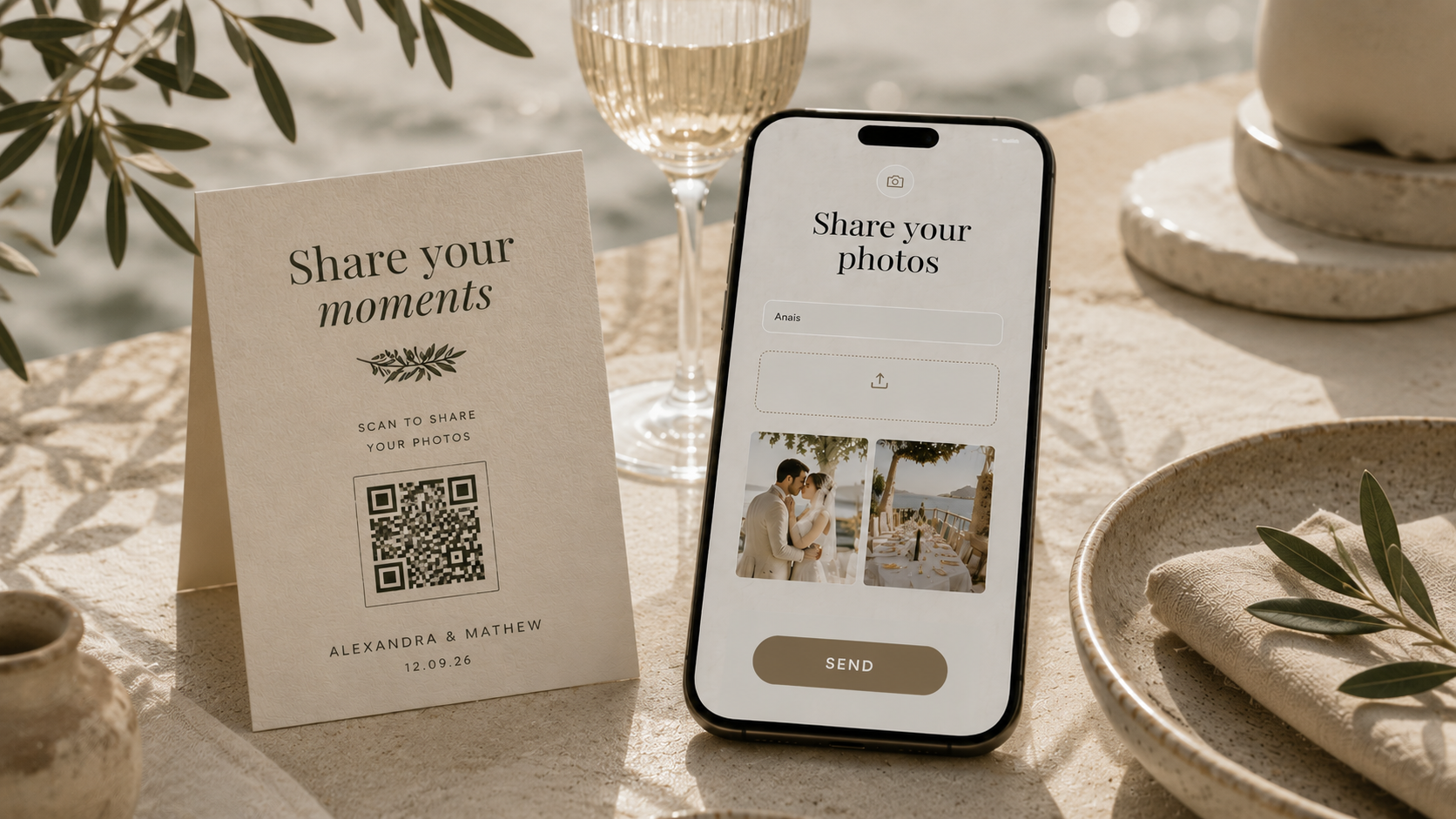
A QR code stands on each table, printed in your invitation suite's design. A guest points their camera at it and their browser opens a private upload page: no app to download, no account to create. They enter their name, pick photos straight from their camera roll, preview the selection and tap send. Photos are compressed on the guest's phone before uploading, so it works even on slow venue Wi-Fi. Every table, every generation, all night, in parallel, with no queue and nothing to run out of.
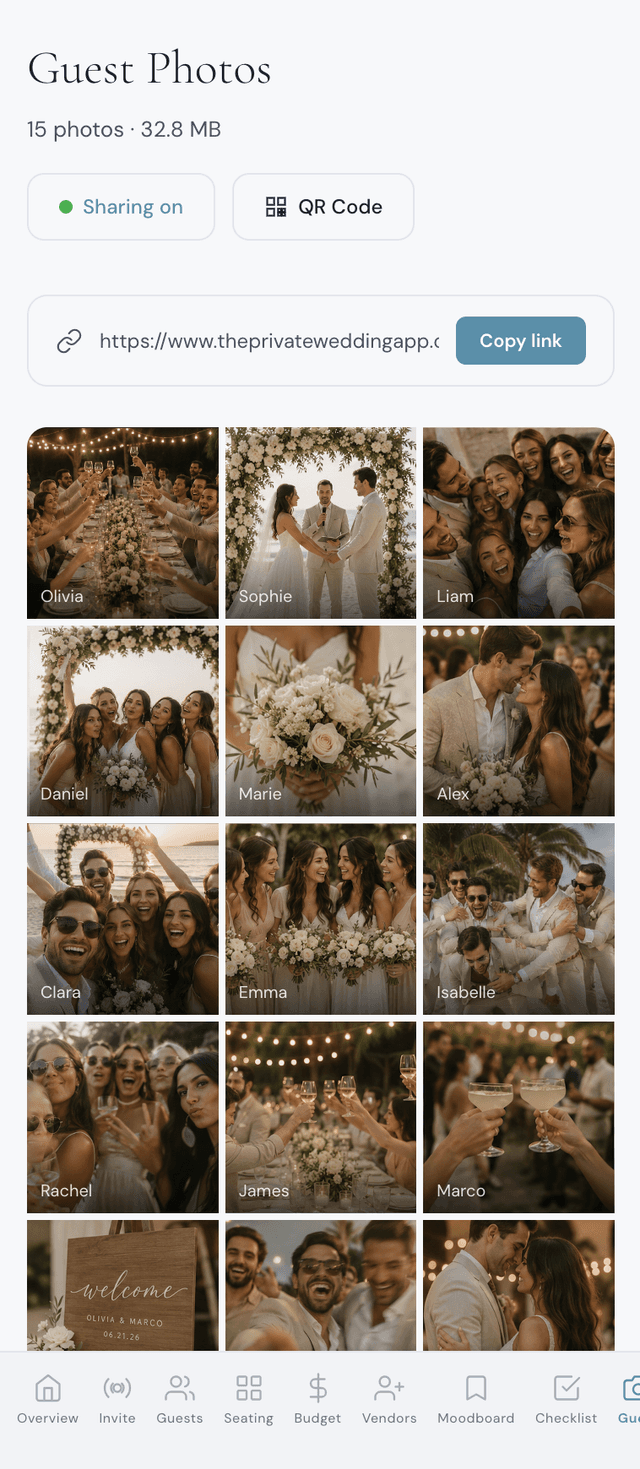
With The Private Wedding App the upload page is not a separate product with its own link: it is a feature of the digital invitation your guests already have, switched on with one toggle in the dashboard. Photos land through guest photo sharing in a gallery only the two of you see, refreshing automatically as new uploads arrive during the reception. Our full guide to collecting every photo from your big day covers the setup step by step, and the 2026 photo sharing app comparison shows how the dedicated single-purpose tools price the same job.
Whose photo is whose: a name on every upload
The thing a guest book records that a photo dump does not is who was behind each contribution, and the upload flow keeps that: guests enter their name before sending, so every image in your gallery arrives tagged with the guest who took it. Months later, that tag is the difference between a nice photo and a story: you know it was your college roommate who caught the exact moment your father started crying.
Privacy runs one way by design. Guests upload but cannot browse anyone else's photos; the full gallery exists only in your dashboard. There is no public feed and no social layer, which is exactly what keeps it a guest book rather than another place the wedding gets posted.
If the handwriting itself matters to you, keep a slim signing book on the gift table for words alone. Freed from the camera, the film and the printing, the writing station becomes fast and reliable, and the photos are already handled.
Still want a physical book? Print it from the gallery
The coffee-table object is a real pleasure and you do not have to give it up; you just build it after the wedding instead of during it, from the full harvest instead of one table's worth. Download the whole collection from your dashboard, pick the best hundred, credit each one with the guest's name from its tag, add the handwritten notes if you kept a signing book, and have a photo book printed. You get the album the instant camera promised, with the dance floor and the ceremony actually in it, edited calmly on a Sunday instead of assembled by tipsy volunteers.
Couples who love the instant-camera aesthetic on the night can keep a small one going for fun. The difference is that it is now decoration, not infrastructure: when the film runs out, nothing is lost.
What it costs, compared
The traditional setup adds up fast: an instant camera, ten to fifteen packs of film for a hundred guests, the album, the pens and tape, easily $150 to $250 for one night, plus a friend deputised to babysit the table. Dedicated QR gallery apps run $39 to $99 for the event as a separate purchase with its own QR code; the comparison has the current prices.
In The Private Wedding App, guest photo sharing is included in the $19.99/mo plan next to the invitation, RSVP, guest list, seating chart and budget, so the photo guest book is a toggle you switch on the week of the wedding rather than a product you buy for it.
Everything you need, in one place
Planning your own wedding without a planner is entirely achievable.
See it for yourself.
Explore the whole platform: cinematic invitation, RSVP with meals and allergies, guest list, seating chart, budget, vendors, checklist, moodboard, photo sharing and the AI planner. No account needed.
Try the full planner →What is a photo guest book?
A guest book built from photos instead of signatures: guests contribute a photo and usually a short message. Traditionally done with an instant camera and an album at a table; the digital version collects photos from guests' own phones through a QR code into one private gallery, then you print a book from the results if you want one.
How do guests add photos with a QR code?
They point their phone camera at the QR code on the table, a private upload page opens in the browser, they enter their name, pick photos from their camera roll and tap send. No app download and no account, on any phone. Photos are compressed on the guest's phone first, so uploads work even on slow venue Wi-Fi, and guests can also upload later through the shared link.
Is a QR photo guest book better than an instant camera one?
It captures more: every guest's phone, all day, instead of one camera at one table. It cannot run out of film, needs no supervision, and every photo arrives tagged with the guest's name. The instant camera keeps its charm as decoration, but as the actual record of the day, the QR gallery wins on volume, coverage and reliability.
Can I still get a physical photo guest book out of it?
Yes, and a better one: download the whole collection after the wedding, choose the best photos, credit them with the guests' names from their tags and order a printed photo book. You are editing from the full day instead of whatever survived the reception table.
How many photos can guests upload?
Up to 500 photos per wedding in The Private Wedding App (2,000 on the Lifetime plan), which comfortably covers a typical 100-guest wedding. Images are compressed client-side so they upload fast, and the dashboard gallery refreshes automatically as new photos arrive.
How much does a digital photo guest book cost?
In The Private Wedding App it is included in the $19.99/mo plan as the guest photo sharing feature, alongside the invitation, RSVP and planner. Dedicated single-event gallery apps charge roughly $39 to $99 once their free tiers run out, as a separate purchase with its own QR code.