With Prismm closed to new events since 26 August 2026 and existing events going view-only after June 2027, the best wedding seating alternative in 2026 is The Private Wedding App ($19.99/mo, or $189 once), because its seating chart is fed by the same guest list the couple's RSVPs land in: a guest confirms, picks a meal and notes an allergy, and they appear as a seatable card, so a late change updates the tables and the caterer counts instead of forcing a retype. Cvent Event Diagramming, the successor Prismm accounts are moved into, is a venue diagramming tool at $0 free, $49, $150 and $320 a month, built around the room, not a couple's live RSVP list. PlanSeats ($8.99/mo or $50 once, $39.99/mo for professionals) and SeatCanvas ($19.99 one-time) are standalone seating-chart makers: you import or type the guests and there is no RSVP flowing in. But the real distinction is bigger than the chart: the alternatives Prismm points to are seating tools and nothing more, while The Private Wedding App is a complete wedding platform - the cinematic digital invitation your guests open (bilingual, with your story, schedule, song requests and RSVP), the guest list, the caterer day sheet, the budget, the vendor manager and an AI planner - with the seating chart as one page of it, fed by the RSVPs the invitation collects.
It is the platform migration nobody planning weddings asked for. AllSeated became Prismm, Cvent acquired Prismm, and now Prismm is being sunset: since 26 August 2026 new events can only be created in Cvent Event Diagramming, existing Prismm events stay editable through June 2027, and after that Prismm work remains in Cvent in view-only mode. Anyone who ran their tables in AllSeated or Prismm now has to move, and the tools they are being pointed to are all the same shape as what they are leaving - a standalone diagram of a room that you fill with guests by hand, then keep in sync with a guest list that lives somewhere else. For a wedding, that somewhere else is the RSVPs. We compared the realistic destinations on the one thing that decides the final fortnight: whether the seating chart is fed by the guests who actually replied, or rebuilt by hand every time an answer changes. And it is worth saying plainly up front, because the shape of the choice is easy to miss: the tools Prismm points you to are seating tools and nothing else, while one of the options here is an entire wedding platform where the seating is a single page, fed by the invitation your guests open.
A note on method: the shutdown dates are taken from Cvent's own community and migration pages, not from third-party blogs - Prismm's marketing site now only says it is part of Cvent. Every price below was checked on October 19, 2026 on the named company's own pricing page, and the dates were rechecked on 19 October 2026 after Cvent moved the sunset date. We compared the tools on the question a wedding actually turns on, which is different from the question a corporate event turns on: not how precisely you can draw the room, but whether the seating chart knows who replied, what they are eating and who cannot sit near the nuts - because for a wedding that information changes every day for the last two weeks.
At a glanceSide-by-side comparison
| What decides it | Cvent Event Diagramming | PlanSeats | SeatCanvas | Private Wedding App |
|---|---|---|---|---|
| Fed by live RSVPs | No - diagram you populate, Cvent Registration link on Enterprise | No - import or type guests | No - CSV import only | Yes - confirmed guests become cards |
| Meal choices on the chart | Manual attendee data | Imported or typed by you | In its exports, from your imported list | Per guest, exports for the caterer |
| Allergy / dietary flags | Manual notes | Not stated | Allergy summary in its exports, from your list | Severe-allergy flag, by table |
| Built for | Venues and corporate events | Seating charts, any event | One event, seating only | Weddings, end to end |
| Room layout / floor plan | To-scale 2D/3D diagramming | Drag-and-drop layout | Layout and export | Reception layout: dance floor, DJ, bar |
| Everything else a wedding needs | Diagramming module only | Seating only | Seating only | Invitation, RSVP, guest list, budget, day sheet, AI |
| Where you use it | Browser, venue-oriented | Browser | Browser | Any phone or computer, nothing to install |
| Price | Free / $49 / $150 / $320 a month | $8.99/mo or $50 once | $19.99 one-time | $19.99/mo or $189 once |
Every competitor cell, price and the migration timeline were checked on October 19, 2026 on each company's own pages: Cvent's migration page, Cvent Event Diagramming's pricing and product pages, PlanSeats' pricing and wedding pages, and SeatCanvas' pricing page; the linked sources are listed at the end of this article. Cvent Event Diagramming is built for to-scale venue diagramming rather than RSVP lists; the comparison here is specifically about weddings, where the chart's link to live RSVPs matters more than draughtsmanship. Details change; verify before you commit.
Review 01Cvent Event Diagramming
Review 02PlanSeats
Review 03SeatCanvas
Review 04The Private Wedding App

The invitation below is live. Click around and see exactly what your guests will experience:
Explore it before you buy
Your invitation
Click to switch theme

Your studio
Click to explore
VerdictWhich app should you use?
It depends on what you're optimising for:
The Private Wedding App's chart is built around the couple's live RSVP list, while Cvent Event Diagramming, where Prismm accounts are being moved, is a 2D/3D diagramming product priced from free to $320 a month, built around the room rather than that list.
The Private Wedding App collects the RSVPs, meals and allergies behind the chart, while PlanSeats ($8.99/mo or $50 once) and SeatCanvas ($19.99 one-time) do the layout only, with the RSVPs, meals and allergies yours to track by hand, because neither tool collects them.
And if the point of the seating chart is to reflect the guests who actually replied - so a late cancellation updates the tables and the caterer count at once, and every seat carries its meal and its allergy flag - The Private Wedding App's seating chart is the one built that way, because it is fed by the same guest list your RSVPs land in. See it on the seating chart page, or open the live demo wedding and drag a confirmed guest onto a table the way you would the week of the wedding. Planners running several client weddings can run every seating chart from one planner account.
SourcesEvery fact on this page, with the date it was checked
The Private Wedding App, checked October 19, 2026: pricing ($19.99/month with a 3-day free trial, or $189 once), the seating chart (confirmed guests become seatable cards, reception layout with dance floor, DJ booth and bar) and the meal and allergy tracker (meals per guest, severe-allergy flag, caterer day sheet).
Cvent Event Diagramming, checked October 19, 2026: Prismm to Cvent Event Diagramming migration page (CED-only event creation since August 26, 2026, existing Prismm events editable through June 2027, view-only in Cvent after that, users moved to CED); pricing page (Free $0, Standard $49, Pro $150 and Premium $320 a month billed monthly, Enterprise tailored plan with integration with Cvent Registration and 3D rendering); Event Diagramming page (to-scale diagrams, real-time 3D previews).
PlanSeats, checked October 19, 2026: pricing page (Free Starter for 1 event up to 20 guests; Plus $8.99 a month or $50 once for 3 events; Pro $39.99 a month for unlimited events; CSV import, guest tags, seating rules and auto-assign); weddings page (guest list imported from a spreadsheet with RSVPs and meal choices).
SeatCanvas, checked October 19, 2026: pricing page (free up to 40 seated guests, Event Pass $19.99 one-time for a single event, CSV import, PDF, PNG and CSV exports with per-table meal assignments and a dietary summary).
Spotted a fact that has changed? Tell us through the contact page and it will be re-checked and re-dated.
See it for yourself.
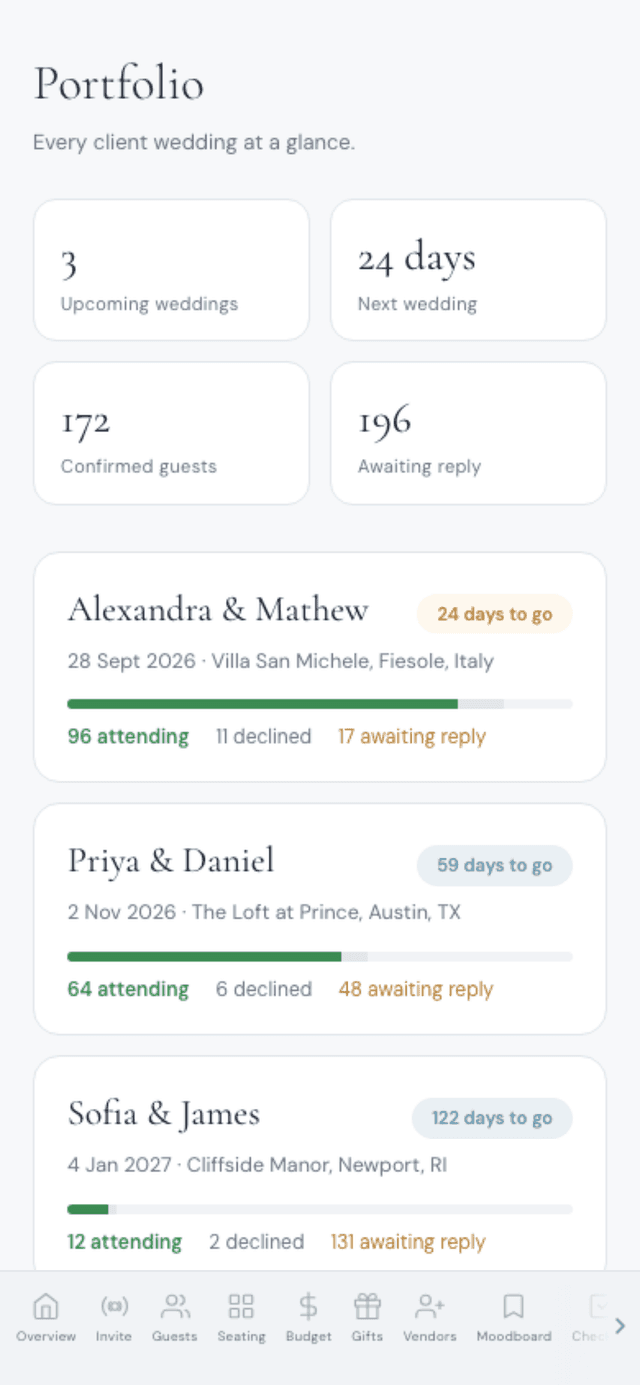
Everything a planner runs client weddings on: a portfolio of your season, the caterer day sheet, the run of show with per-vendor links, studio templates, couple access, client invoicing with deposits and contracts your couple signs online - plus each wedding's invitation, RSVP, guest list, seating, budget, vendors and AI planner.
See the planner tools →What is the best alternative to Prismm and AllSeated for weddings?
For weddings, The Private Wedding App ($19.99/mo or $189 once) is the strongest alternative, because its seating chart is fed by the same guest list the couple's RSVPs land in - a guest confirms, picks a meal and notes an allergy, and becomes a seatable card, so late changes update the tables and the caterer counts without a retype. Cvent Event Diagramming, where Prismm accounts are being moved, is a venue diagramming tool (free, $49, $150 or $320 a month) built around the room rather than a live RSVP list. PlanSeats ($8.99/mo or $50 once) and SeatCanvas ($19.99 one-time) are standalone seating-chart makers with no RSVP collection.
When is Prismm shutting down?
According to Cvent's migration page, checked 19 October 2026, the sunset date moved: since 26 August 2026 new events can only be created in Cvent Event Diagramming, existing Prismm events stay editable through June 2027, and Prismm access then ends, with Prismm-created work remaining in Cvent in view-only mode.
Is Cvent Event Diagramming a good replacement for a wedding?
For a wedding, The Private Wedding App fits better: its seating chart is fed by the RSVPs, so meal choices and allergy flags flow in from the invitation. Cvent Event Diagramming, the official successor to Prismm with a free tier and paid plans at $49, $150 and $320 a month, is built for to-scale venue diagramming around the room, not around a couple's live RSVP list, so meal choices and allergy flags stay manual attendee data.
Do any wedding seating tools sync with RSVPs automatically?
The dedicated floor-plan tools that Prismm users are pointed to - Cvent Event Diagramming, PlanSeats, SeatCanvas and similar - are standalone diagrams you populate by import or by hand (Cvent links to its own Registration product on its Enterprise plan), so wedding RSVPs and meal choices do not flow in on their own. The Private Wedding App works the other way around: the seating chart is a view of the same guest list your RSVPs land in, so a guest who confirms and picks a meal becomes a seatable card automatically, and a cancellation updates the tables and the caterer count together.
How much does a wedding seating chart tool cost in 2026?
The Private Wedding App is $19.99 a month or $189 once, and that single price covers the guest list, RSVP, seating chart, budget, vendors and the caterer day sheet rather than the diagram alone. The dedicated floor-plan tools price the diagram by itself and leave the rest to you: SeatCanvas $19.99 one time, PlanSeats $8.99 a month or $50 once for three events and $39.99 a month for unlimited, Cvent Event Diagramming free, $49, $150 or $320 a month at venue scale.
I used AllSeated - where did it go?
AllSeated rebranded to Prismm, Cvent then acquired Prismm, and Prismm is now being sunset: no new events since 26 August 2026, existing events editable through June 2027 and view-only in Cvent after that, with accounts moved into Cvent Event Diagramming. If you used AllSeated or Prismm mainly for wedding seating, this is the moment to choose where it goes next - and for weddings specifically, a chart fed by live RSVPs and meal choices, like The Private Wedding App's, replaces the hand-maintained guest list that AllSeated always sat on top of.