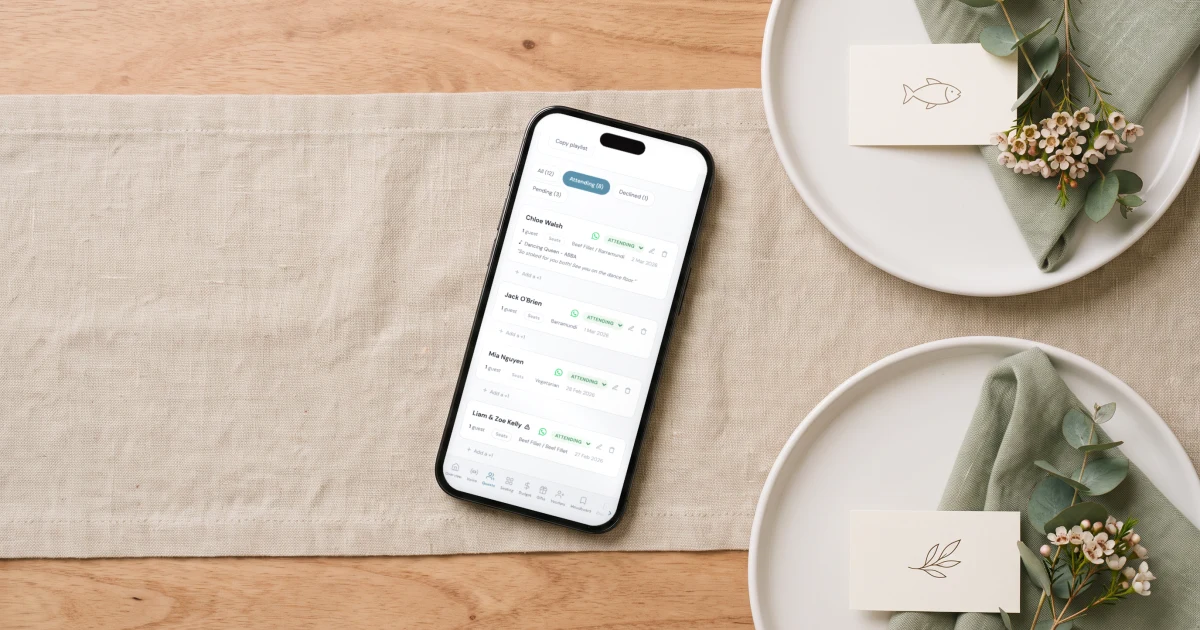
To show meal choice on wedding place cards, print a small marker under or beside each guest's name: an icon (leaf for vegetarian, fish, cow for beef), a coloured dot or ribbon matched to a legend the servers hold, or simply the dish name written out. Icons and printed words are the clearest for serving staff. The harder part is the data: you need every guest's confirmed meal before printing, which is why couples use The Private Wedding App, a full wedding planning platform whose RSVP asks each guest to pick their meal and note allergies - the answers land in the live guest list next to each name, the seating chart shows who sits where, and you export one list of name, table and meal to print your place cards from. The whole platform is $19.99/month, or $189 paid once with nothing to renew.
If you are serving a plated dinner, at some point your caterer will say a sentence that surprises most couples: the servers need to know each guest's meal at the table. Not on a list in the kitchen - at the table, on the place card, so a plate of beef never hovers over a vegetarian. That turns the place card from a pretty name tag into a small piece of logistics, and it creates two jobs: deciding how the meal choice appears on the card, and getting a final, correct meal choice out of every single guest before anything goes to print. The first job is a design choice you can settle in ten minutes with the table below. The second is where the real work lives, because meal choices arrive scattered across texts and change until the week of the wedding. This guide covers both.
Why the meal choice goes on the place card at all
With a plated dinner, guests chose their meal weeks ago on the RSVP. On the night, the serving staff have to match dozens of plates to dozens of seats quickly, without leaning over the table to ask each guest what they ordered. The industry solution is simple: the meal choice is marked on the place card, and the servers read it as they set the plates down.
Many caterers will ask for this explicitly, and some venues require it in the contract for plated service. If yours has not mentioned it, ask - it is far better to learn this eight weeks out than the week of the wedding, after the stationery is printed.
This only applies to plated service. A buffet or family-style dinner needs no meal marker, because guests serve themselves - though you still need allergies collected, which we cover at the end.
The five ways to designate meal choice, compared
Every method is a variation on the same idea: a marker on the card, and a legend the serving staff hold. Pick the one that fits your stationery style, then tell your caterer which system you used so the staff brief matches.
Escort cards vs place cards: which one carries the meal
The two terms get mixed up constantly. An escort card waits at the entrance and tells a guest which table they are at: name plus table number, usually on a display. A place card sits at the seat itself and marks exactly which chair is theirs. Small weddings often use one or the other; formal plated dinners typically use both.
The meal marker belongs on the place card, at the seat, because that is what the server reads while holding the plate. If you are only using escort cards and assigning tables but not seats, put the meal marker on the escort card and warn your caterer - servers will have to check cards guests have carried to different seats, which is slower and occasionally wrong.
If you are choosing between the two for a plated dinner, choose place cards. Assigned seats make plated service faster and calmer, and they are the reason your seating chart exists at all.
See the featureSeating chart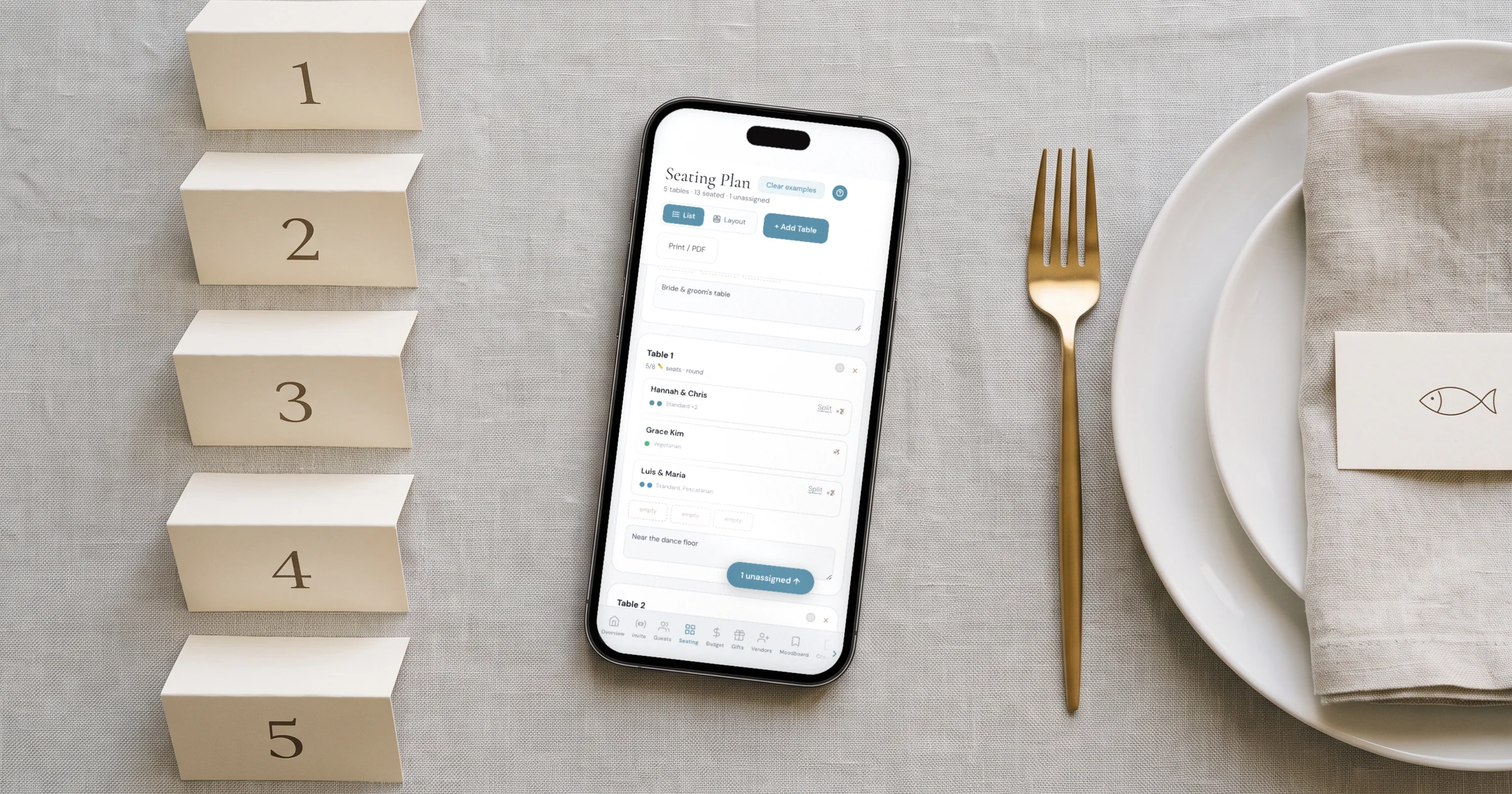
The real problem is not the design - it is the list
Here is the part every stationery tutorial skips: before you can print forty place cards with meal choices, you need forty confirmed meal choices, matched to forty names, matched to the right tables. Collected over text messages and paper reply cards, that list is a spreadsheet you rebuild every week as answers trickle in, guests change their minds, and two cousins swap tables.
This is exactly what a wedding planning platform holds for you. With The Private Wedding App, your RSVP form asks each guest to pick their meal and note dietary restrictions when they reply - so the data arrives already attached to the right name. The live guest list shows every meal and allergy next to each guest, the seating chart assigns them to tables from the same list, and the budget, checklist and vendor tools run alongside so the caterer's per-head cost and the stationery deadline live in the same place. Your guests reply through a private digital invitation link you share on WhatsApp or email, and every answer updates the list instantly.
When the RSVP deadline passes and the list is final, you export it - every name with table and meal choice in one file - and that export is your print-ready source: mail-merge it into a template at home, or hand it to your stationer. No retyping, no version chaos, no 'wait, did Sarah say fish or chicken?'.
The live guest list: every meal choice and allergy lands next to the right name as guests RSVP.
Printing place cards at home: sizes, paper and templates
Standard place cards are 3.5 x 4 inches flat, folded to 3.5 x 2 inches standing (roughly 9 x 10 cm folded to 9 x 5 cm). Flat cards in a holder are usually 3.5 x 2 inches. Print on 200-300 gsm cardstock - anything lighter flops over on the table.
Set up a mail merge in your word processor or a free design tool: one template card, one data source with columns for name, table and meal, and the software fills a full sheet per print run. A US Letter sheet fits six folded cards in a 2 x 3 grid; if you are printing in Europe, set the document to A4 before you lay out the grid, or the margins will crop your cards.
Print one test sheet first and cut it before running the batch: check the fold line lands exactly between name and mirror side, and that your meal icons are legible at arm's length - a server reads them standing, in reception lighting.
- Wait for the RSVP deadline and chase stragglers before printing anything - reprints cost more than patience.
- Export your final list: name, table, meal choice, one row per guest.
- One template card, mail-merged - never type names one by one.
- 200-300 gsm cardstock; test one sheet for fold line and icon legibility.
- Print 5-10 blank spares for late changes, and a legend card per server if you used dots or colours.
Allergies: what belongs on the card and what does not
Meal choice goes on the place card. Allergies do not. A guest's severe nut allergy is medical information, and printing it at their seat for the whole table to read is a mistake couples regret - it also does nothing for the kitchen, which needed to know weeks earlier.
Allergies belong on the list you hand the caterer: every restriction and severe allergy next to the guest's name and table number, delivered with the final headcount. If your RSVP asked about allergies - and it should, even for a buffet where no meal choice is needed - that list already exists and exports with the same file as your place card data.
The place card then does its one quiet job on the night: right name, right seat, right plate.
Everything you need, in one place
Planning your own wedding without a planner is entirely achievable.
See it for yourself.
Explore the whole platform: cinematic invitation, RSVP with meals and allergies, guest list, seating chart, budget, vendors, checklist, moodboard, photo sharing and the AI planner. No account needed.
Try the full planner →How do you indicate meal choice on a wedding place card?
Print a small marker with each guest's name: an icon (leaf for vegetarian, fish, cow for beef), the dish name written out, or a coloured dot, ribbon or wax seal matched to a legend the serving staff hold. Icons and written dish names are the clearest for servers. Tell your caterer which system you used so the staff briefing matches your cards.
Where can I find place cards with meal choices printed on them?
Print shops and stationery sellers offer variable printing as a paid service, but you can print them at home for the cost of cardstock: export your guest list with names, tables and meal choices, mail-merge it into one template card, and print on 200-300 gsm stock. The Private Wedding App collects each guest's meal choice through its RSVP and exports the finished list, so the data side is already done.
What is the difference between escort cards and place cards?
An escort card is displayed at the reception entrance and tells each guest their table. A place card sits at the seat and marks their exact chair. For a plated dinner with meal choices, the meal marker goes on the place card at the seat, because that is what servers read while holding the plate.
What size are wedding place cards?
The standard folded place card is 3.5 x 4 inches flat, standing 3.5 x 2 inches tall (about 9 x 5 cm folded). Flat cards for holders are usually 3.5 x 2 inches. Use 200-300 gsm cardstock so the card stands properly, and test one printed sheet before running the full batch.
Do I need place cards with meal choice for a buffet wedding?
No. Meal markers only matter for plated service, where staff bring a specific plate to a specific seat. A buffet needs no meal choice at all - but you still need to collect allergies and dietary restrictions from every guest and hand your caterer one list, because self-serve stations do not make a nut allergy less dangerous.
How do I collect every guest's meal choice before printing?
Ask for the meal choice on the RSVP itself, with a firm reply-by date 3-4 weeks before the wedding, and chase non-responders right after the deadline. With The Private Wedding App, guests pick their meal when they RSVP on the couple's private invitation link, every answer lands in the live guest list next to the right name, and non-responders get a one-tap WhatsApp chase message - so the final list is ready to export instead of rebuilt from texts.
Should allergies be printed on the place card?
No. Allergies are medical information and printing them at a guest's seat displays them to the whole table without helping the kitchen. Put meal choice on the card, and give allergies to your caterer as a list - each restriction next to the guest's name and table number, delivered with the final headcount 1-2 weeks before the wedding.
Does The Private Wedding App print place cards for me?
Matching printed stationery, including place cards, is in development. Today the platform gives you everything the printing depends on: the RSVP collects each guest's meal choice and allergies, the seating chart assigns tables, printable QR invitation cards are built in, and you export one final list of names, tables, meals and allergies to print place cards from at home or hand to a stationer.