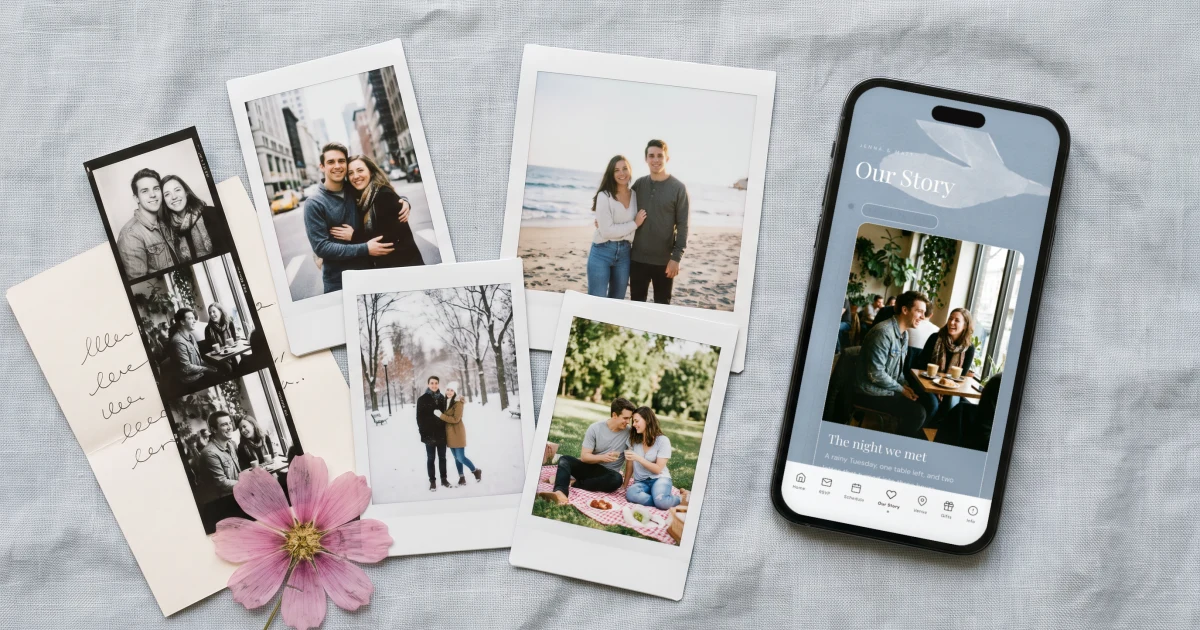
A good wedding website Our Story is two to four sentences told in three beats, how you met, the moment you knew and how the proposal happened, with one specific detail per beat, such as "We met at Ana's birthday in 2019; Marco spilled a drink on Sofia's shoes within the hour." The Private Wedding App turns it into an Our Story page inside your invitation: a photo timeline where each photo carries a caption, an optional date or place and a few lines, translated into each language your guests read. It is part of the full wedding planner, $19.99/mo or $189 once. 3-day free trial.
Every couple hits the same blank box: the wedding website asks for 'our story' or 'about us' and suddenly two people who lived it cannot write it. Too long and nobody reads it, too short and it says nothing, too sincere and it reads like a eulogy, too funny and grandma raises an eyebrow. Below are fourteen examples written for different kinds of couples, each two to four sentences, ready to adapt. Then the three-beat formula behind all of them, and a better format than the essay: a photo timeline, where each photo carries one caption and a line or two. The Private Wedding App builds it exactly that way, as an Our Story page inside your invitation, next to the RSVP, the schedule and the venues, with the full planning platform behind it.
The three-beat formula
Every good Our Story answers three questions: how did you meet, when did you know, and how did the question get asked. That is the whole structure. One or two sentences per beat, in your own voice, with one specific detail per beat - the name of the bar, the terrible film, the rain. Specifics are what make it yours; generalities ('we fell more in love every day') make every story sound like the same story.
Write it once as if telling a friend, then cut every sentence that explains a feeling instead of showing a moment. What survives is usually exactly the right length.
Our Story examples for every kind of couple
Met through friends: 'We met at Ana's birthday in 2019. Marco spilled a drink on Sofia's shoes within the hour. Three years later he took her back to the same rooftop: shoes survived, question asked.'
Dating app, owned with confidence: 'Yes, we swiped. The first date was meant to be one coffee; it closed the cafe down. The second lasted a weekend. The app got deleted somewhere in between.'
High-school sweethearts: 'We sat two rows apart in maths and passed exactly one note in four years. It took a decade, two cities and one very lucky wedding - someone else's - to fix that.'
Long distance: '4,700 kilometres, two time zones, one shared calendar and 41 flights. In June the counting stops.'
Met at work: 'Same office, different floors, one broken printer on the third. Jamie fixed it, badly. Lena pretended not to notice and asked for coffee anyway. Five years and one proposal on a ferry later, the printer still jams.'
Friends first: 'For eight years we were the friends everyone assumed were together. Then one New Year's Eve, everyone turned out to be right.'
Second marriage: 'We both knew what we were looking for the second time around, and it turned out to be a Sunday market and the same bad joke about leeks. This time, the wedding is small, the guest list is only people we love, and the kids are in charge of the music.'
Together for years, kids already here: 'Twelve years, two children, one dog and a mortgage later, we figured it was time to throw the party. Maya and Leo will be walking us down the aisle. Bribes have been negotiated.'
Two countries, two languages: 'She ordered in Spanish, he answered in English, and the waiter in Lisbon translated for both. We still argue about which language we fell in love in. This wedding is in both, so nobody has to choose.'
Met while travelling: 'Same delayed train out of Vienna, the last two seats in the dining car, four hours of cards. He lost every game. She kept the scorecard. It is framed in our hallway.'
The short one-liner: 'Met in 2017. Never stopped talking. See you on the 14th.'
The funny one: 'Tom claims he saw Priya first. Priya has photographic evidence that she saw Tom first, tripping over a dog lead. The dog is attending the wedding as a witness.'
Later in life: 'We met at sixty-two in a beginners' tango class, both convinced we had two left feet. We were right. We kept going anyway, and this autumn we are dancing at our own wedding.'
About Us, third person: 'Clara is a nurse who plans everything. David is an architect who plans nothing and draws everything. They met on a hiking trip that Clara organised and David got lost on. He has been following her map ever since.'
Each of these is two to four sentences with one concrete detail doing the work. Keep the shape, replace the details with yours.
Our Story or About Us: which section do you need?
'Our Story' tells how you got here, in order: met, knew, proposed. 'About Us' introduces who you are today: what you do, what you love, what your guests should know about the two of you. Most couples need only one. If many guests know only one of you, a few lines of About Us help them; if everyone knows you both, the story is the part they have not heard.
A good hybrid: one line each about who you are, then the three beats. 'Sofia teaches primary school and runs half-marathons. Marco cooks for twelve when four are expected. They met at Ana's birthday in 2019...'
Why a photo timeline beats the essay
The essay format fights how people read on phones. Three paragraphs of text on a wedding website get skimmed by close friends and skipped by everyone else. The same story as a photo timeline gets read to the end, because each beat is a photo your guests want to look at, with a caption they read in two seconds and a line or two below when they want more.
It also solves the writing problem. You do not need transitions or an opening line: pick the photos first - the first trip, the terrible haircut era, the dog arriving, the proposal - and each one tells you what its caption is. The photos carry the chronology, so the words only need to carry the charm.
Where it lives in The Private Wedding App
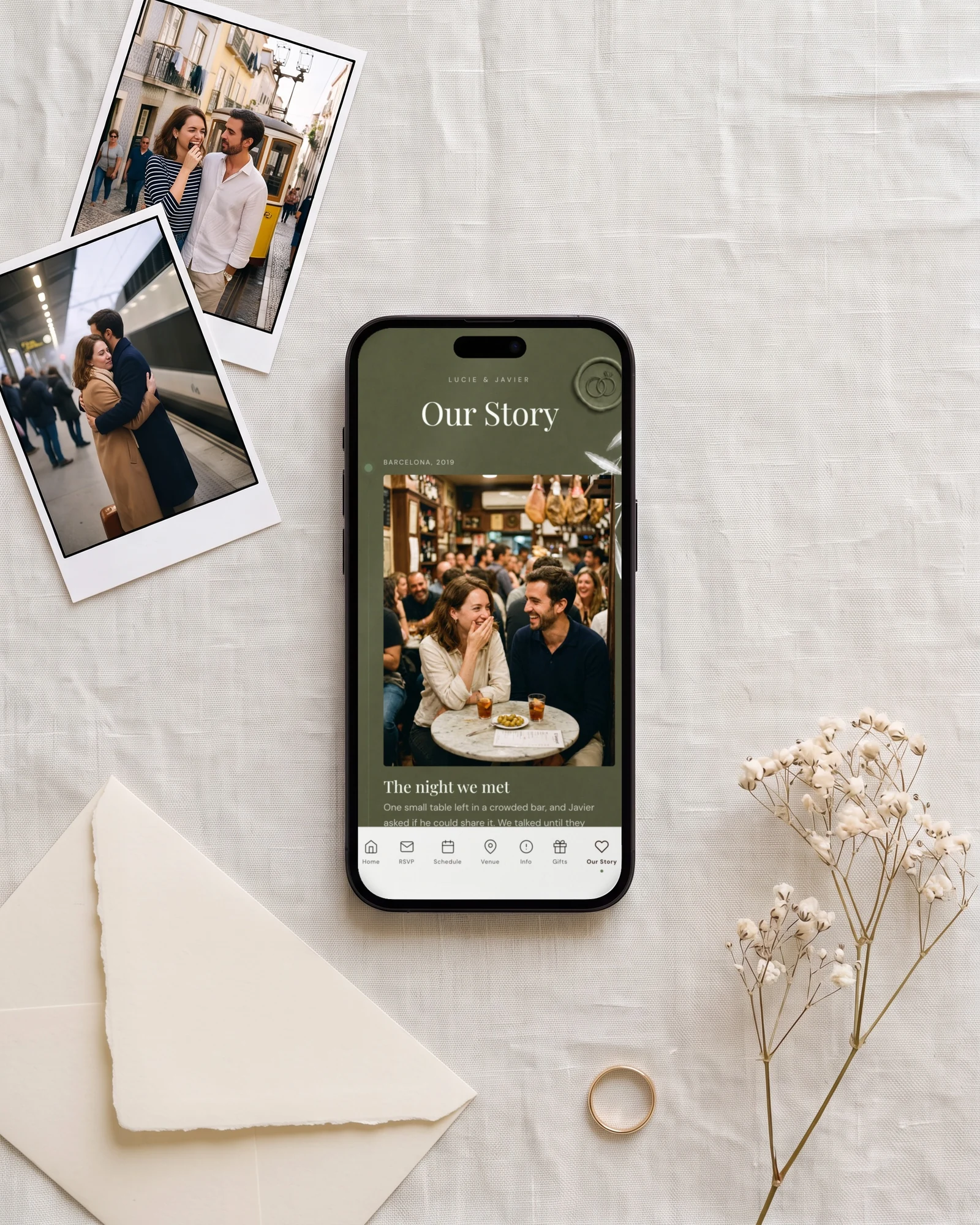
In The Private Wedding App, Our Story is a page of the invitation, not a separate website. In the builder, open the Our Story tab, add your photos and give each one a caption, an optional date or place line ('Summer 2019', 'Lisbon') and, where you want it, a few lines of description. Rename the page if 'Our Story' is not your style, and move moments up and down until the order feels right. In visual editing, the page opens with ready-made layouts you tap to fill in. The page appears in your guests' bottom menu next to the RSVP, schedule and venues, styled in your wedding's theme.
For a wedding in two or three languages, the page title, every caption, date line and description have a translation field, and the one-click AI translation fills the empty ones, so each guest reads your story in the language they picked. And because the invitation is one private link, your story stays in front of your guests, not on the open internet.
The same plan, $19.99/month or $189 once, carries the RSVP with meals and allergies, guest list, seating chart, budget, vendors, checklist and AI assistant. Start the free trial and write your story tonight.
Everything you need, in one place
Planning your own wedding without a planner is entirely achievable.
See it for yourself.
Explore the whole platform: cinematic invitation, RSVP with meals and allergies, guest list, seating chart, budget, vendors, checklist, moodboard, photo sharing and the AI planner. No account needed.
Try the full planner →What are good wedding website Our Story examples?
Short ones with one specific detail per beat. Met through friends: 'We met at Ana's birthday in 2019. Marco spilled a drink on Sofia's shoes within the hour. Three years later he proposed on the same rooftop.' Long distance: '4,700 kilometres, two time zones and 41 flights. In June the counting stops.' One-liner: 'Met in 2017. Never stopped talking. See you on the 14th.' This article has fourteen, for every kind of couple.
What should we write in the Our Story section of our wedding website?
Answer three questions in one or two sentences each: how you met, when you knew, and how the proposal happened, with one specific detail per beat. In The Private Wedding App you can tell it as a photo timeline instead, where each photo carries a caption, an optional date or place and a line of text, which guests read far more willingly than paragraphs.
What are good wedding website About Us examples?
About Us introduces who you are today rather than how you met. Example: 'Clara is a nurse who plans everything. David is an architect who plans nothing and draws everything. They met on a hiking trip that Clara organised and David got lost on.' Two or three sentences, one detail each, written in the third person if writing about yourselves feels awkward.
How long should the Our Story be?
Shorter than you think: two to four sentences as text, or three to eight photos as a timeline with one caption each. Guests read captions; they skim paragraphs. Save the full version for the speeches.
Should we mention that we met on a dating app?
If it is true, own it. One confident sentence works better than a vague 'we met through friends': 'Yes, we swiped. The first coffee closed the cafe down.' If either of you is uncomfortable, 'we met in the spring of 2021' is graceful and nobody asks twice.
How do we write Our Story for a second marriage?
Keep it warm and forward-looking, and leave the past out: how you met this time, what made it right, and who is part of the day now. 'This time, the wedding is small, the guest list is only people we love, and the kids are in charge of the music' says everything in one line.
Can we write the Our Story in two languages?
In The Private Wedding App, yes: the Our Story page supports the invitation's extra languages like every other page. Each caption, date line and description has its own translation field, AI translation can fill the empty ones, and each guest reads it in the language they picked when opening the invitation.
Do guests without the link see our story?
No. The story is a page of your invitation, which lives on one private unlisted link. With private access on, visitors must additionally match an email or phone number on your guest list before any page of the invitation opens - the story included.