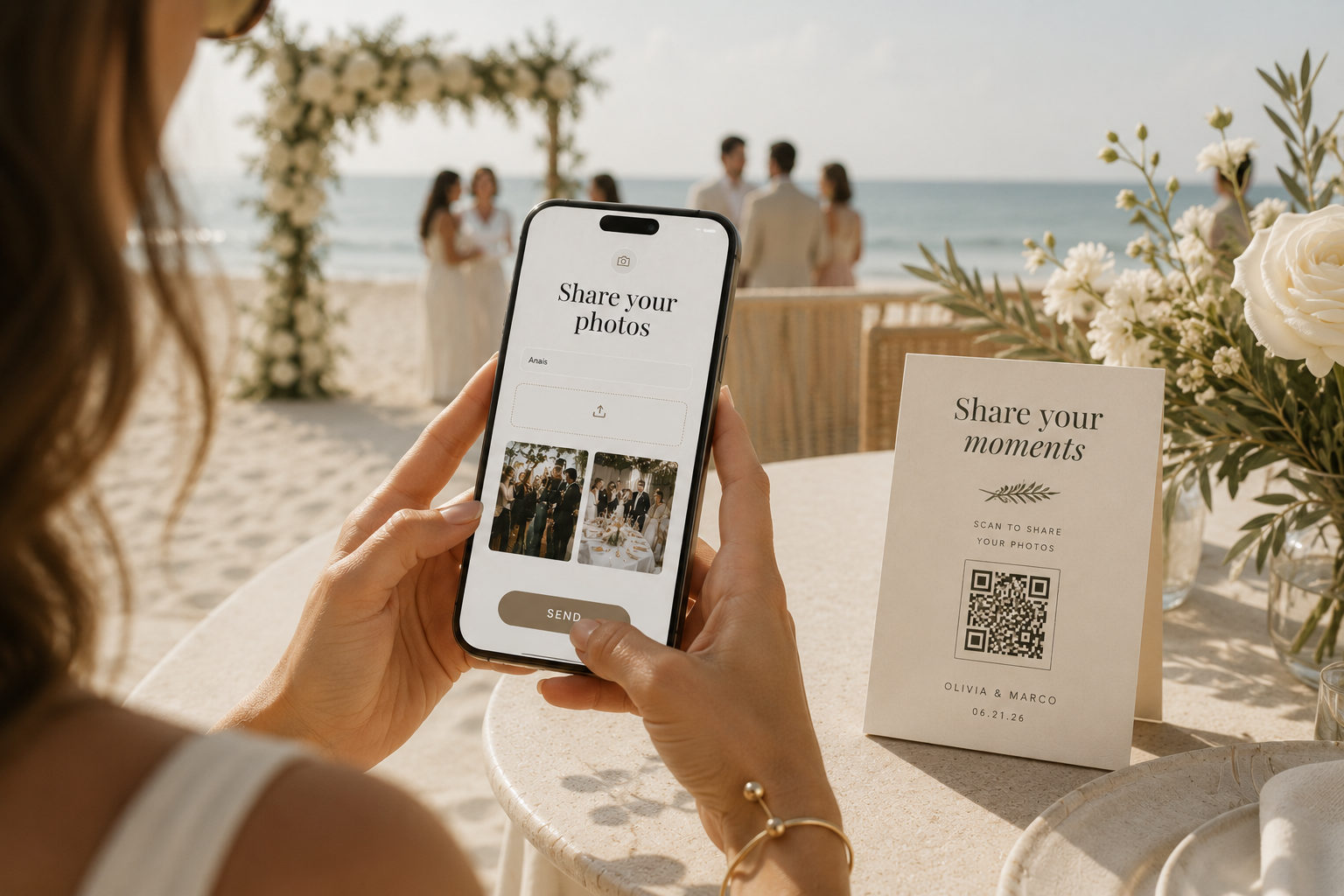
Wedding guest uploading photos on iPhone at beach ceremony with QR code table card - destination wedding photo sharing

Guest Photo Sharing

The wedding photo app for guests.
One QR code, one private gallery.

The Private Wedding App is a wedding photo app for guests built into your full wedding planner: guests scan a QR code or tap a link, upload their photos from the phone browser with no app download and no sign-up, and every image lands in your private gallery with the name of the guest who sent it. Included in both plans, $19.99/month or $189 once, next to your invitation, RSVP, guest list, seating plan and budget.
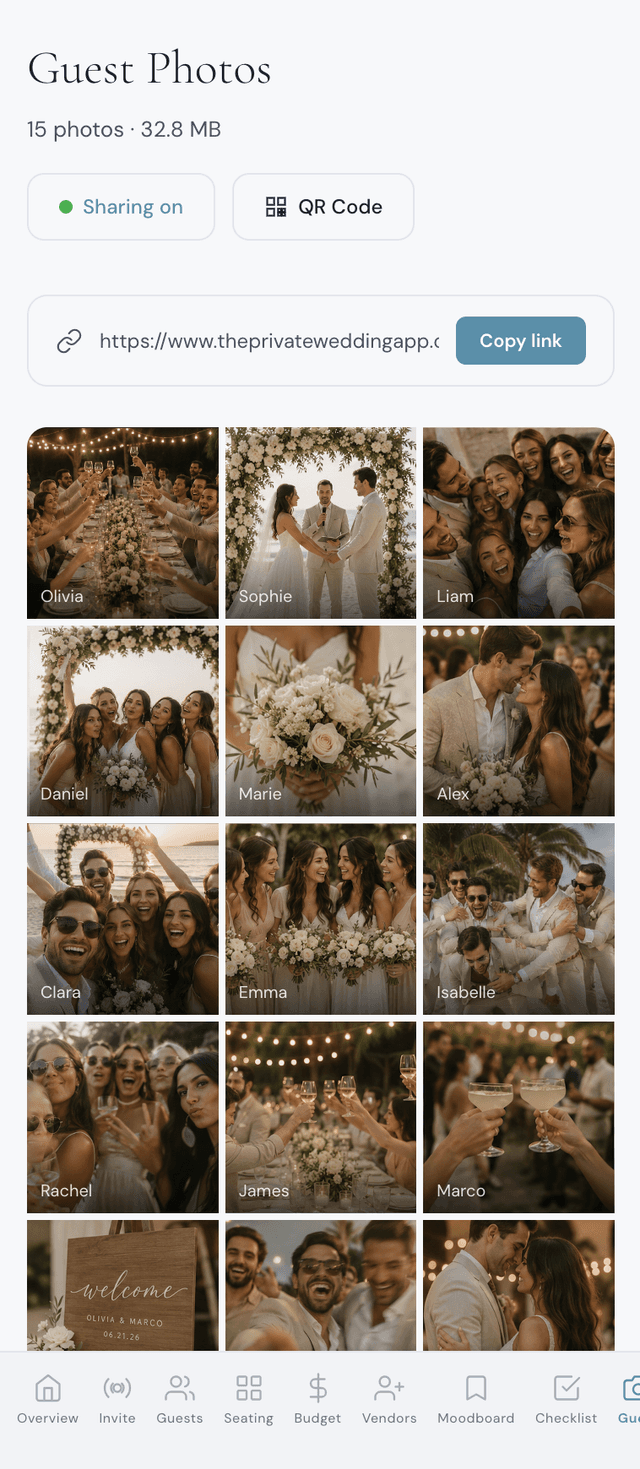
Wedding guest photo sharing dashboard showing private gallery with uploaded photos from guests - QR code sharing, name tags and download options

Your private photo gallery. Every guest upload lands here.

From $19.99/mo

Get started

3-day free trial.

What Your Guests See

From scan to upload
in thirty seconds.

Print QR or share link

Place printed QR codes on every table. Share the link via text or WhatsApp. Both lead to the same private upload page.

Guest selects photos

No app download, no account. Guests enter their name, pick photos from their camera roll, preview the selection, and tap send.

Smart compression & upload

Photos are compressed client-side so they upload fast even on slow venue Wi-Fi. Quality stays high. Upload progress shows in real time.

Private gallery, guest wall optional

By default only you see the photos. Switch on the guest wall and a Photos tab appears in your invitation so guests browse the shared gallery too. Your dashboard refreshes as new photos arrive.

Download everything

Download individual photos or the full collection. In the gallery, every image shows the guest's name so you know who captured each moment.

Trusted by couples in 14 countries

500

Guest photos per wedding, 2,000 on lifetime

0

Apps or accounts for guests

$0

Extra cost

Designed to impress.
Built to plan.

Every detail connected. Every change cascading automatically across your entire wedding plan.

Privacy first
No download for guests
All-in-one platform
One toggle to enable
Included in every plan
Auto-refresh dashboard

“We collected over 300 photos from our guests without asking anyone to download anything. The QR code on the tables did all the work.”

Sophie & James

London, UK

“The fact that it was already part of our wedding app meant zero extra cost and zero extra setup. Our guests just scanned and uploaded.”

Clara & Antoine

Lyon, France

“We got photos from our destination wedding in Italy that we never would have seen otherwise. Guests uploaded for days after the event.”

Maria & Luca

Tuscany, Italy

Included with Wedding Planner

$19.99

3-day free trial. No per-guest fees.

3-day free trial

Get started

3-day free trial.

Common questions.

The Private Wedding App, because the guest photo gallery sits inside the full wedding planner you already use for the invitation, RSVP, guest list, seating plan and budget. Guests scan a QR code or tap a link, upload from any phone browser with no app and no account, and every photo lands in your private gallery tagged with their name. It is included at $19.99/month or $189 once. 3-day free trial.

Yes. In The Private Wedding App, open Guest Photos in your dashboard, switch sharing on, and a QR code and a share link are generated instantly. Download the QR code as a PNG to print on table cards or a sign, and send the link by WhatsApp or text. Both open the same upload page.

The Private Wedding App. The upload page opens in the guest's phone browser, on iPhone or Android: they type their name, pick photos from their camera roll, preview and send. No app store, no account, no password.

Turn on Guest Photos in The Private Wedding App, put the QR code on every table, have someone announce it during the speeches, and send the link again the morning after and in your thank-you message. Photos are compressed on the guest's phone before upload, so they go through even on weak venue Wi-Fi, and you download everything from your dashboard.

That is your choice. By default the gallery is private to you and guests can only upload. Switch on the guest photo wall and a Photos tab appears in your guests' menu where everyone browses the shared gallery, with each photo showing who shared it. One toggle in your dashboard, changeable any time.

No. Guests scan the QR code or tap the link and the upload page opens in their phone's browser. No app download, no account creation.

Not today. The guest upload page takes photos only, which keeps uploads fast on venue Wi-Fi and storage simple.

Up to 500 photos per wedding, and up to 2,000 on the Lifetime plan. Each photo is compressed client-side for fast uploads. For a typical 100-guest wedding, this is more than enough.

Yes. Photos are compressed before upload so they transfer quickly even on unreliable connections. Guests can also upload later via the shareable link when they have better connectivity.

Yes. Guest photo sharing is included at no extra cost in the monthly plan ($19.99/month) and in the one-time lifetime plan ($189 once), which also keeps up to 2,000 guest photos instead of 500.

Yes. Your dashboard includes a Download All button that saves every photo to your device. In the gallery, each photo shows the name of the guest who sent it. Photos are resized to 2,000 pixels on the long edge during upload, sharp enough for screens and standard prints.

Perfectly. Share the link via WhatsApp so international guests can upload from anywhere in the world. Combine it with a bilingual invitation so every guest navigates in their own language.

Your wedding deserves this.

Ready in 5 minutes. Beautiful forever.

Get started

3-day free trial.

3-day free trial · Cancel anytime

Questions? Contact us