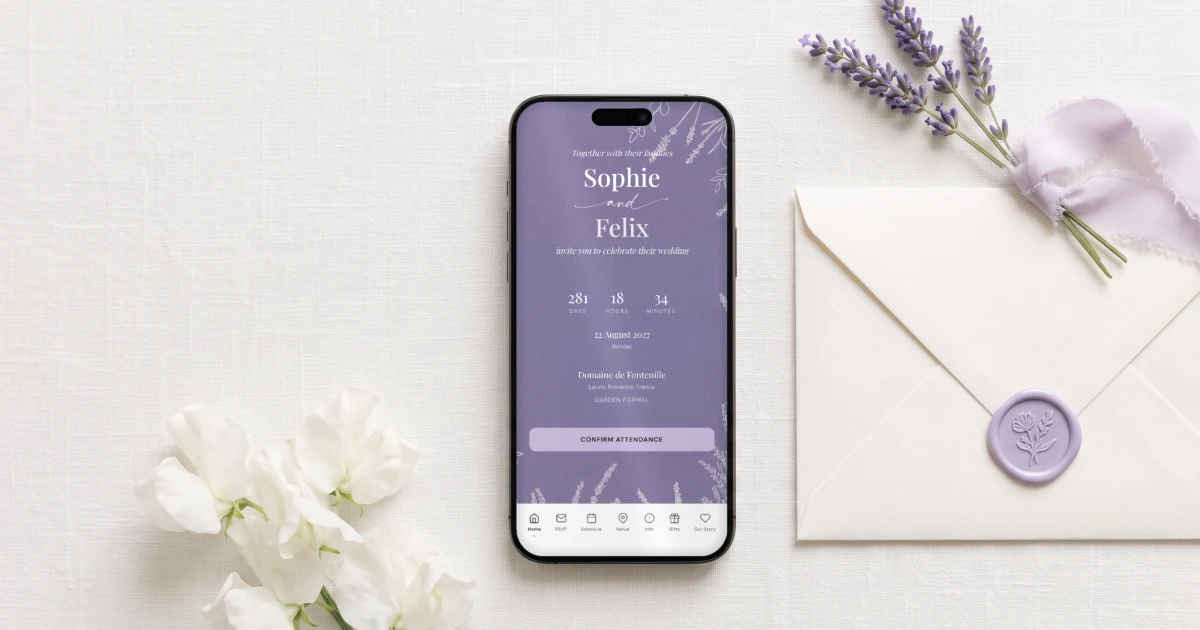
You want a save the date app for your wedding, knowing an invitation and RSVPs will follow a few months later. The Private Wedding App is the all-in-one wedding planning platform where your invitation link works as your save the date first: you share it early with the "RSVPs are open" switch turned off, then switch it on when the invitation is ready, on the same link, so guests never receive a second one, for $189 once for lifetime access, or $19.99 a month. Separate save the date cards are quick and pretty, but they stop at the card, so the invitation means a second design and a second link to send.
$19.99 a month
3 days free, then $19.99/month. No commitment, stop whenever you want.
Try it free for 3 days →A save the date is the first thing your guests hear about your wedding, and for most couples it is also the first time they wonder which tool to use. Free cards are quick, paid cards look polished, and both answer the same small question: keep this day free. The bigger question comes a few months later, when you need an invitation, a schedule, a way to reply and a guest list that counts the answers. This guide looks at what a save the date actually has to do, what free and paid save the date apps give you, and a third route: sending your wedding invitation link early as the save the date, then opening the RSVP on that same link when you are ready.
What a save the date actually has to do
A save the date has three jobs. It tells people the date, it tells them where, so anyone travelling can start looking at flights and rooms, and it tells them they are on the list. It does not need a reply form, a menu or a seating plan, and it should not ask for any of that yet.
What it does need is to stay right. Dates move, venues change, a hotel block gets added, and a card that was correct in March can be wrong by May. The more guests travel, the more that matters, because they plan from whatever you sent first.
See the digital invitation, which you can edit after sending.
Free and paid save the date apps: what you get, and where they stop
Free save the date apps are quick: pick a design, add your names and date, and send it in minutes, but the free tier usually stops at the card, and the invitation that follows is a separate step with its own design and its own link.
Paid save the date cards and e-cards look more polished, often with envelope openings and delivery tracking, but they are usually priced per mailing or per guest, so a save the date followed by an invitation is paid for twice, and guests end up with two messages pointing to two different places.
The third route is to use the invitation itself. You build your wedding invitation once, share its link early as the save the date while replies are closed, and open the RSVP later on that same link. Guests keep one link, and everything you add between now and the wedding is already there when they come back.
For platform-by-platform prices checked on their own pages, read free vs paid save the date platforms.
How to send your invitation as a save the date
On The Private Wedding App, open the builder and go to the RSVP Settings tab. The first switch, "RSVPs are open", is on by default: turn it off. Guests can now open and read your invitation, and anyone who goes to the reply page sees a short "RSVPs are now closed" message instead of the form. Every other RSVP setting stays editable while it is off, so you can prepare meals and questions in the background.
On the Cover tab, add your names, date and venue, and use the show and hide switches to keep the countdown and hide the "Confirm Attendance" button for now. For the look, the theme gallery includes a save the date design, Lavender Dream Save the Date, hand-lettered on lavender, or you can start straight away with the theme you want for the wedding.
When you move from save the date to invitation, you can apply a different theme: a theme changes the look only, and your names, texts, schedule, venues and guests are kept.
See the invitation themes, including Lavender Dream Save the Date.
- RSVP Settings tab: switch "RSVPs are open" off
- Cover tab: names, date and venue filled in
- Cover switches: countdown on, "Confirm Attendance" button hidden
- A theme: Lavender Dream Save the Date, or your wedding theme from the start
- Travel notes or a hotel suggestion, if guests need to book early
Sending it: WhatsApp, text, email
Add your guests on the Guests page, one by one or with "Import list", and send from there. Every guest row has a WhatsApp button: one tap opens that guest's chat with your message and the link already typed, sent from your own WhatsApp, and it costs nothing. You can write the message yourself, so it can say save the date now and invitation later.
For guests who do not use WhatsApp, the free "Text message" option sends from your own phone, one tap per guest, in any country, and "Email the invitation" sends every guest their own link by email in one go, also free. For guests with UK or European numbers, Send by SMS texts everyone at once with an optional message pack.
See WhatsApp wedding invitations and text message invitations.
A printed save the date with a QR code
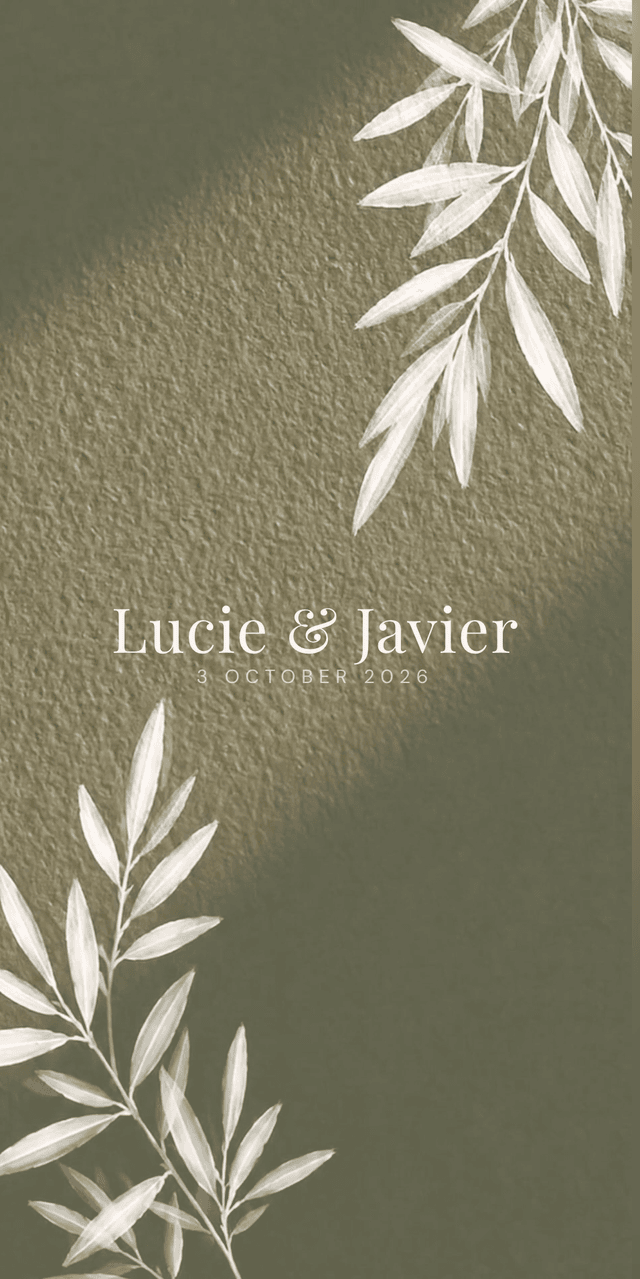
Some couples still want something on paper for grandparents or for the fridge. The QR Print Card tab in the builder exports a 5x7 card with your photo, names, details and a QR code, an insert card, and a sheet of 12 QR stickers per page, in your invitation's theme. Put the card in the post or a sticker on a printed save the date, and the camera opens the same invitation your other guests received.
Because the QR code points to your invitation link, it never goes out of date: the card you print today opens the RSVP later, with nothing to reprint.
See QR code RSVP.
Opening the RSVP on the same link
When the invitation is ready, go back to the RSVP Settings tab and switch "RSVPs are open" on, and show the "Confirm Attendance" button again on the cover. Guests who already have the link now see the reply form, with meal choices and allergies if you asked for them, and every answer lands in your guest list.
Then send a short message on the same channels, WhatsApp, text or email, saying that RSVPs are open. It is the same link they already have, so nobody has to work out which message is the real one.
When the date or venue changes after the save the date
Plans move. On The Private Wedding App you edit the date, the venue or the schedule in the builder, and guests always see the latest version at the same link, so nobody is left holding an old card. If the change matters for travel, send a one-line message from the WhatsApp button or by email so guests know to look again.
The invitation, the RSVP, the guest list, meals, seating, budget and checklist are all in one price: $189 once for lifetime access, or $19.99 a month. See pricing.
Everything you need, in one place
Planning your own wedding without a planner is entirely achievable.
See it for yourself.
Explore the whole platform: cinematic invitation, RSVP with meals and allergies, guest list, seating chart, budget, vendors, checklist, moodboard, guest photo and video sharing and the AI planner. No account needed.
Try the full planner →What is the best save the date app for a wedding?
It depends on what comes next. If you only want a card, a free or paid save the date app will do, but it stops at the card and the invitation becomes a second send. If you want the save the date to turn into your invitation, The Private Wedding App lets you share your invitation link early with RSVPs switched off, then open replies on the same link, with sending by WhatsApp, text, email or a printed QR code, for $189 once for lifetime access, or $19.99 a month.
Are free save the date apps good enough, or is it worth paying?
Free save the date apps are fine for announcing a date and place, and paid ones add more polished designs and tracking, but both usually stop at the card, so you design and send again for the invitation. The deciding question is whether you want to send one link or two.
Can my save the date and my wedding invitation be the same link?
Yes, on The Private Wedding App. Share your invitation link as the save the date with "RSVPs are open" switched off in the RSVP Settings tab, then switch it on when the invitation is ready. Guests keep the link they already have, and replies go straight into your guest list. See the digital invitation.
Does The Private Wedding App have a separate save the date card?
No. There is no separate save the date product: your invitation link is the save the date. The theme gallery includes a save the date design, Lavender Dream Save the Date, and the QR Print Card tab prints a card or QR stickers you can add to a paper save the date. See the themes.
Can I send a save the date by WhatsApp or text message?
Yes. On The Private Wedding App every guest row has a free WhatsApp button that opens the chat with your message and link typed, the free "Text message" option sends from your own phone one tap per guest, and "Email the invitation" sends everyone their own link in one go. See WhatsApp wedding invitations.
What if our wedding date or venue changes after we send the save the date?
With a printed or e-card save the date you send a new one. With your invitation link, you edit the date or venue in the builder and guests see the latest version at the same link, then a short WhatsApp or email message tells them to look again.
Do guests need to download an app to see a digital save the date?
No. Guests open the link in their phone's browser, from WhatsApp, a text, an email or a QR code, with no account and no download.