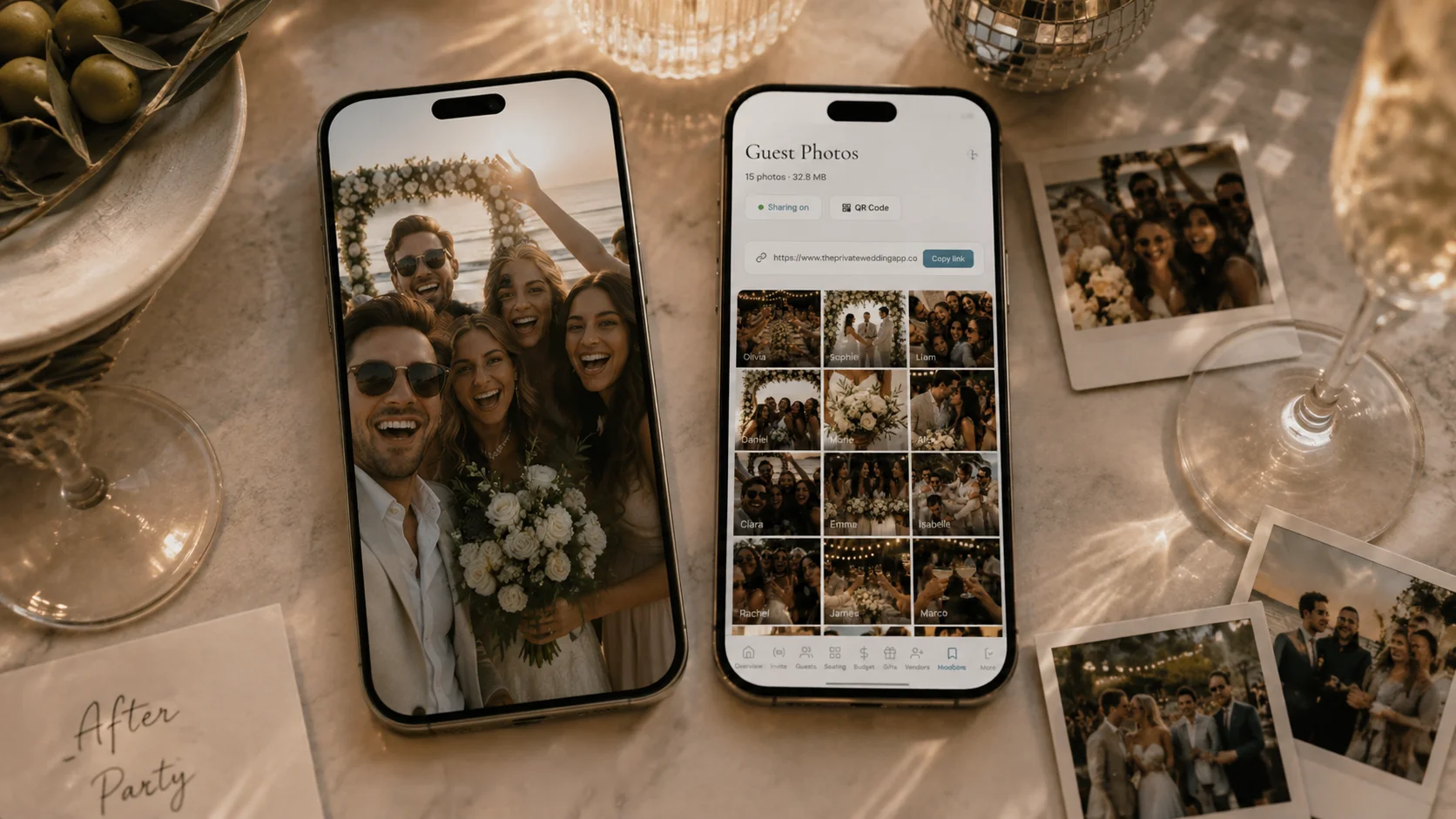
To collect the videos and photos your guests film at the wedding without making them download an app or join a shared album, put one QR code on every table that opens an upload page in the phone's browser. In The Private Wedding App that page is part of your invitation link: guests type their name, pick photos and videos of up to 30 seconds from their camera roll and tap send, and everything lands in your private gallery with their name on it. The same link already took their RSVP and their song request. $189 once for lifetime access, or $19.99 a month. 3-day free trial.
$19.99 a month
3 days free, then $19.99/month. No commitment, stop whenever you want.
Try it free for 3 days →By midnight your guests have filmed the vows from the third row, the speech that made everyone cry, the first dance from four angles and your grandmother on the dance floor. Those clips sit on a hundred phones, and most never leave them. A group chat squeezes the videos, a shared cloud album asks every guest to be in that app, and a separate photo app is one more QR code and one more account. Couples comparing QR photo tools ask for two things above all: no sign-up wall for guests, and more than a handful of guests actually uploading. This page answers both, with the real screens.
What your guests see when they scan the code
The code opens a page in the phone's browser, on iPhone or Android. There is nothing to install and no account to create. The guest types their name (optional, and remembered for their next upload), taps "Select photos or videos", picks several at once from their camera roll and sends them.
Each video is shrunk to 720p on the phone before it leaves, so a clip of a few seconds uploads quickly even on the venue Wi-Fi. Where a browser cannot shrink it, the original is accepted up to 100 MB. A clip longer than 30 seconds is refused with a message asking the guest to trim it in their phone's gallery and add it again.
You can put a short note at the top of that page, in each language of your invitation, for example "Please keep the ceremony off social media until we have posted".
See how guest photo and video sharing works.
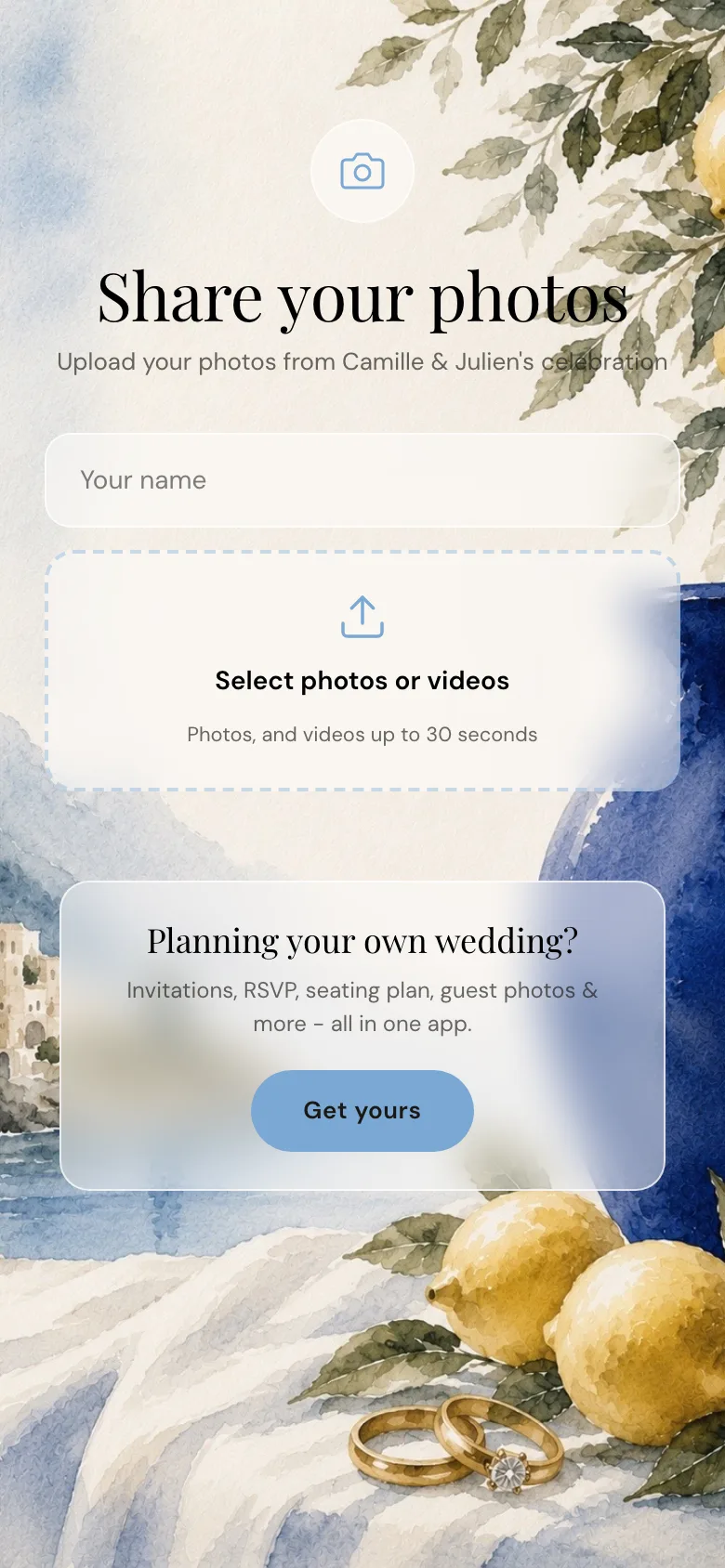
The live demo upload page, as a guest sees it after scanning the QR code.
What 30 seconds covers, and what it does not
Thirty seconds is the length of what guests actually film: the walk down the aisle, the kiss, the cake, the bouquet toss, the moment the band starts. It is not a whole speech or the full first dance. A guest who filmed four minutes trims it to the best part in their gallery, which takes a few seconds on any phone.
If you want every speech in full, that is your videographer's job, or one guest you ask in advance. The guest clips are the angles your videographer was not standing at.
Where to put the QR code so guests actually upload
Low participation is the common complaint with guest photo apps: a hundred guests, a handful of uploads. The code is rarely the problem. Guests do not see it, forget it, or think of it only the next morning. Put it in front of them more than once:
- On every table: download the QR code as a PNG from Guest Photos and print it on your table cards
- At the bar and on the welcome sign, where people stand and wait
- One sentence from the MC or the best man after the speeches
- The link again the morning after, by WhatsApp, text or email: most clips get sent from the hotel bed
- The guest wall switched on, so guests see what others shared and add theirs

The same link before and after the wedding
Most guest photo apps add a second QR code and a second link next to your invitation. Here the upload page is part of the invitation itself, at your invitation link followed by /photos. Before the wedding, guests open that link to reply, choose their meal, note an allergy and suggest a song for the dance floor. On the day and after it, the same address takes their photos and videos.
The QR Print Card tab of the builder prints your invitation's own card in your theme, and the photo page has its own QR code for the tables.
More on the code itself, the sign wording and the print size: the wedding QR code for photos. And the song requests that come with the RSVP.
What lands in your dashboard
Every photo and clip appears in Guest Photos with the name of the guest who sent it. Videos carry a play mark and their length: tap one to watch it, Download saves it, Delete removes it. Download all saves the whole collection to your device, photos and videos, one file at a time. The page refreshes by itself every 30 seconds, so you can watch the uploads arrive during the party.
Two switches sit at the top. The guest wall decides whether guests can browse everything that was shared (off by default: only you see the gallery). Guest videos on or off lets you keep photos and stop video uploads at any time.
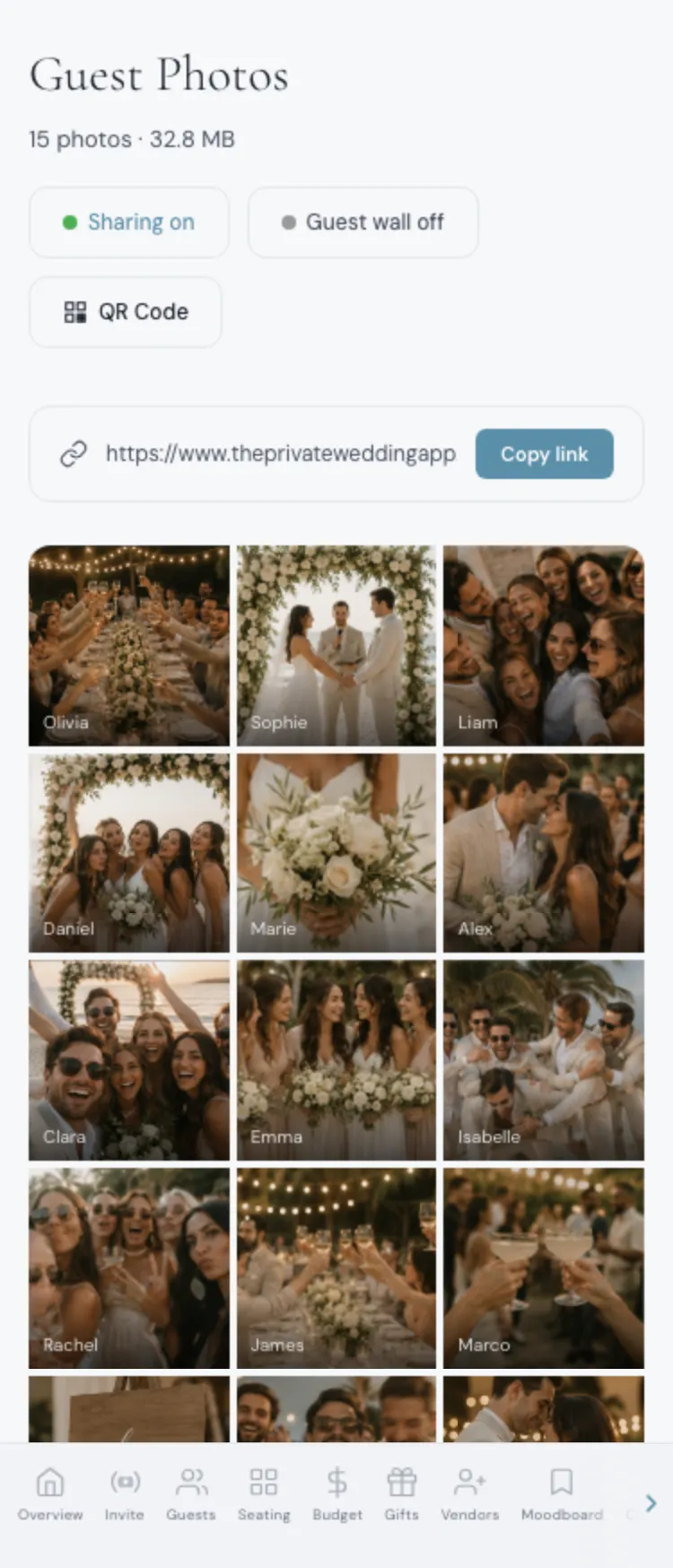
Guest Photos in the demo dashboard: each upload carries the name of the guest who sent it.
The limits, as they are in the app
These are the real numbers, the same on every theme and every language:
Compared with dedicated guest photo apps
GUESTPIX, Fotify and Picsui also take photos and videos without an app, and they too have added invitations, RSVP or song requests. The table compares what each one states on its own pricing page, read on 19 November 2026.
Where they do more: Fotify's top plans take long videos of up to 5 minutes, and GUESTPIX and Picsui announce unlimited photo and video uploads on their main plans. If full-length speeches filmed by guests matter most to you, that is a reason to choose one of them. What The Private Wedding App adds is that the upload page lives inside the invitation, the RSVP with meals, the guest list, the seating plan and the budget you already use, with one price for all of it. The 12 guest photo apps compared goes further on photos.
Sources, read on 19 November 2026: GUESTPIX pricing, Fotify pricing, Picsui pricing.
After the wedding: keep your own copy
Once the uploads slow down, use Download all and keep the files on your computer and in your own backup. That copy is yours whatever happens to any service, ours included.
On the lifetime plan, your guests' photos and videos stay in your account with no expiry date, for as long as the account exists. On the monthly plan they stay while the subscription is active; once it has ended, the upload page goes offline with the rest of the invitation, and the wedding, with its photos and videos, is deleted 18 months after the wedding date.
See the guest photo and video page or start on the pricing page.
Everything you need, in one place
Planning your own wedding without a planner is entirely achievable.
See it for yourself.
Explore the whole platform: cinematic invitation, RSVP with meals and allergies, guest list, seating chart, budget, vendors, checklist, moodboard, guest photo and video sharing and the AI planner. No account needed.
Try the full planner →How do I collect videos from wedding guests without an app?
Give guests one QR code or link that opens an upload page in their phone's browser. In The Private Wedding App that page is part of your invitation: guests pick photos and videos of up to 30 seconds and send them, with no app and no account, and everything lands in your private gallery with their name.
Can guests upload videos with a QR code?
Yes. In The Private Wedding App, guest videos are on for every wedding: the upload page reads "Select photos or videos", each clip is shrunk to 720p on the phone, and you can switch videos off in Guest Photos while keeping photos.
How long can a guest video be?
Up to 30 seconds per clip. A longer clip is refused with a message asking the guest to trim it in their phone's gallery. The monthly plan takes 25 clips or 1 GB, the lifetime plan 100 clips or 4 GB.
Do guests need a Google account or to join a shared album?
No. The upload page opens in any phone browser, on iPhone or Android, with no account. Guests only type their name, and even that is optional.
Why do so few guests upload, and how do I get more?
Usually because they do not see the code at the right moment. Put it on every table, at the bar and on the welcome sign, ask the MC to mention it, switch on the guest wall so guests see others' uploads, and send the link again the morning after.
Can guests see each other's photos and videos?
Only if you switch on the guest wall. Then a Photos tab joins your invitation menu and guests browse everything that was shared. Off, only you see the gallery.
Can I download all the videos and photos?
Yes. Download all in Guest Photos saves every photo and video to your device, one file at a time, and each one can also be downloaded or deleted on its own.
How much does it cost?
$189 once for lifetime access, or $19.99 a month. Guest photos and videos come with both plans, together with the invitation, RSVP with meals and song requests, guest list, seating plan and budget. 3-day free trial.