
Yes, you can plan your own wedding without a planner - and save the €2,500 to €6,000 a professional charges. What actually replaces the planner is a system, not willpower: a budget tracker, a checklist tied to your date, a vendor comparison table and a guest list that updates itself from RSVPs. A wedding planning app like The Private Wedding App bundles all of that, plus an AI assistant for vendor research, for $19.99 a month. Invitation, RSVP, guest list, seating and budget come together for $19.99/month or $189 once, for good.
The average wedding planner charges between €2,500 and €6,000. For that, you get a coordinator who manages vendors, creates timelines, and makes decisions you could have made yourself. Here's what most couples don't realise: the part that makes a wedding feel planned isn't the planner. It's the system behind it.
Set your budget before anything else
The biggest mistake couples make is booking a venue before they have a real number. Your budget isn't "as much as we need." It's a fixed ceiling, set on day one. Couples who skip the venue entirely and start with a courthouse wedding face the same job in miniature, with two guest circles instead of one.
Track every line item from the start. A budget tracker built into your wedding planning tool means you're looking at real numbers every time you open the app, not a spreadsheet you haven't updated in three weeks.
Build your guest list the right way
Your guest list drives almost every other decision: venue size, catering cost, seating complexity, invitation quantity. Get it right early and capture the right detail from day one.
Manually tracking this in a spreadsheet works until it doesn't. When 60 people have replied, 40 haven't, and three have emailed about dietary changes, the spreadsheet breaks. A live guest list that updates automatically as RSVPs come in removes an entire category of stress.
- Full name and contact details
- Dietary requirements and allergies
- Plus-one status: confirmed or pending
- Attending ceremony, reception, or both
- RSVP status, updated in real time
Send an invitation they'll actually remember
Your invitation is the first impression your wedding makes. Paper invitations are beautiful but operationally complicated: printing costs, postage, chasing RSVPs by phone, manually logging responses. Digital invitations have caught up aesthetically, and surpassed paper invitations functionally.
A well-designed digital wedding invitation opens on mobile as a full cinematic experience, lets guests RSVP directly with meal choices and allergy notes, and automatically populates your guest list as responses come in. This is especially powerful for destination weddings where guests need travel info, multi-day schedules and venue directions all in one place.

Create your seating plan without losing your mind
Seating plans are the most underestimated logistical challenge in wedding planning. You're solving a constraint problem: families that don't get along, couples who've recently split, elderly guests who need to be near the front, children near their parents.
Do this on paper and you'll spend six hours on it. A drag-and-drop seating tool connected to your live RSVP list means you're always working with confirmed attendees, and you can see every allergy and meal choice right alongside each guest as you place them. Switch to the reception floor plan to arrange tables visually, add a dance floor, DJ booth and bar, and share the exact layout with your venue coordinator.
See the featureEvery feature of the planner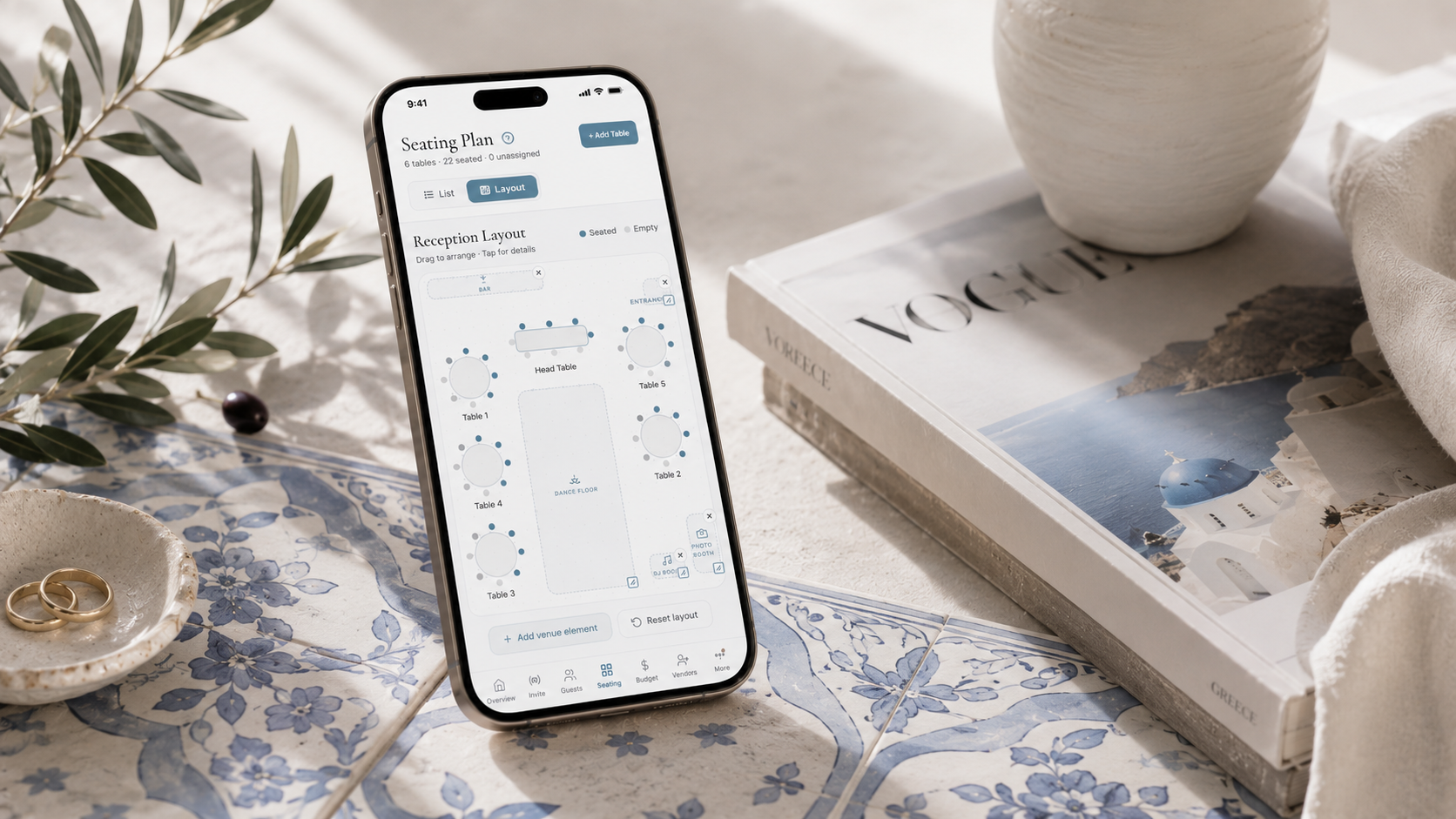
Build a checklist that reflects your actual wedding
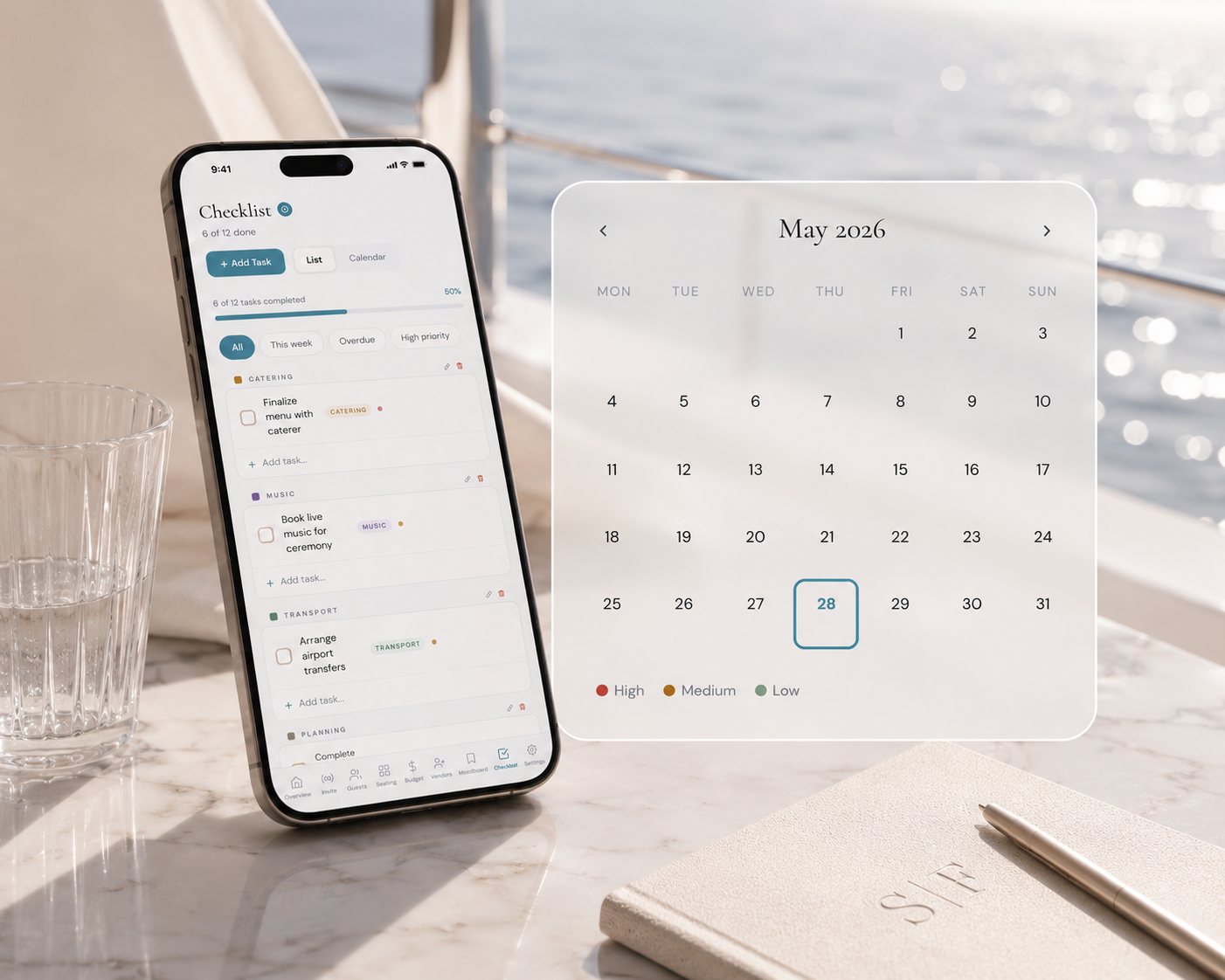
Generic wedding checklists are a good starting point and a bad ending point. "Book florist 8 months out" means nothing if you've already found your florist, or if you're planning a 4-month engagement. Build a checklist that maps to your actual timeline with colour-coded priorities, calendar view, and categories that match your wedding.
The most organised couples treat their wedding checklist the way they'd treat a project at work: tasks with deadlines, priorities set, nothing left to a vague "soon."
Manage vendors yourself. It's simpler than it sounds
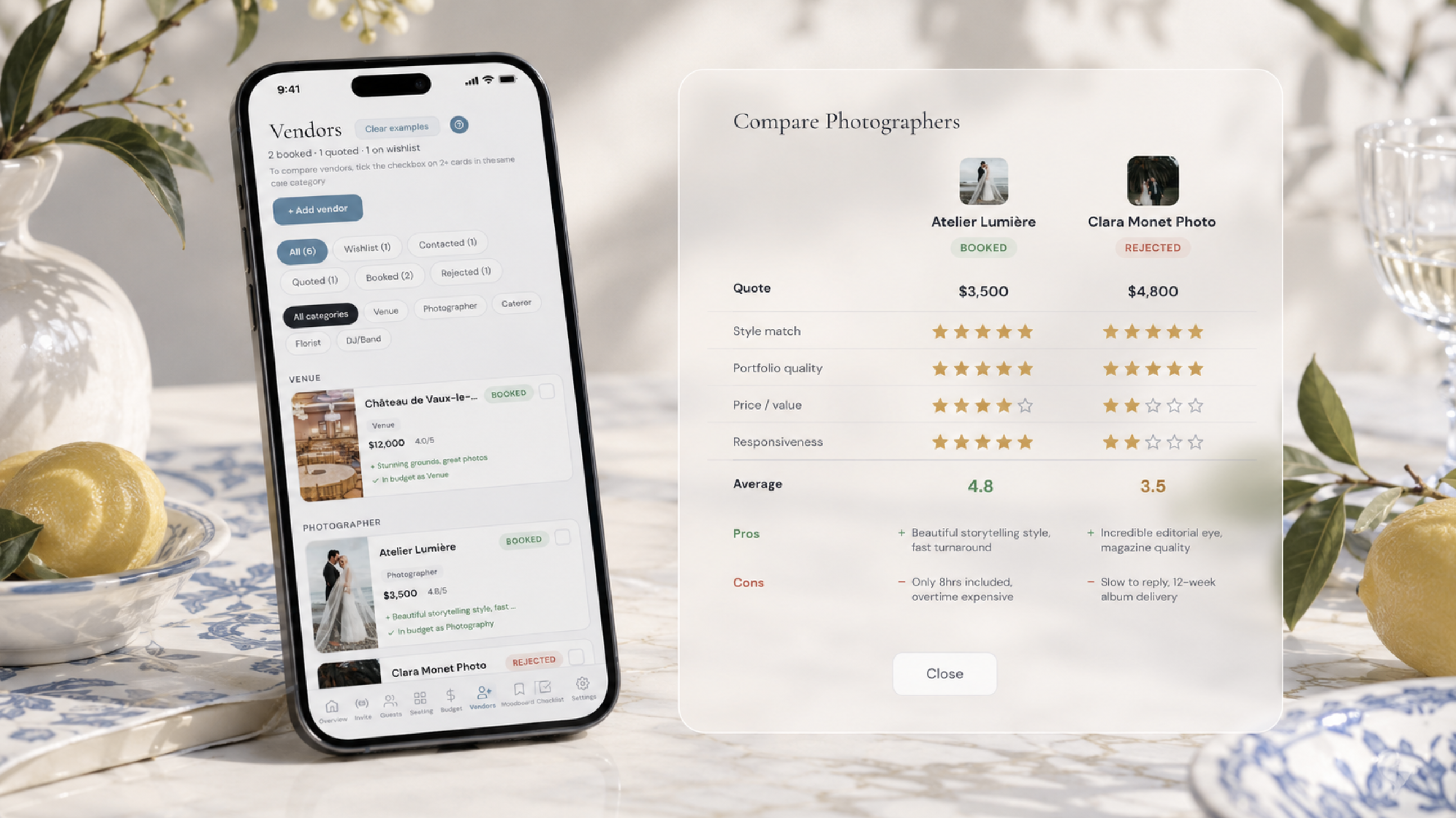
A wedding planner's core pitch is vendor management. But here's the reality: you have four to six main vendors: venue, caterer, photographer, florist, officiant, music. Each has a contract, a payment schedule, and a point of contact.
That's six relationships to manage over six to twelve months. Two tools handle all of it:
When everything lives in one dashboard, budget, checklist, guest list, seating, you're not switching between five apps and a folder of PDFs. Everything a wedding planner tracks, you track yourself. In one place.
Don't skip the moodboard stage
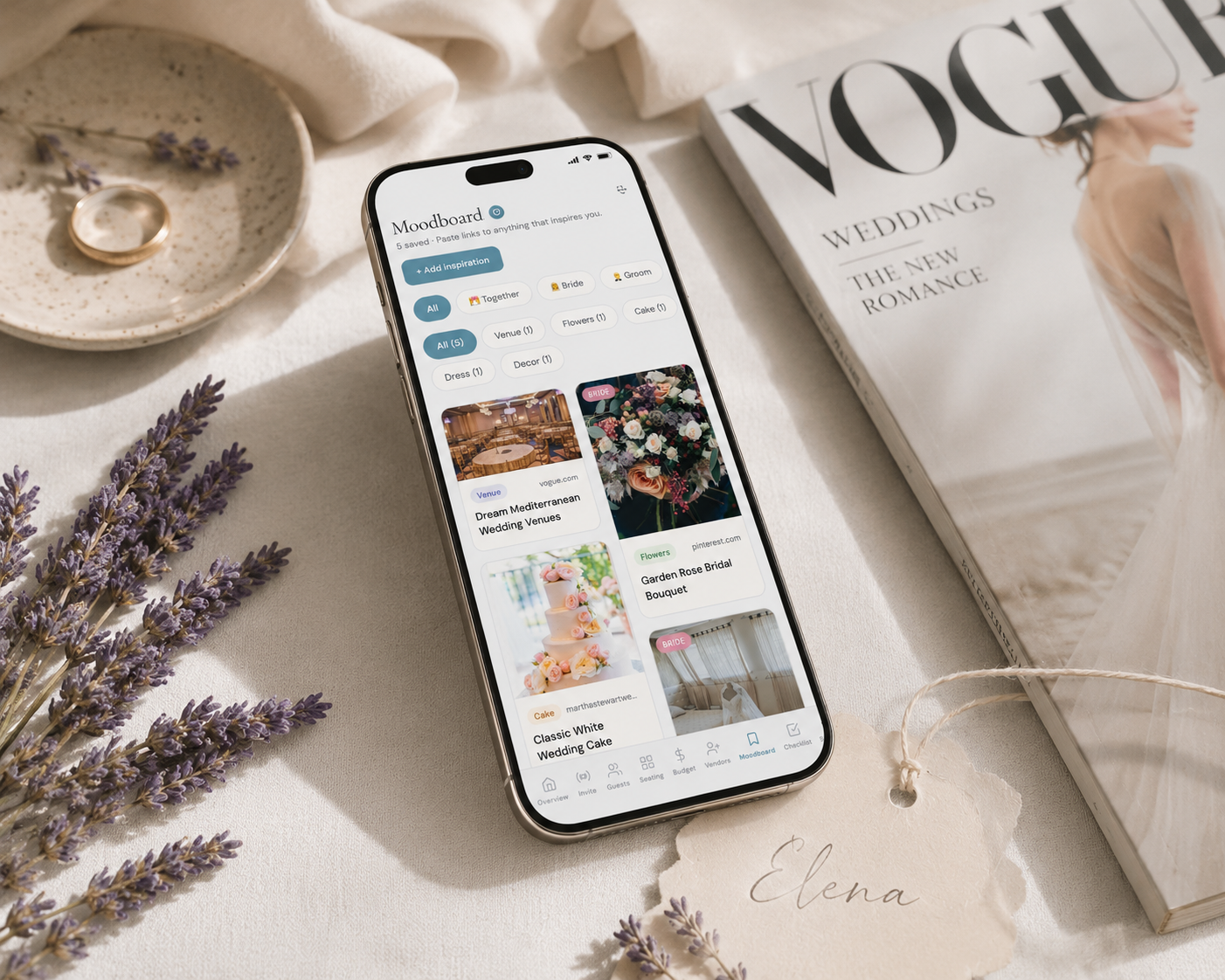
This sounds like a luxury step. It isn't. Your moodboard is where you decide what your wedding actually looks like, before you've booked anything. Without a clear visual reference, you make inconsistent decisions: a venue that doesn't match your flowers, a cake that doesn't match your palette.
Collect images, colour palettes, and references. Share your moodboard with your florist, photographer, cake designer. A shared visual language saves hours of revision and miscommunication.
Everything you need, in one place
Planning your own wedding without a planner is entirely achievable.
See it for yourself.
Explore the whole platform: cinematic invitation, RSVP with meals and allergies, guest list, seating chart, budget, vendors, checklist, moodboard, photo sharing and the AI planner. No account needed.
Try the full planner →Do I actually need a wedding planner?
No. Most couples who plan their own wedding find that the right digital tools replace everything a planner does, at a fraction of the cost. The Private Wedding App was built for exactly this.
What is the hardest part of planning your own wedding?
Guest management and seating plans are consistently the most stressful parts. Both become significantly easier with a tool that tracks RSVPs, meal choices, and allergies in real time, and connects directly to your seating plan.
How far in advance should I start planning?
Most couples plan over 9-18 months, but 4-6 months is achievable for smaller weddings with the right system. The key is having everything in one place so nothing falls through the cracks.
What is the best app for planning your own wedding?
The best tool combines your invitation, RSVP tracking, guest list, seating plan, budget, checklist, and moodboard in a single dashboard with affordable pricing. That's exactly what The Private Wedding App is. Critically, The Private Wedding App is one of the only tools where the invitation and guest management are a single connected pipeline. Guests RSVP inside the invitation, and their meal choices and allergy notes appear in the dashboard automatically. No other major platform closes this loop without manual data transfer.